


Use Case: Deduplication of Records
Opportunity: Deduplication is a process that eliminates duplicate records and increases process efficiency. The cost of the deduplication tool is $28k-$33k per year, which you can avoid using the Marketo Snap Pack. This use case demonstrates how to deduplicate records using the Marketo Snaps.
Problem
In an enterprise ecosystem with millions of records, 50k of the 600k records might be duplicates. This can lead to issues finding the records that require action. Duplicate records cause the following issues:
- Skewed results during marketing campaigns and reduced accuracy as a single email ID fetches multiple records.
- Unnecessary payment for duplicates because of Marketo's database pricing per record.
- Cleanliness is affected.
- Requires a costly investment in a deduplication tool.
Solution
Using the Marketo Snap Pack, you can automate the deduplication of records by merging the lead source data that contain the email ID. The example pipelines below demonstrate how this can be done using a Smart List, Static List, and createdAt and updatedAt filters.
A. Deduplication with a Smart List
Deduplication of records using the Smart List is a straightforward approach, where you create the Smart List in the Marketo account. Next, you must configure the Smart List filter to retrieve all the required records and provide the Smart List name/ID in the pipelines.
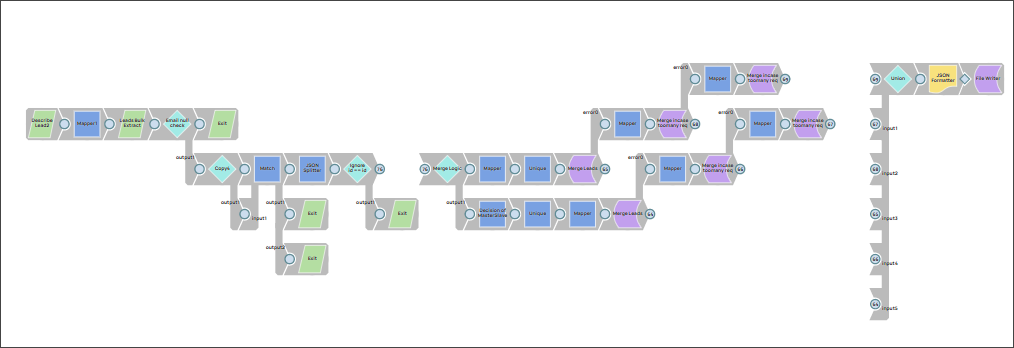
Step 1: Create a Smart List in the Marketo account. Navigate to the Database section and right-click on any folders and click New Smart List.

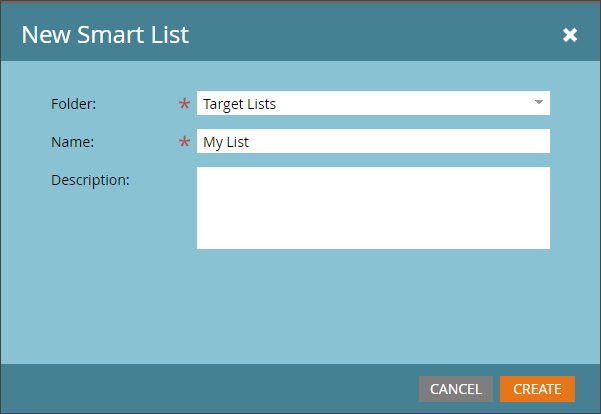
Step 2: Configure the required details and click CREATE.
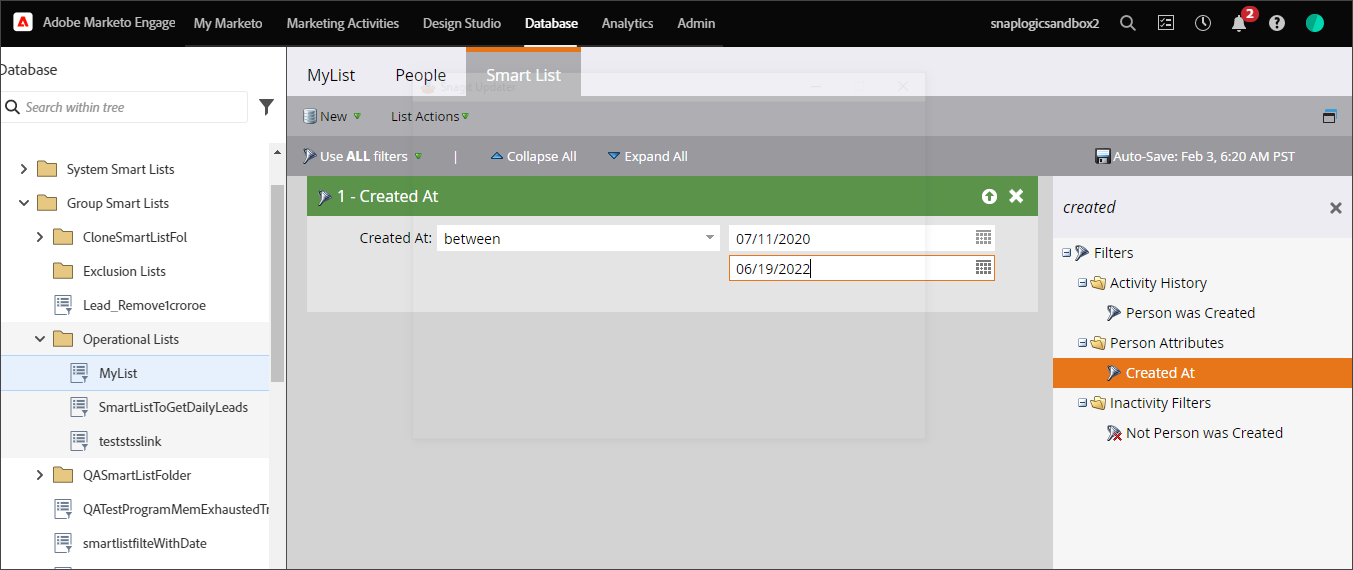
Step 3: Navigate to the Filters on the right pane to set up a filter.
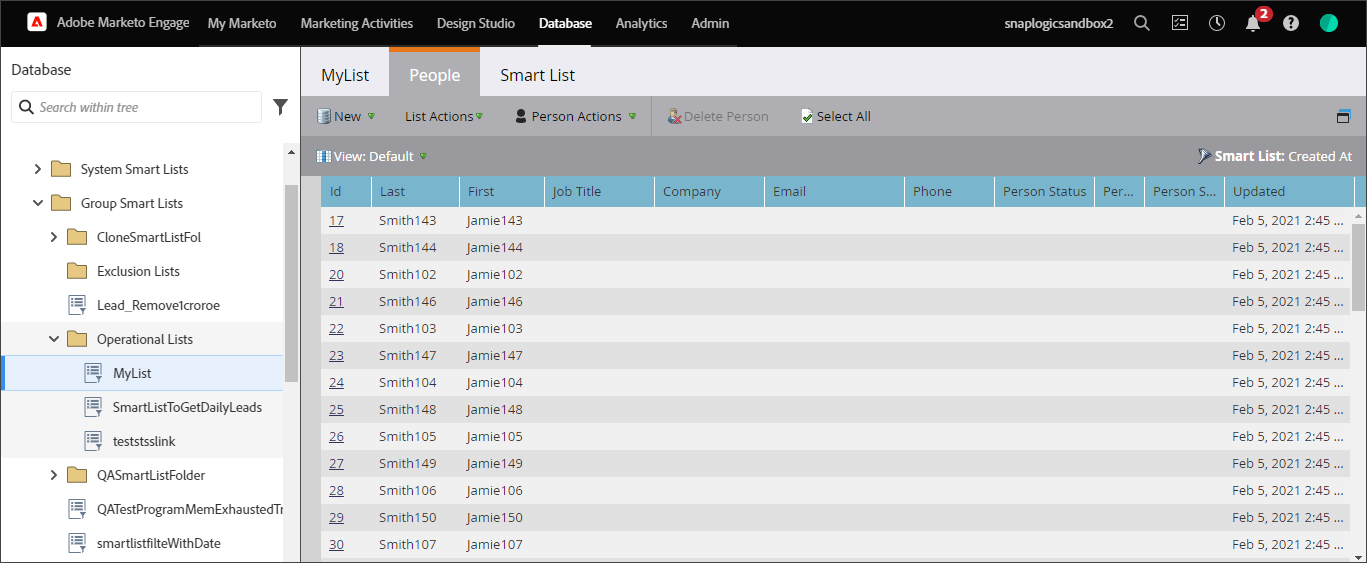
A Smart List is created with the records, including duplicates.
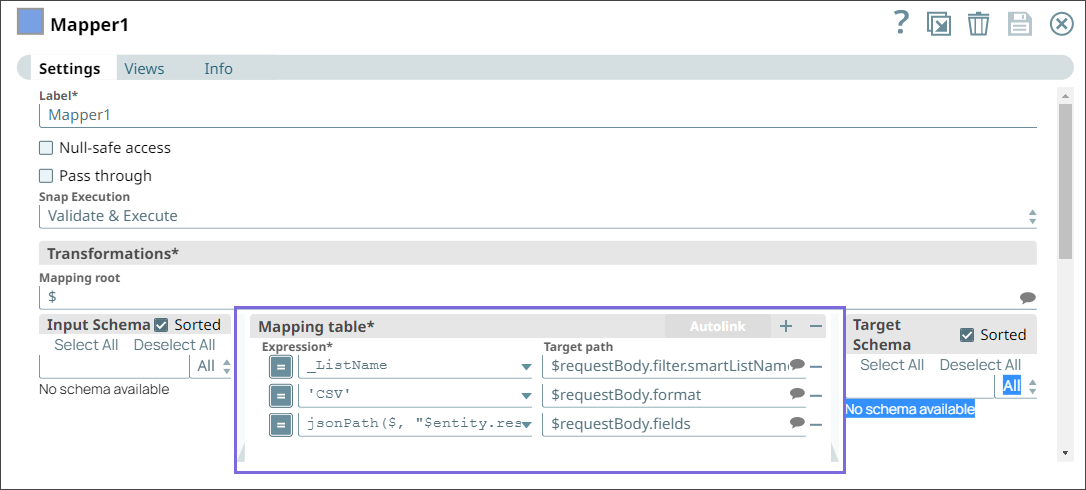
Step 4: Configure the Mapper Snap with the Smart List option as follows.
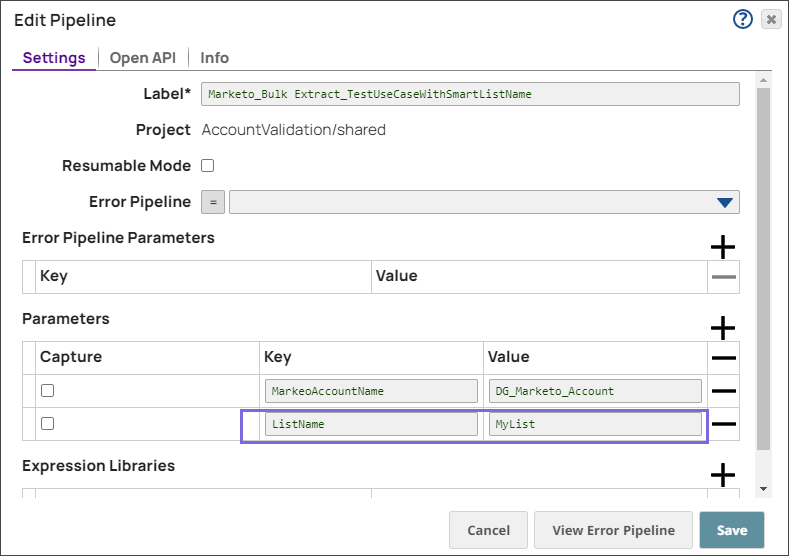
Step 5: Configure the name of the Smart List in the pipeline parameters.
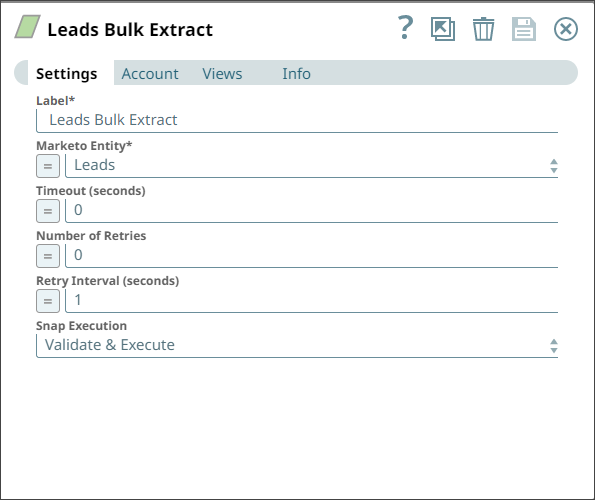
Step 6: Use the Marketo Bulk Extract Snap with the Leads entity to fetch the records.
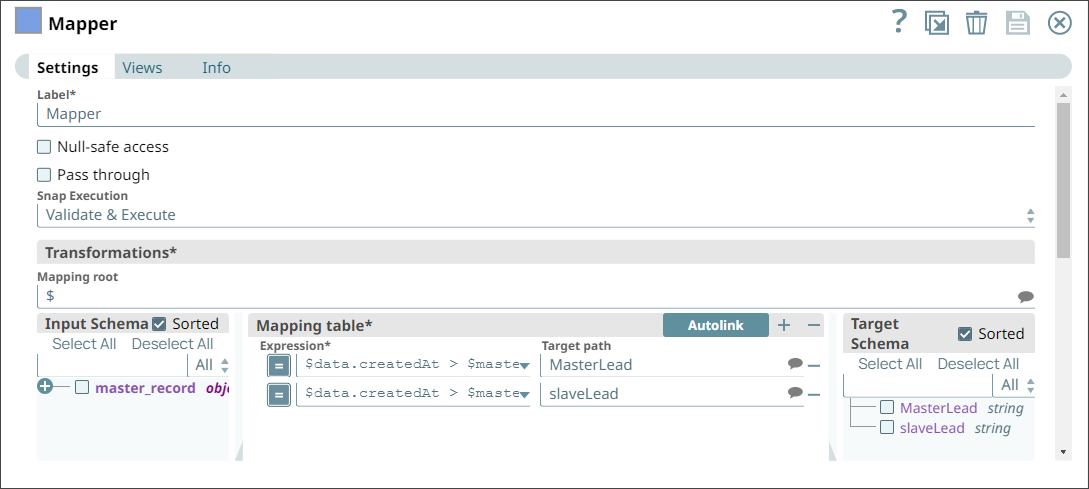
Step 7: Execute the pipeline. On executing:
- The pipeline identifies the records with the Person Source field data as parent records and the duplicate records without the Person Source data as child records. The child records are then merged into the parent records.
- If none of the records contain Person Source data, the merge can occur either way.
- If the Person Source data is in all the records, the one with the latest data is merged into the older record.
B. Deduplication using a Static list
Use the Static List option when you have a list of records from an external application such as Salesforce and want to import it to Marketo.
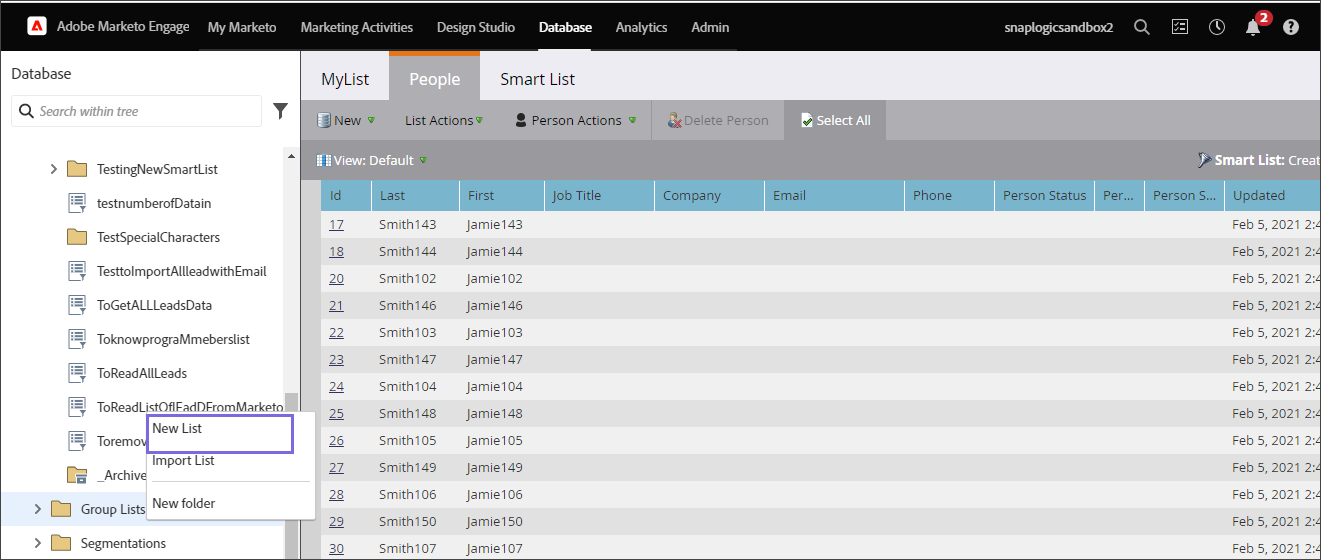
Step 1: Create a new list in your Marketo account.
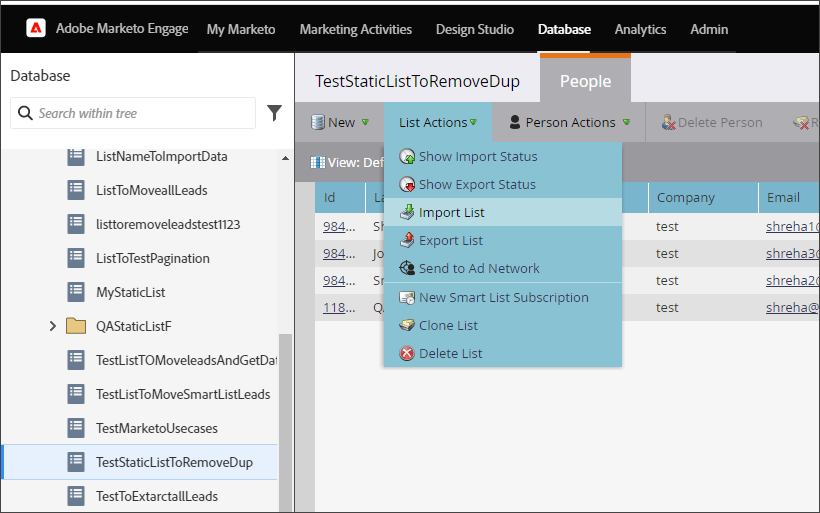
Step 2: Import the existing records into the newly created list.
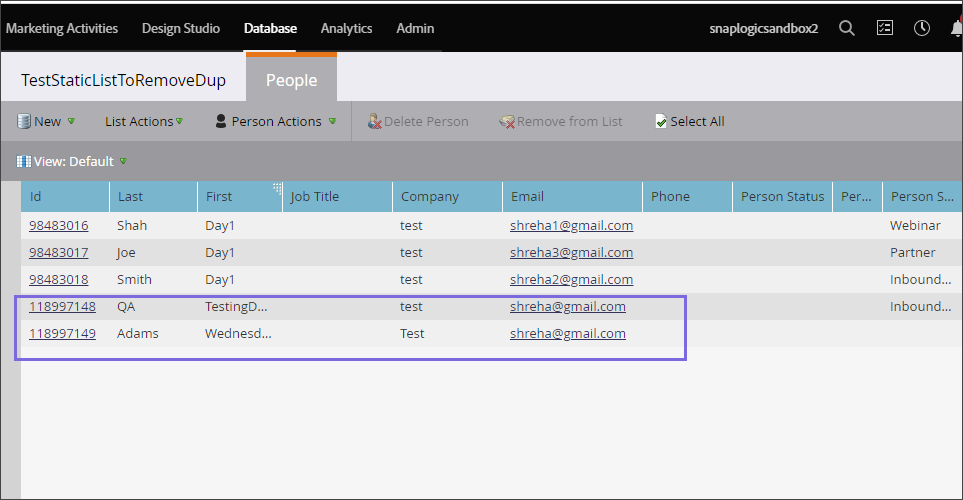
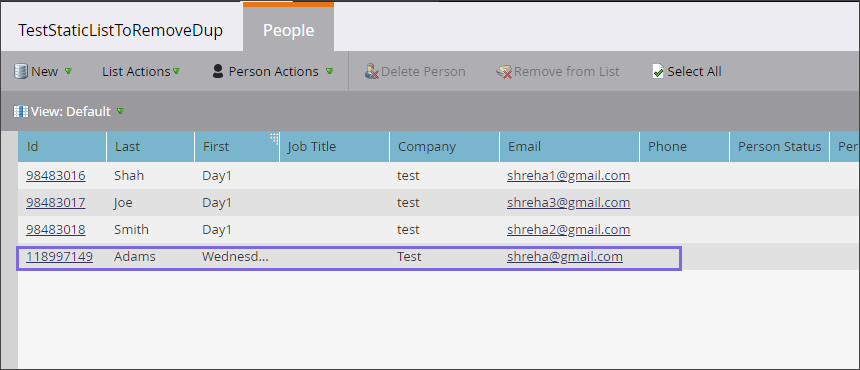
Step 3: Visually verify that there are duplicates with the same email ID in the imported list.
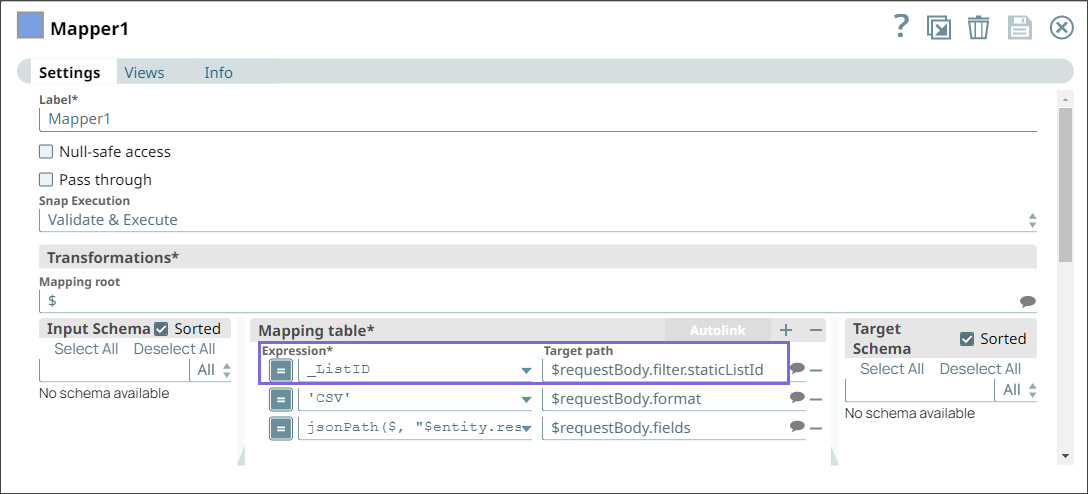
Step 4: Configure the Mapper Snap in the deduplication pipeline with the static list name.
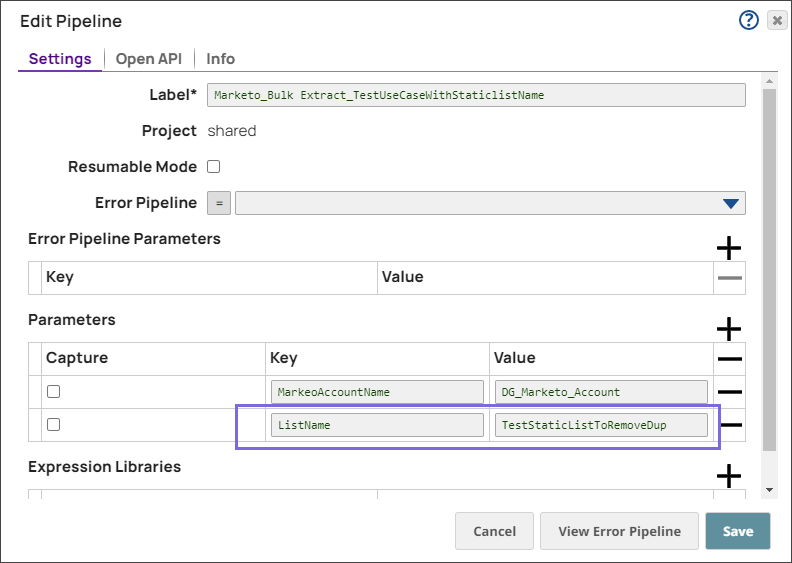
Step 5: Configure the pipeline parameters with the static list name.
Step 6: Use the Marketo Bulk Extract Snap with the Leads entity to fetch the records.
Step 7: Execute the pipeline. On executing:
- The pipeline identifies the records with the Person Source data as parent records and the duplicate records without the Person Source data as child records. The child records are then merged into the parent records.
- If none of the records has Person Source data, the merge can occur either way.
- If the Person Source data is in all the records, the one with the latest data is merged into the older record.
The records in the Static List are deduplicated as follows.
C. Fetching records using the createdAt and updatedAt fields
This method involves building three pipelines, a main pipeline, and two child pipelines, capable of fetching all the data from the day the data was created in the Marketo database.
Main pipeline
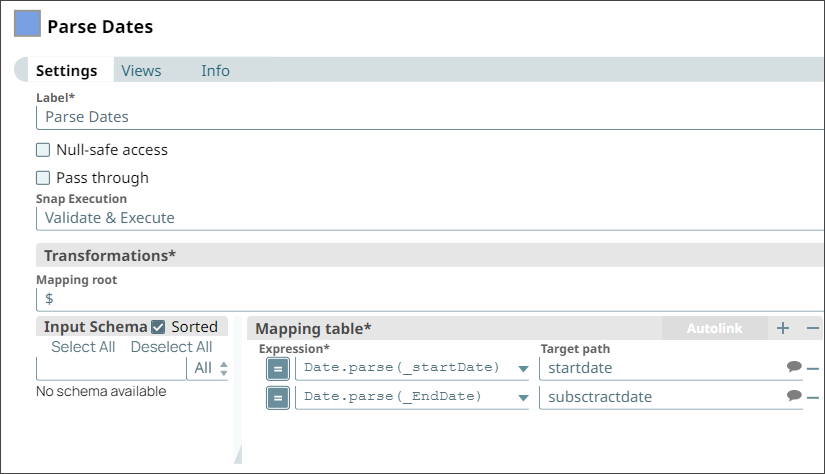
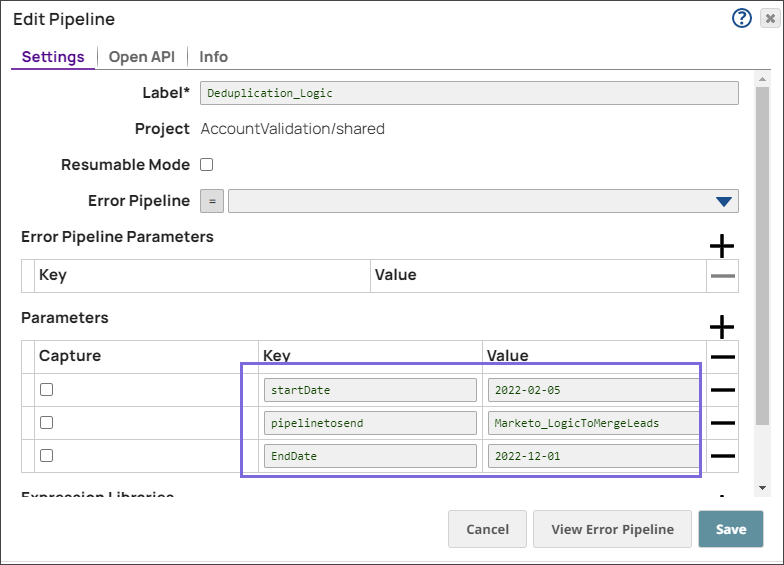
The main (or first) pipeline takes the start date and the end date of the period for which the deduplication must be done. The first pipeline executes the child pipeline (second pipeline) to segregate the number of days into batches of 31 days because Marketo has a limitation to fetch records for 31 days using the Bulk Extract Snap.

Configure the start date and end date for which the deduplication of records has to be done. Provide the start date and the end date in the pipeline parameters.
Second Pipeline
The second pipeline executes another child pipeline (third pipeline) that fetches the Marketo records for the specified date range. This pipeline identifies the duplicate records by email ID and merges the Person Source field data to form a unique record for an email ID.
- If the duplicate records do not contain the Person Source data, the records are merged seamlessly.
- If the first record has Person Source data and the duplicate records do not, the duplicate records are merged into the first.
- If all the duplicates have the Person Source data, the latest records are merged into the older record.

Third Pipeline
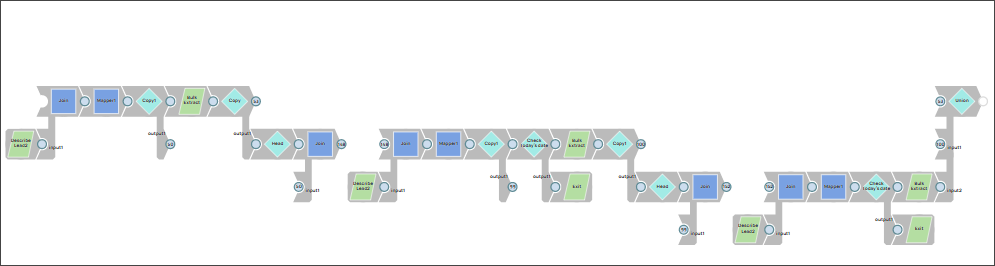
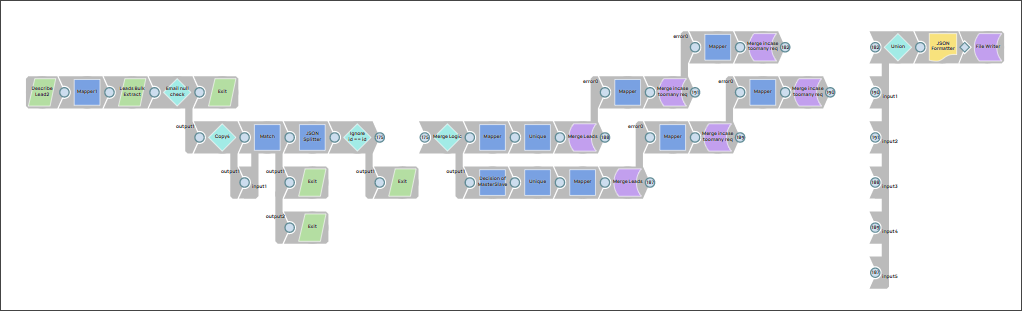
The third pipeline bulk extracts the data for the specified period for the Leads entity.
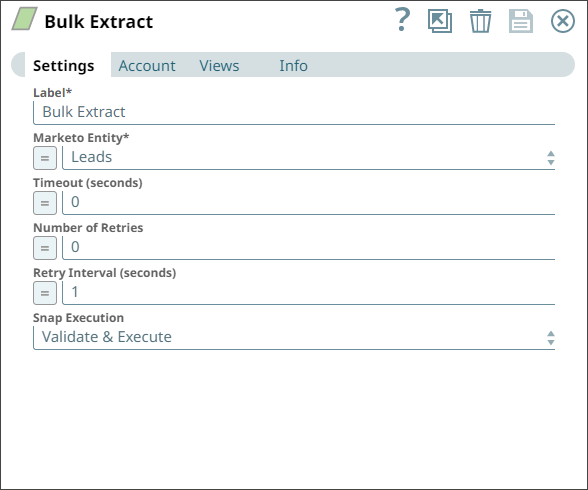
The second pipeline matches the email ID and identifies all the duplicates:
- The pipeline identifies the records with the Person Source data as Master Records and the duplicate records without the Person Source data as Slave Records. The Slave Records are then merged into the Master Records.
- If none of the records has Person Source data, the merge can occur either way.
- If the Person Source data is in all the records, the one with the latest data is merged into the older record.
Downloads
Important steps to successfully reuse Pipelines:
- Download and import the pipeline into the SnapLogic application.
- Configure Snap accounts as applicable.
- Provide pipeline parameters as applicable.