


Update Batch of Companies
Prerequisites: You must have access to HubSpot and a valid HubSpot Account (OAuth or Private App).
This pipeline demonstrates how to update a batch of companies in HubSpot.
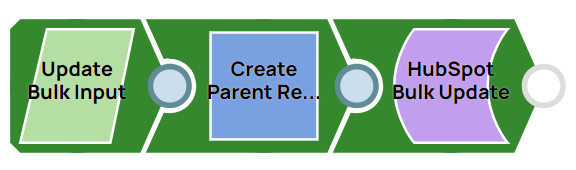
-
Configure the JSON
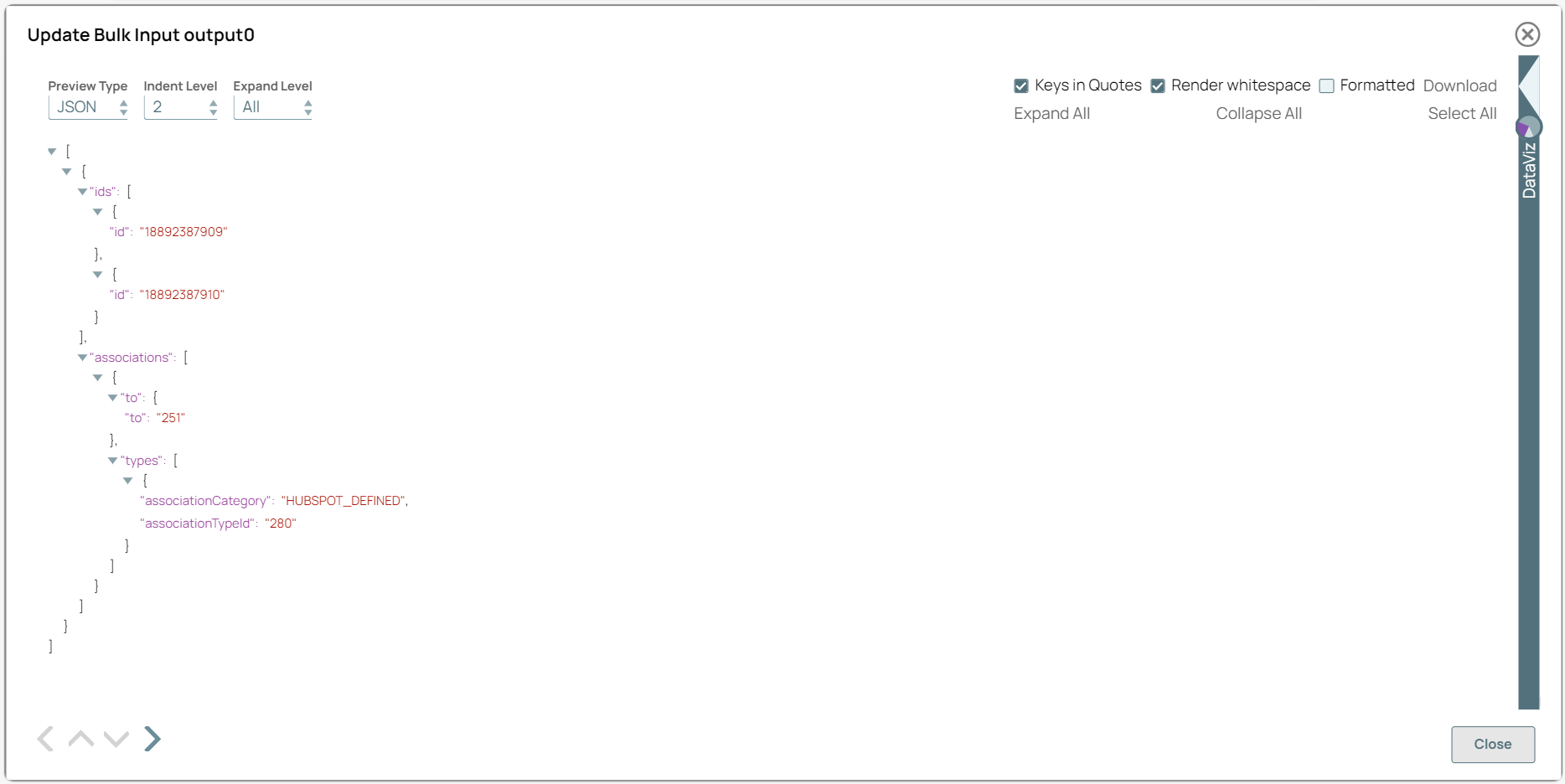
Generator Snap to provide the details to be updated for the specific companies.
On validation, you can view the JSON output in the output preview:
-
Configure the Mapper Snap to map the output details from the JSON
Generator Snap to the corresponding fields in HubSpot.
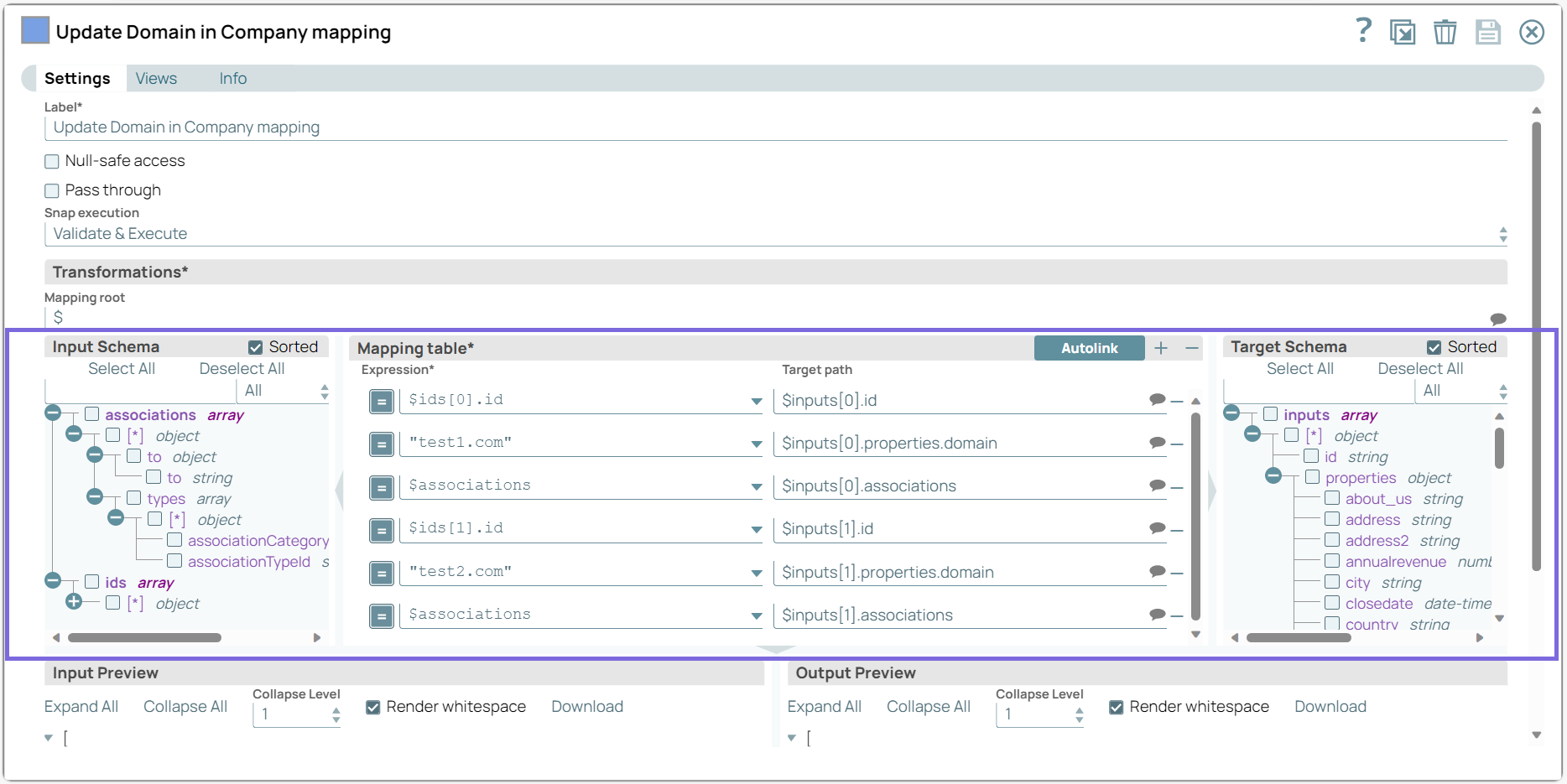
On validation, the JSON input fields are mapped to the HubSpot entity fields:
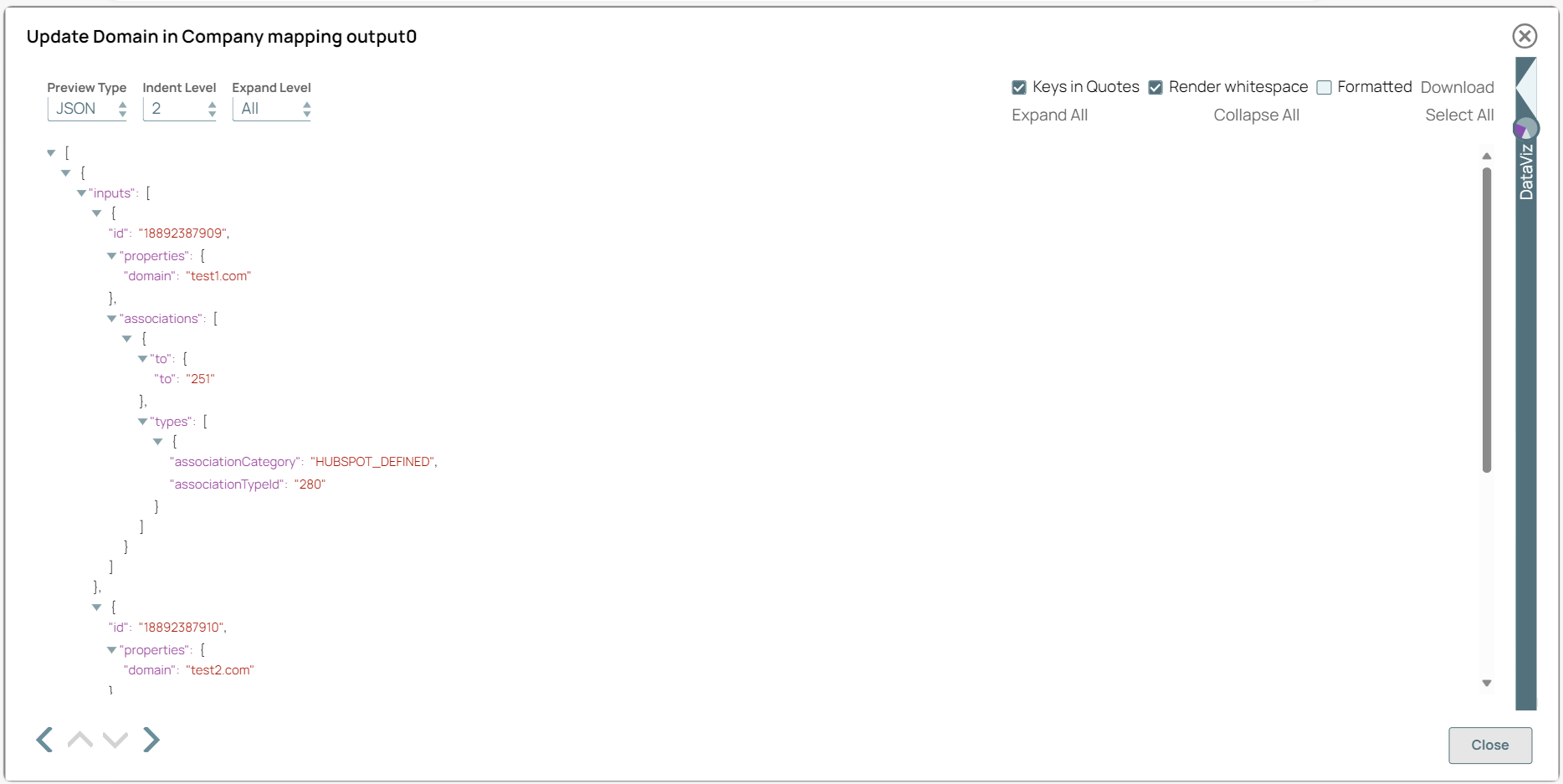
-
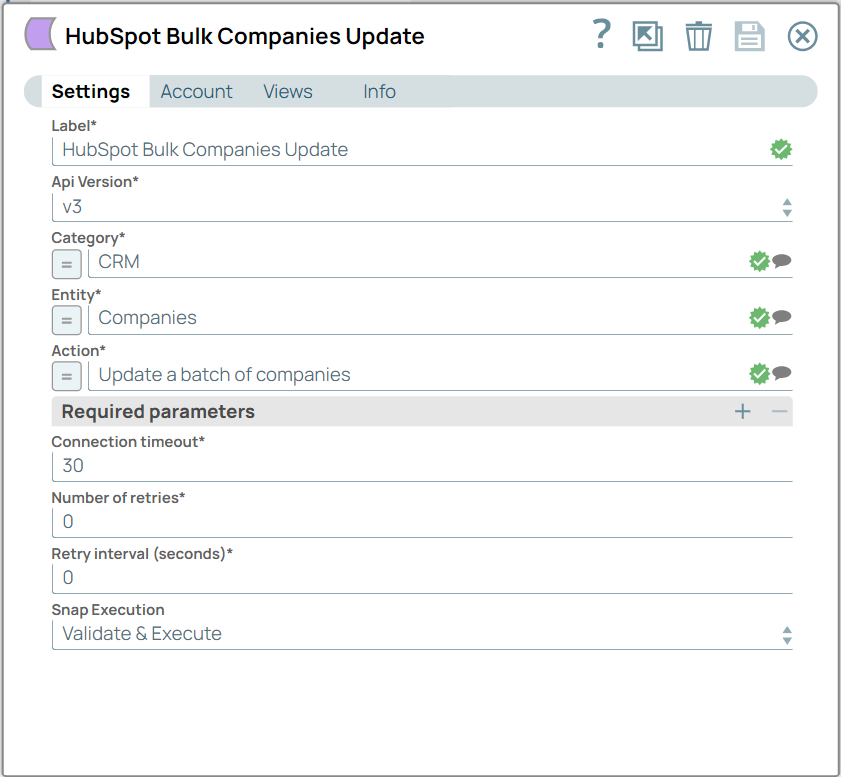
Configure the HubSpot Bulk Update Snap with the Company Entity and Update a Batch of Companies action.
-
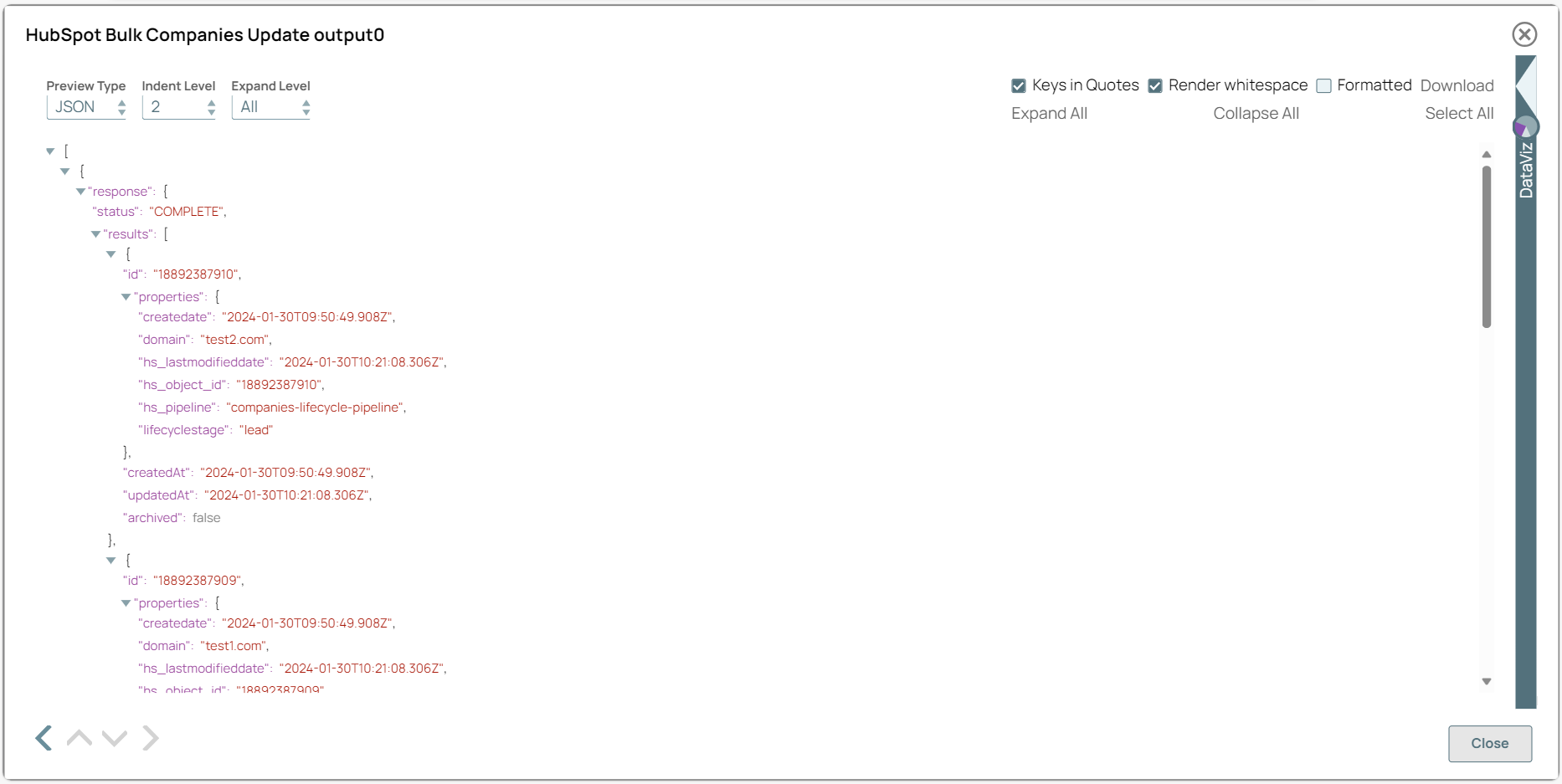
Validate the pipeline. On validation, the HubSpot Bulk Update Snap updates a batch of companies with the specified details and displays the results in the output preview.
To successfully reuse pipelines:
- Download and import the pipeline into SnapLogic.
- Configure Snap accounts as applicable.
- Provide pipeline parameters as applicable.