


Azure SQL - Table List
Overview
The Azure SQL - Table List Snap outputs a list of tables in a database.
The Snap connects to the database, reads its metadata, and outputs a document for each table found in the database. The table names are output in a topological order so that tables with the fewest dependencies are output first. In other words, if table A has a foreign key reference to table B, then table B will be output before A. The ordering is intended to ease the process of replicating a group of tables from one database to another.
- This is a Read-type Snap.
 Works in Ultra Tasks
Supported Accounts
Prerequisites
- This Snap supports SQL Server 2008 or newer.
- A valid account with the required permissions.
Snap views
| Type | Description | Examples of upstream and downstream Snaps |
|---|---|---|
| Input |
This Snap has at most one document input view. This Snap can have an upstream Snap that can pass a document output view, such as Structure or JSON Generator. |
|
| Output |
This Snap has at most one document output view. Documents with the following fields:
|
|
| Learn more about Error handling. | ||
Examples
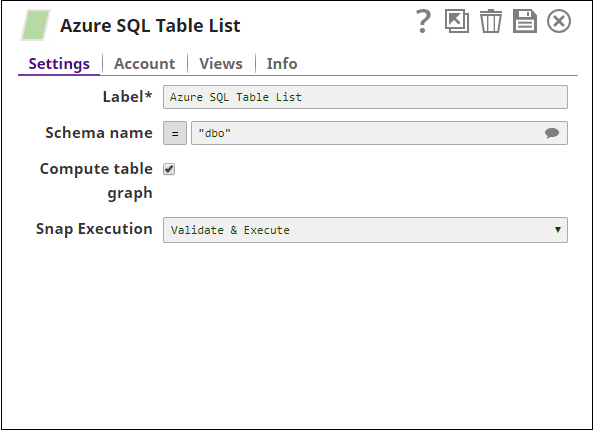
- Basic Use Case (Azure SQL - Table List): This example demonstrates how to retrieve all tables from the
dboschema, including dependency order when the Compute table graph option is enabled.
Snap settings
| Field/Field set | Description |
|---|---|
Label
String |
Required. Specify a unique name for the Snap. Modify this to be more appropriate, especially if more than one of the same Snaps is in the pipeline. Default value: Azure SQL - Table List |
Schema Name
String/Expression/ Suggestion |
The database schema name. Selecting a schema filters the Table name list to show only those tables within the selected schema. The property is suggestible and will retrieve available database schemas during suggest values.
Default value: N/A Example: test |
Compute table graph
Checkbox |
Computes the dependents among tables and returns each table with a list of tables it has foreign key references to. The ordering of outputted tables is from least dependent to most-dependent. Note that as turning on this option will significantly slow down the Snap, it should be left as off unless you need it.
Default value: Deselected |
Snap execution
Dropdown list |
Choose one of the three modes in
which the Snap executes. Available options are:
|