


Filter missing data or empty values using the Null-safe access option
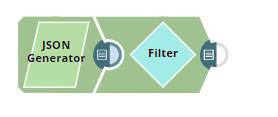
This example pipeline demonstrates how to filter data with missing data or empty values using the Null-safe access checkbox.
-
Configure the JSON
Generator Snap with the
following data. Each record has location and salary except
ID102, which does not have the location.
-
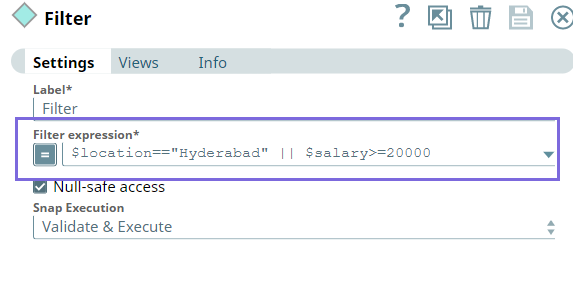
Configure the Filter expression as $location=="Hyderabad" || $salary>=20000
which means the Snap should filter and display the records in the output that has the
location as Hyderabad OR the salary at least INR 20000. Select the
Null-safe access checkbox—the Snap then finds any missing data while accessing
the source path ( such as record#102, which does not have a location); the Snap considers
the field null, a valid filter criteria.
-
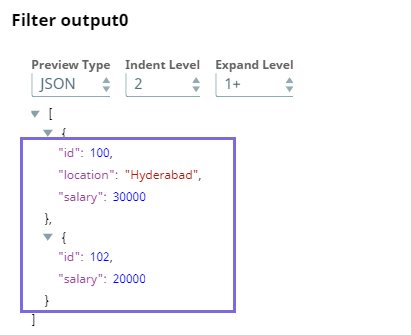
Validate the pipeline, the
Filter
Snap return
the output as follows:
- Download and import the pipeline into SnapLogic.
- Configure Snap accounts as applicable.
- Provide pipeline parameters as applicable.