


Pull project files
POST https://{controlplane_path}/api/1/rest/public/project/pull/{project_path} Overview
Updates the specified project with the latest files from the associated Git repository. Equivalent to git pull.
- The project must already be associated with a Git repository.
- You can track up to 1,000 files in each project, including every tracked asset and any other files in the project's folder in the repository. In a project space, each project has its own limit. Each file can be up to 50 MB. A commit, checkout, or pull that exceeds either limit fails with an error.
- You must use the Project Manager UI or Git tools to commit changes to your repository.
Prerequisites
- Write access to the assets to be added or updated
Limitations
- You cannot use SnapLogic service accounts to call any of the SnapLogic Git operation APIs.
Request
POST https://{controlplane_path}/api/1/rest/public/project/pull/{project_path}
Path parameters
| Key | Description |
|---|---|
controlplane_path |
Required. The SnapLogic control plane host:
elastic.snaplogic.com (US) or
emea.snaplogic.com (EU). |
project_path |
Required.
The path to the SnapLogic project.
Format:
Important: The path comparison is case-sensitive.
|
Query parameters
None.
Request header
Basic authentication
To use basic authentication, specify Basic for authorization in the request
header, add your credentials (email and password for your SnapLogic user or service account), and
specify application/json for content type. For example:
Authorization: Basic {base64_encoded <email>:<password>}
Content-Type: application/json
Example of basic authentication using Postman:
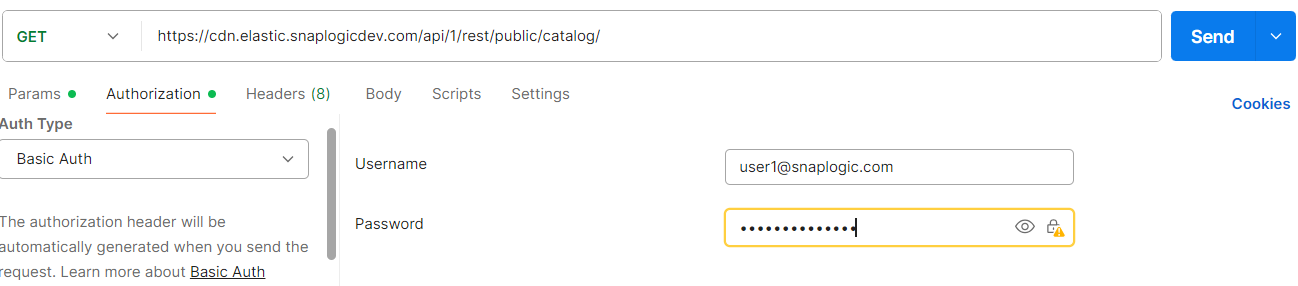
Learn more about the basic authentication header in REST API requests.
JWT authentication
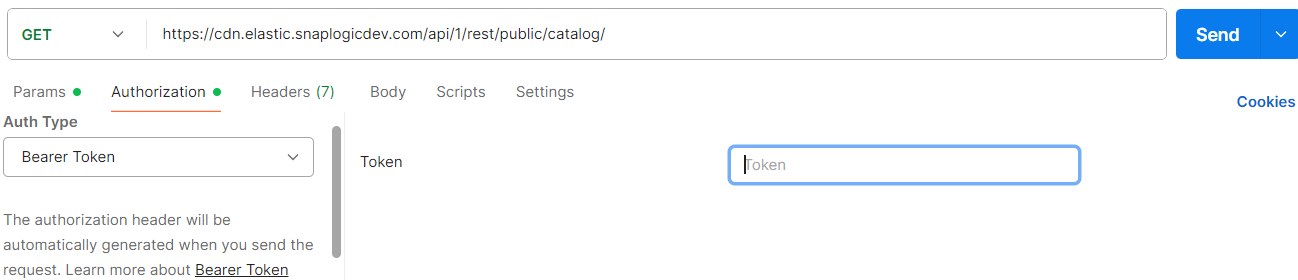
When using JWT authentication, the API request includes specific headers. In the request header,
specify Bearer Token for authorization, add the token, and specify
application/json for content type. These headers are automatically added when
you configure bearer token authentication in your API client. The authorization header contains
the word Bearer followed by a space and your JWT.
Authorization: Bearer Token {token}
Content-Type: application/json
Example of JWT authentication using Postman:
Request body
   //To overwrite local changes with the versions in the repository.
  {
  "use_theirs": ["65e12ed44f526dee5878a380","65e12ed482f42d881560dfca"]
  }

  //To keep local changes and ignore conflicting versions from the repository.
  {
  "use_ours":["65e12ed44f526dee5878a380","65e12ed482f42d881560dfca"]
  }
| Key | Type | Description |
|---|---|---|
use_theirs |
array | Optional. An array of asset IDs for assets in the local project to overwrite with the versions from the repository. To retrieve asset IDs, use Retrieve the Status of the Git Repository. |
use_ours |
array | Optional. An array of asset IDs for assets in the local project to keep unchanged, ignoring the corresponding updates from the repository. |
Response
If the project is already up to date:
{
  "response_map": {
    "status": "up-to-date"
  },
  "http_status_code": 200
}
If changes were pulled:
{
  "response_map": {
    "status": "updated",
    "overwritten": [ ... ],
    "updated": [ ... ],
    "created": [ ... ],
    "deleted": [ ... ],
    "ignored": [ ... ],
    "error_msgs": [ ... ]
  },
  "http_status_code": 200
}
| Key | Type | Description |
|---|---|---|
status |
string | The status of the process. |
overwritten |
array | The list of files that were overwritten. |
updated |
array | The list of files that were updated. |
created |
array | Asset files that were copied from the Git repository into the project. |
deleted |
array | Assets that were removed because they no longer exist in the repository. |
ignored |
array | Asset files that exist in the Git repository but were not copied into the project. |
error_msgs |
array | Any error messages that were thrown during the process. |
Example
This example uses Basic authentication. For a JWT example, refer to Authentication.
curl -X POST \
  'https://elastic.snaplogic.com/api/1/rest/public/project/pull/acme/MySpace/MyProject' \
  -H 'Authorization: Basic {base64_encoded email:password}' \
  -H 'Content-Type: application/json' \
  -d '{}'