


Using the CSV Parser Snap Schema Capability
One of the features in the CSV Parser which customers sometimes request is the ability to define the fields (and their data types) for incoming CSV files. This is made easy by adding a second input view to the CSV Parser Snap, and providing the definition of the fields, and their data types in the flow.


Note the data types are optional, and defined on the second line of the input file. The parser supports the use of 'string', 'integer', 'float' and 'boolean' types. String is the default data type, any empty data type fields are considered to be strings.
The configuration of the pipeline for this use is as follows:
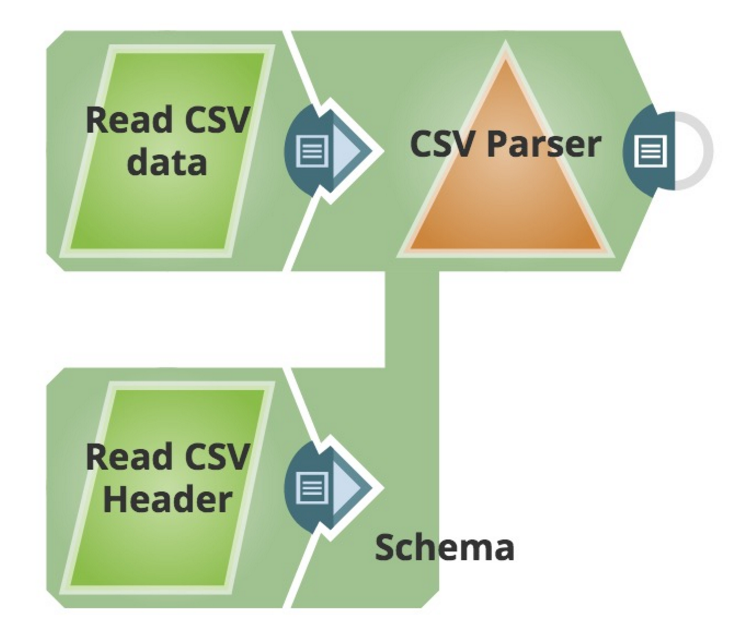
|
The CSV Parser is configured as follows: 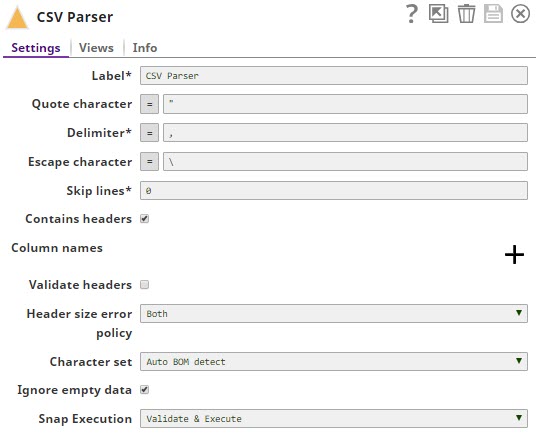 |
Views is configured as follows: 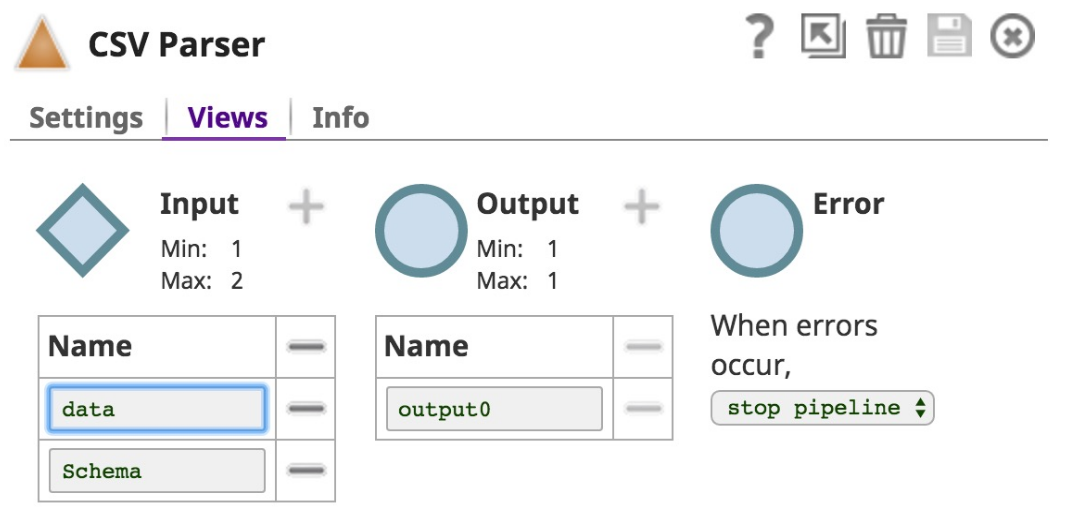 |
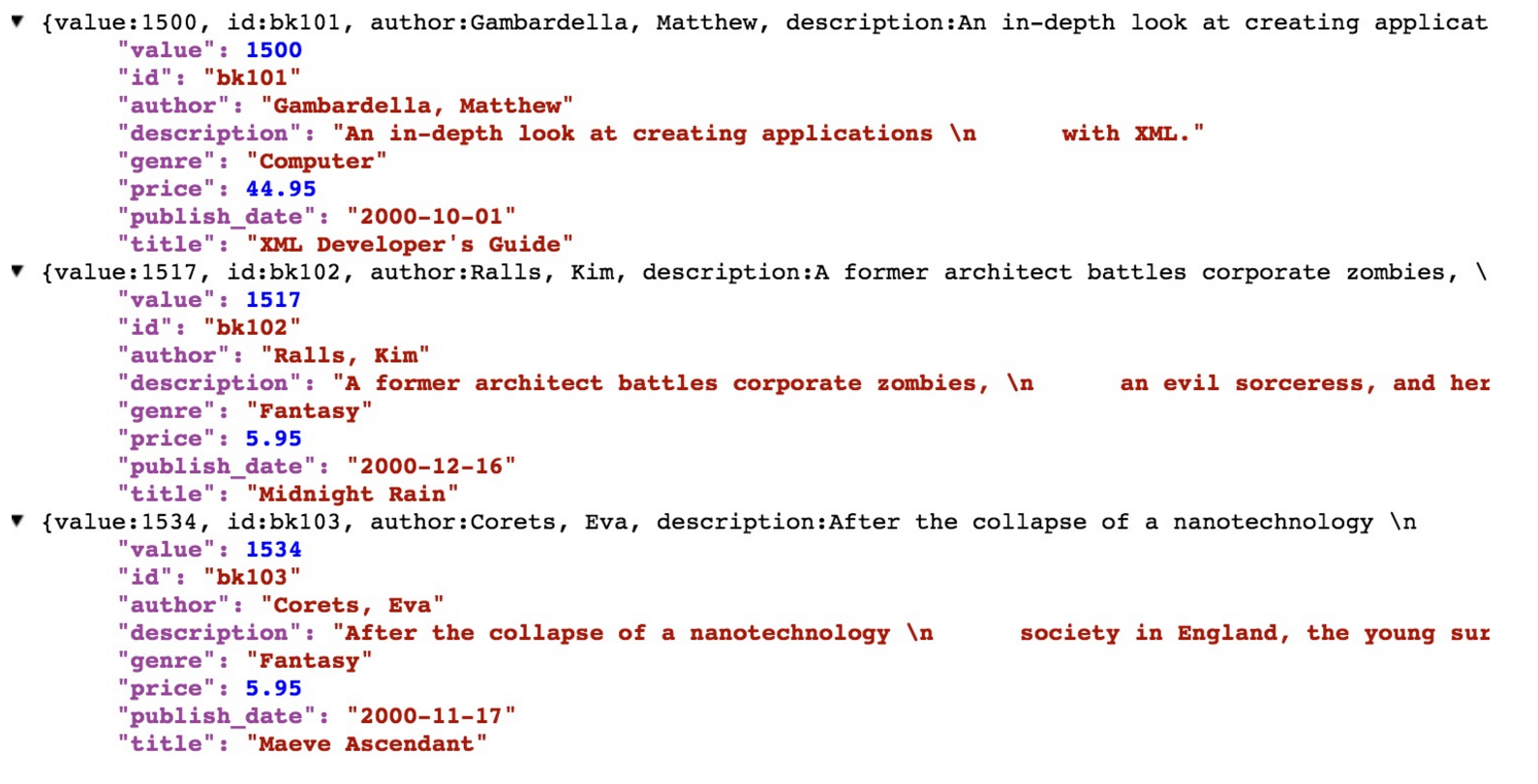
- Download and import the SLP file into your Environment.
- Configure Snap accounts.
- Provide Pipeline parameters, if any.