


Asset Palette
The Asset Palette is the unified left-navigation workbench in SnapLogic Designer that lets you browse and search Snaps, Pipelines, and Patterns from a single panel.
The Asset Palette is the unified left-navigation workbench in SnapLogic Designer that lets you browse and search Snaps, Pipelines, Patterns from a single panel. The palette can be expanded or collapsed to maximize canvas space for your pipeline design.
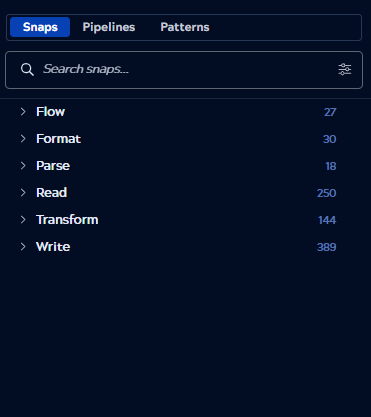
From My Assets, you can browse and search for:
- Snaps by Type or Snap Pack.
- Pipelines in the current project.
- Patterns from the Public pattern library and your project.
Browse and search Snaps
Click Snaps in the Asset Palette to view the Snap catalog. Enter a search term in the Search Snaps field to filter the list. You can sort and filter your results by:
- Name (for example, File Reader, Join, Mapper).
- Snap Pack (for example, SAP Snap Pack).
- Type of Snap (for example, Read, Flow, Transform).
Drag a Snap from the palette onto the canvas to add it to your pipeline.
Browse and search Pipelines and Patterns
Click Pipelines or Patterns in the Asset Palette to view the corresponding catalog. Use the search field to filter the list, and expand or collapse categories to navigate the results.
Patterns include templates from the Public pattern library and any patterns saved in your project, helping you start from a working baseline rather than a blank canvas.
Palette state and persistence
The Asset Palette retains your navigation context as you work. Menu state, including the scroll position, search filter, and expand or collapse state, persists when you switch between Pipelines and Patterns, open a new tab, or hide the palette. Snap catalog state refreshes when you reinvoke the Snap catalog or refresh the browser.