


Block users from SnapGPT
Use the snapgpt_blocked group in Admin Manager to prevent specific
users from accessing SnapGPT in your environment.
SnapLogic automatically provisions a snapgpt_blocked group when SnapGPT is
enabled for your environment. Users added to this group cannot use SnapGPT in Designer or
Monitor. The group is empty by default. All users have access unless explicitly added.
Note: The group name is system-defined and can't be changed.
Add users to the SnapGPT blocked group
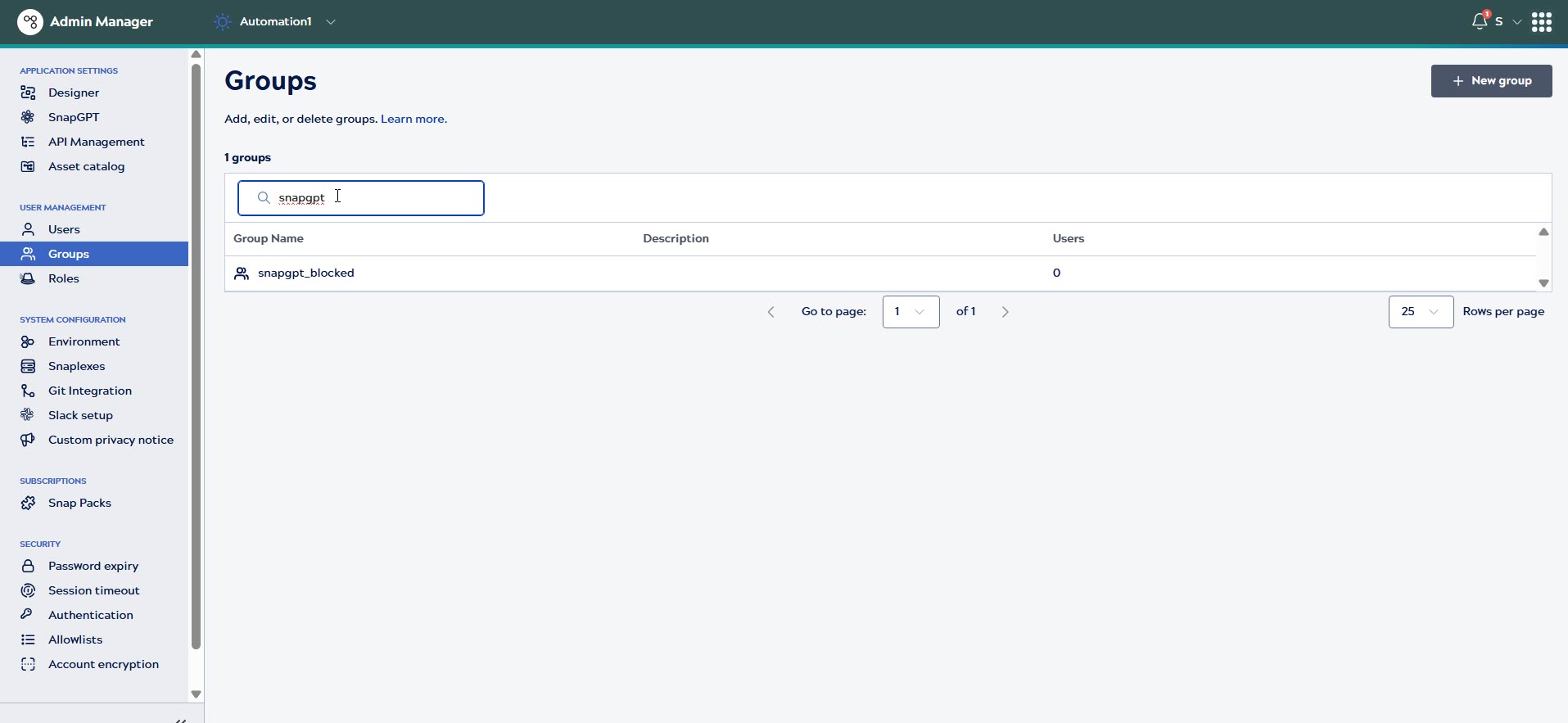
- In Admin Manager, go to User Management > Groups.
- Search and click snapgpt_blocked to open the group.
- Click + Add users.

- Search for users by name or email, then select the users to block.
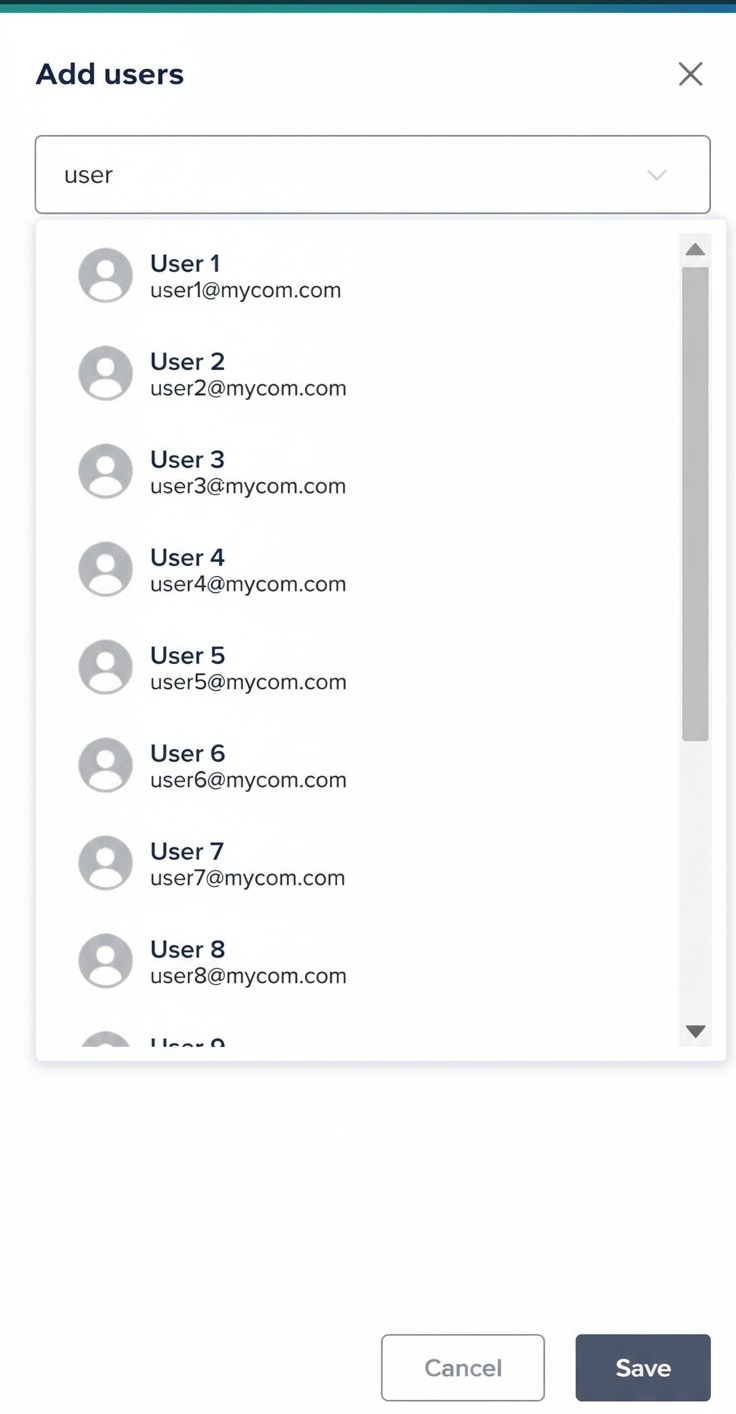
- Click Save. The selected users are added to the group and lose
access to SnapGPT.
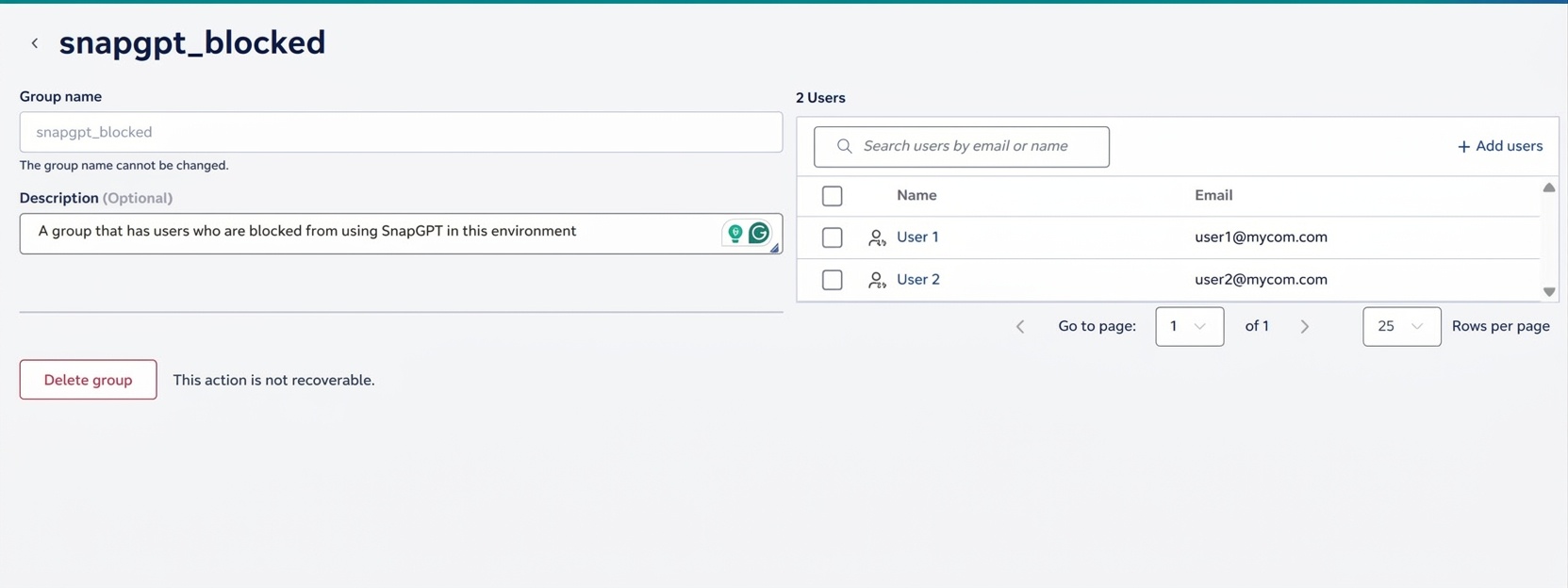
Remove users from the block group
- In Admin Manager, go to User Management > Groups.
- Click snapgpt_blocked to open the group.
- Hover over the user row and click Remove.
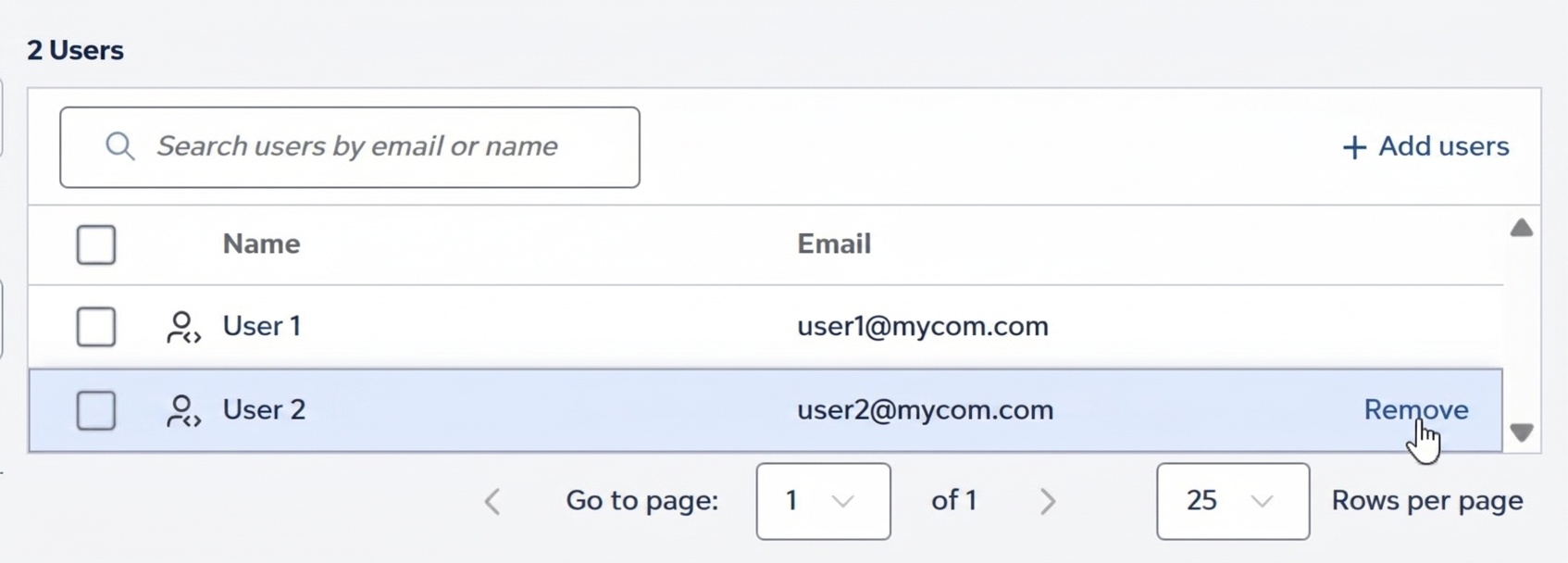
- In the confirmation dialog, click Remove. The user is removed from the group and regains access to SnapGPT.