


Viewing the Simplified Output of Documents
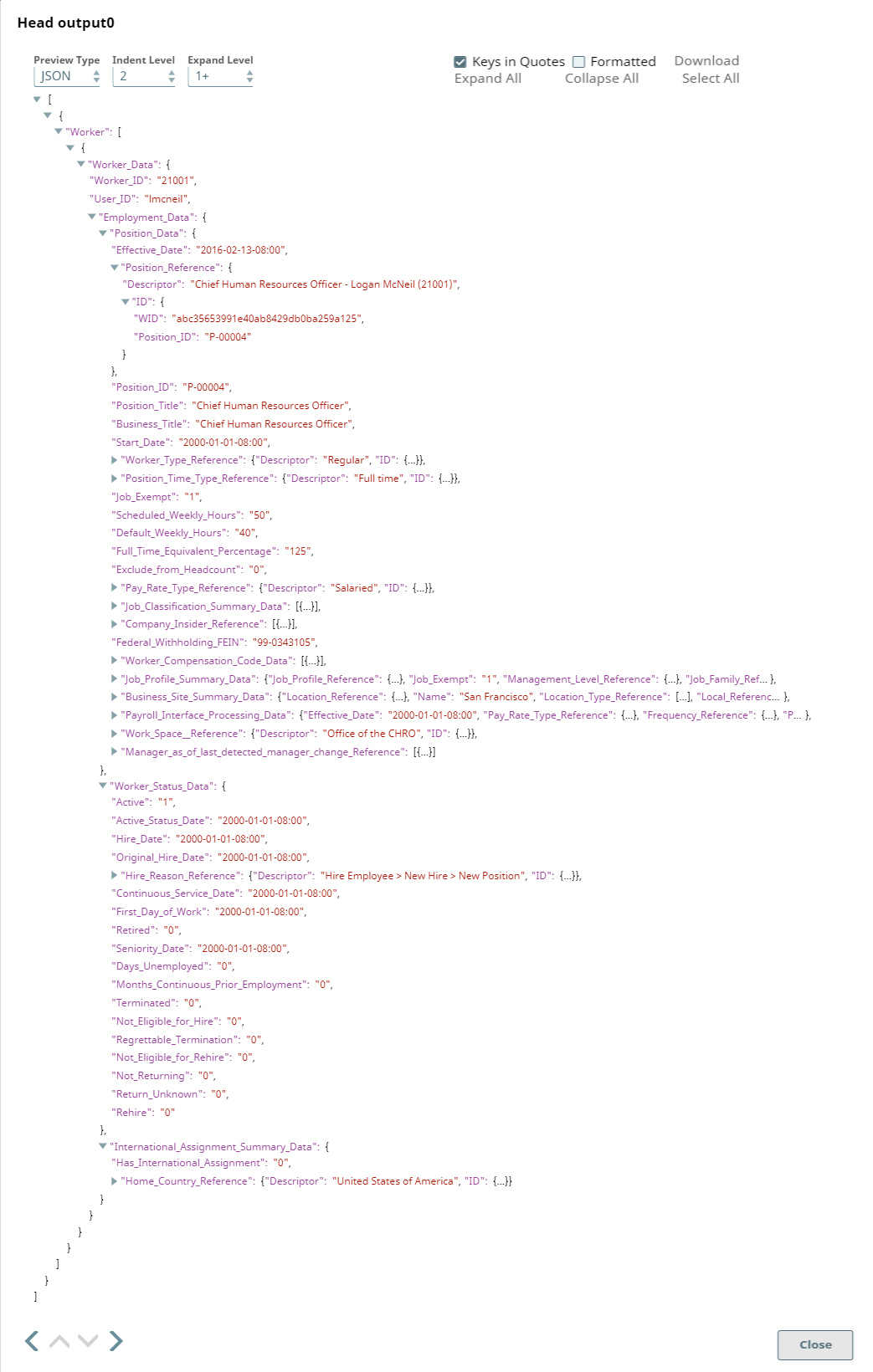
This example Pipeline demonstrates how to generate a simplified view of your Workday Read Snap output without the difficult-to-read attributes and metadata that typically accompany Workday output.
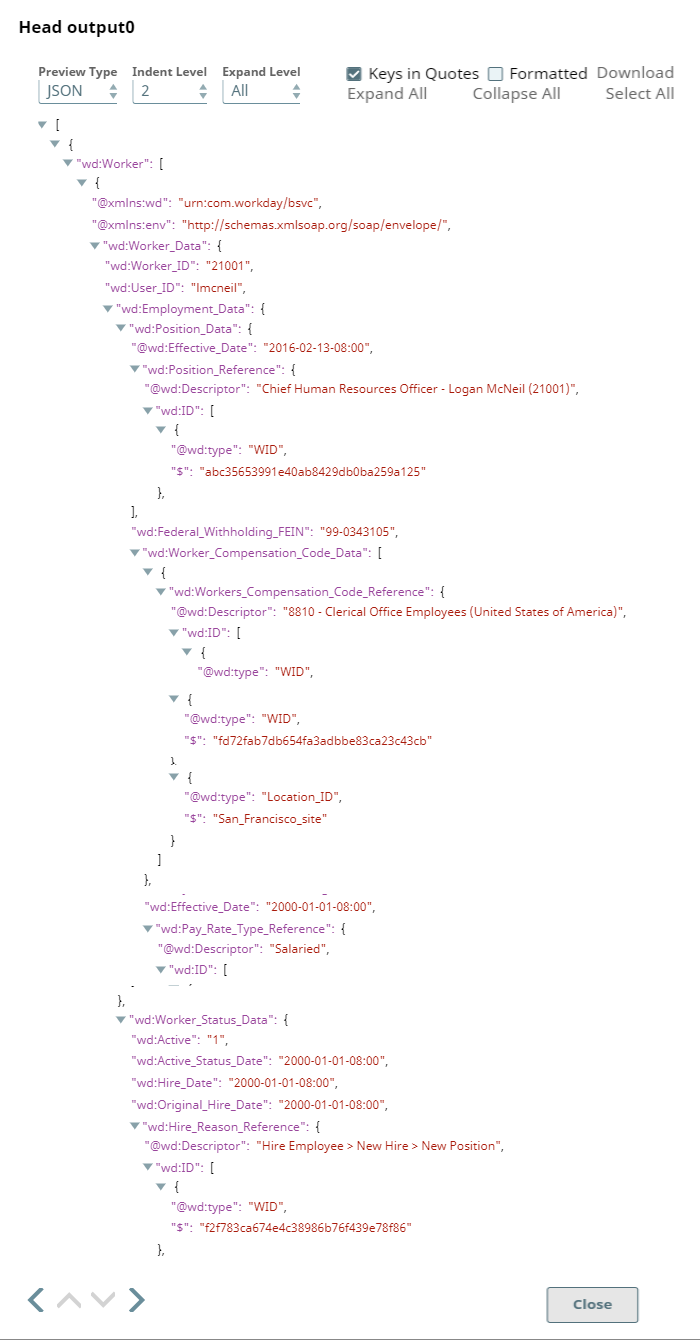
This Pipeline retrieves a list of workers, with detailed documents accompanying each worker. We shall see what the output looks like without the Simplified view restriction and then generate a Simplified view of the output using the Workday Read Snap.

Download this Pipeline
-
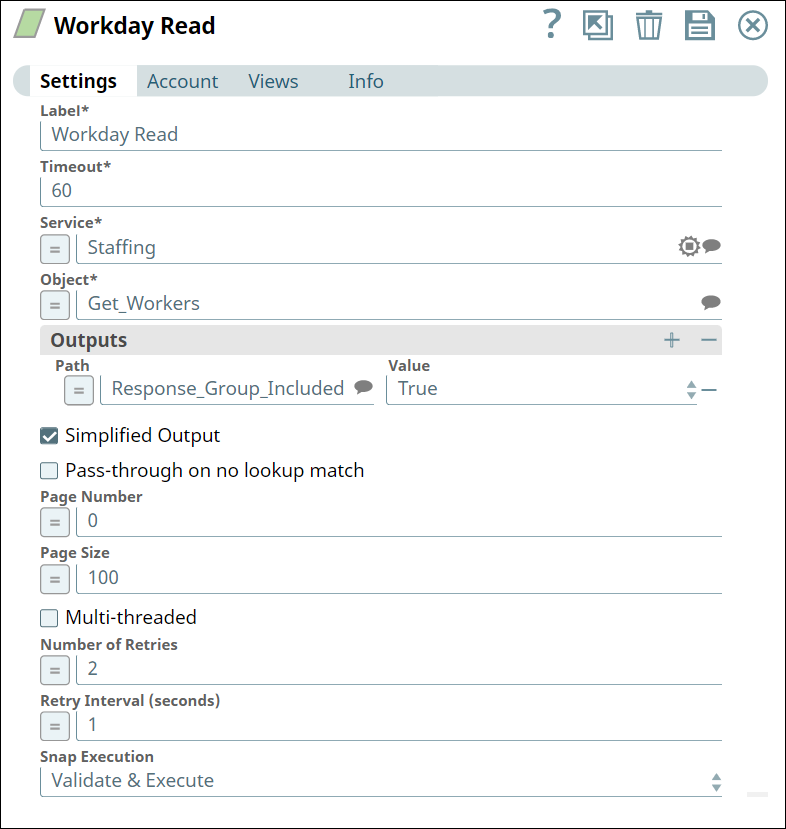
As you can see, in the screenshot above, the Simplified output checkbox is not selected; the output, therefore, is detailed:
-
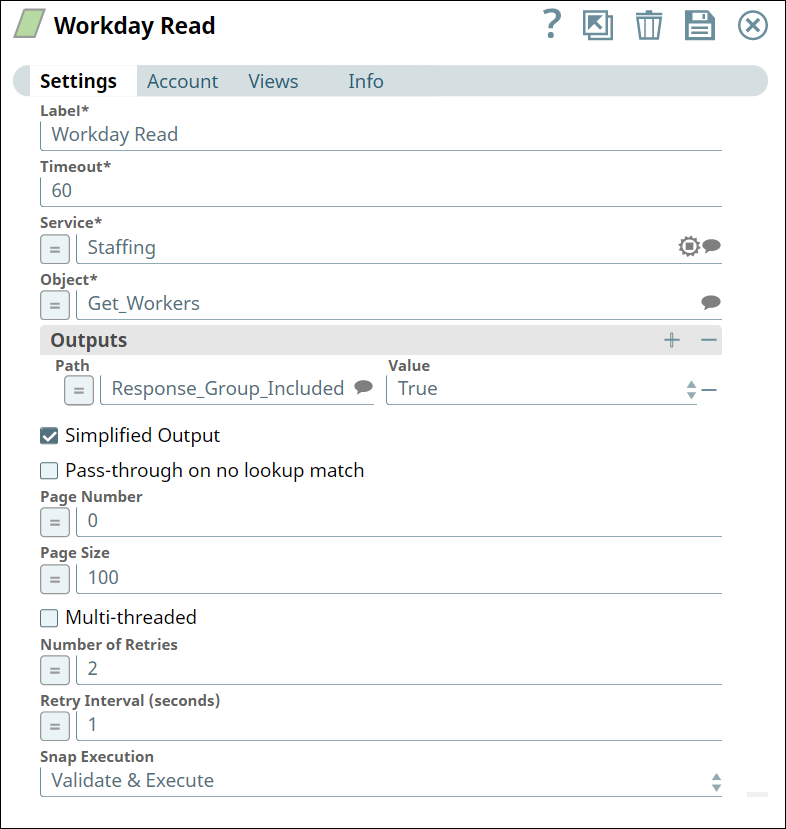
In the Workday Read Snap settings, select the Simplified output checkbox.
-
As you can see in the screenshot below, the output is much easier to read:
Note: You can also use pipeline parameters to specify short strings for complicated service and objects in Workday. For step-by-step information on managing properties of pipelines, see Pipeline Properties Parameters.
- Download and import the SLP file into your Environment.
- Configure Snap accounts.
- Provide Pipeline parameters, if any.