


Children tab
View and navigate the immediate child pipeline executions of a parent pipeline.
The Children tab appears in the pipeline details panel when the selected pipeline has child executions. Use it to see which child pipelines ran as part of a parent execution, check their status, and navigate into their details.
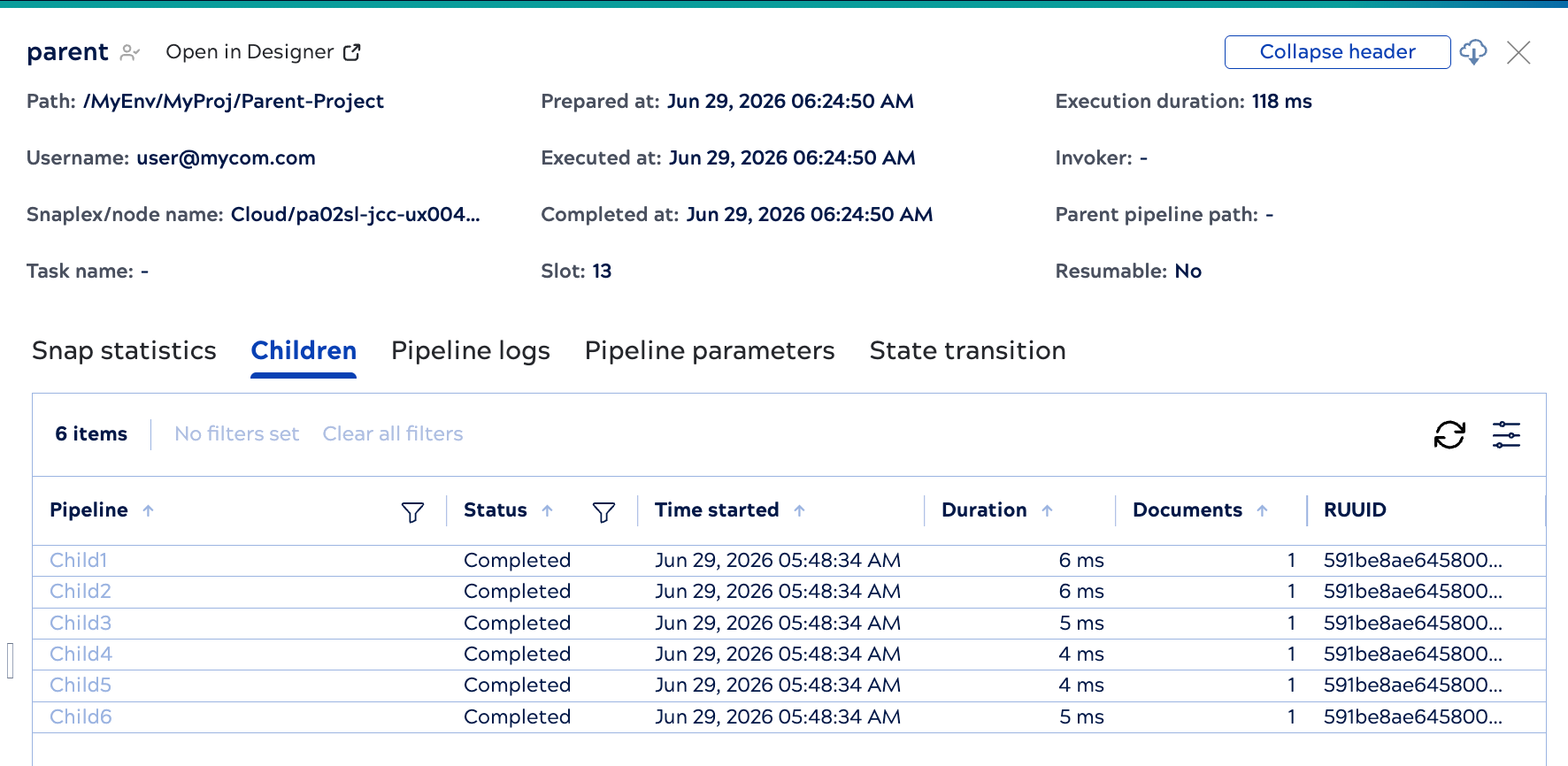
The tab lists only the parent's immediate children — it doesn't show grandchildren or deeper levels. For each child, the tab shows the pipeline name, status, time started, duration, documents processed, and RUUID. To navigate to a specific child execution directly, copy its RUUID and paste it into the search box on the Pipeline executions page.
Filter the children list
Use the filters at the top of the tab to narrow the list:
- Pipeline: Search by pipeline name.
- Status: Filter by execution status.
Navigate child executions
Click a child pipeline row to open its details panel. If the child pipeline has its own children, its Children tab lists them. Each click into a child opens only that level's immediate children, so you navigate down through the hierarchy one level at a time.
The panel header shows the full hierarchy as a series of clickable links so you can jump to any level without backtracking.
