


Xactly Account
Overview
You can use this account type to connect the Xactly Snaps to your Xactly application. This account is used by the Snaps in the Xactly Snap Pack. It stores the WSDL file and the credentials required to connect to the Xactly server, and caches the Session ID required for subsequent CRUD operations.
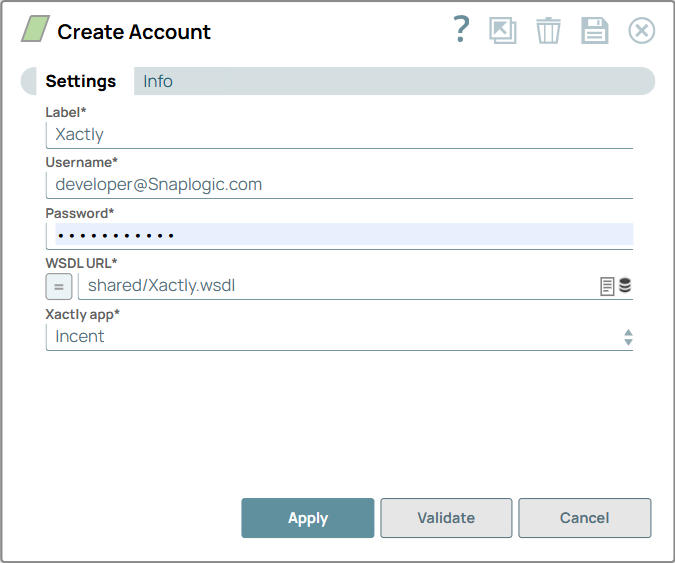
Account settings
Note: Learn about
the common controls in the Snap settings dialog.
| Field/Field set | Description |
|---|---|
Label* String |
Required. Specify a unique name for the account. Example: Xactly |
Username* String |
The username for this account. Default value: N/A Example: [email protected] |
Password* String |
The password for the account. Default value: N/A Example: <Encrypted> |
WSDL URL* String |
The URL for the WSDL. Default value: shared/Xactly.wsdl Example: shared/Xactly.wsdl |
Xactly app* Dropdown list |
Name of the application to log into. Available options are:
Default value: Incent Example: Modeling |
Note: Click Validate
after entering the required details to ensure that all fields have been filled accurately.
Click Apply to save the settings.
Account encryption
| Standard Encryption | If you are using Standard Encryption, the High sensitivity settings under Enhanced Encryption are followed. |
| Enhanced Encryption | If you have the Enhanced Account Encryption feature, the following describes
which fields are encrypted for each sensitivity level selected for this account:
|