


Use Case: Querying Data From Azure Blob Storage
Problem
Querying huge amounts of data from an external location, such as Azure Blob storage can be a rigorous task and time-consuming if the file size is huge. The resulting queried data can be inaccurate and there is a possibility of data loss.
Solution
Using the Azure Synapse SQL Snap Pack, you can automate the querying process for loading bulk data. This solution is efficient because it is easy to query your storage data and is cost-effective too, because the data processing works on the pay-as-you-go model. Learn more about the Azure Synapse Analytics pricing.

Understanding the Solution
- A valid Azure Storage Account. Learn more about creating an Azure Blob Storage Account.
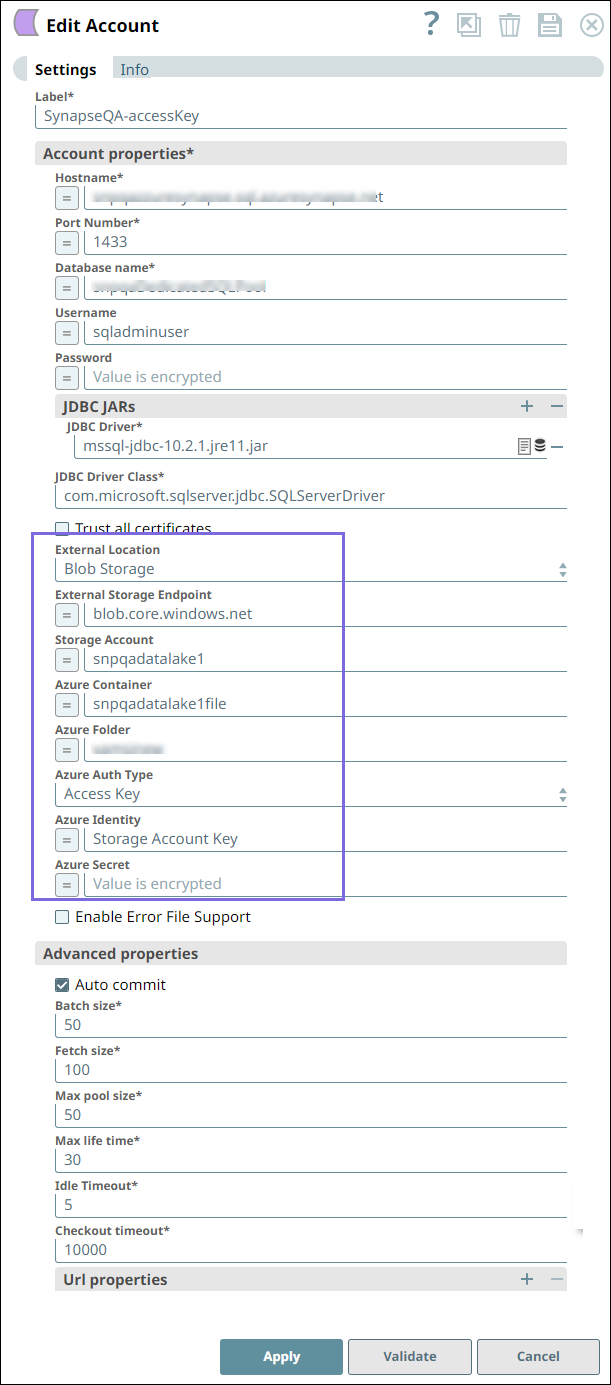
- A valid Azure Synapse SQL Account.
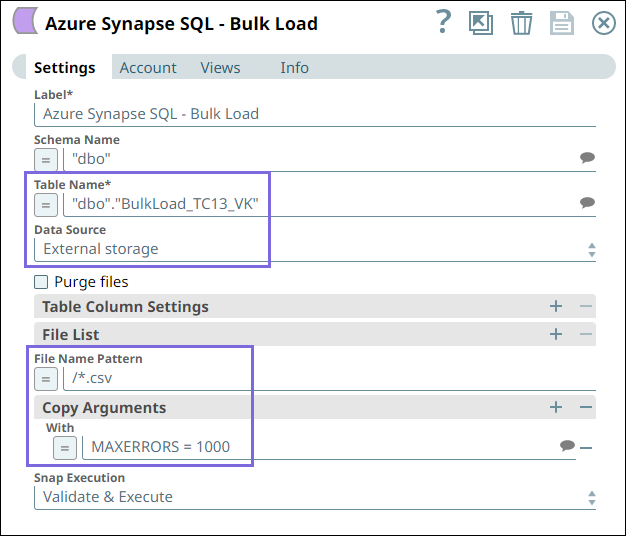
a. The BulkLoad_TC13_VK target table into which the data from Blob
Storage should load.
b. The File Name Pattern /*.csv loads only the files names with
.csv file extension.
c. The Copy Argument With MAXERRORS=1000 ignores 1000 record errors and
continues with the Snap execution.
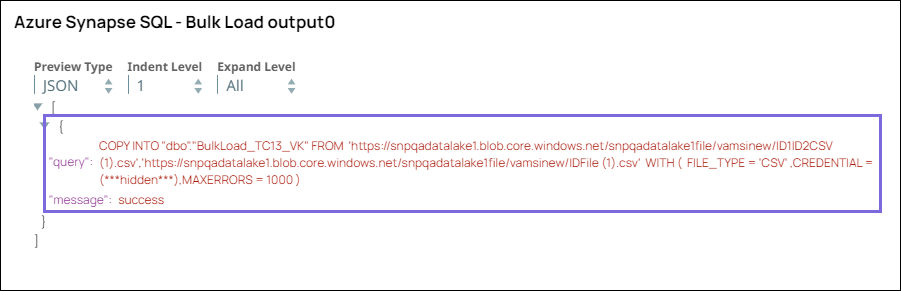
d. On validating the Pipeline, you can view the following query in the output:
Downloads
To reuse the example pipelines:
- Download and import the SLP file into your Environment.
- Configure Snap accounts.
- Provide Pipeline parameters, if any.