


Delete all records from a Redshift table
This example demonstrates how to use the Redshift - Delete Snap to delete all records from a Redshift table when no WHERE clause is specified in the Delete condition field. This operation is useful when you need to truncate a table or clear all data before reloading.
The pipeline consists of a single Redshift Delete Snap that connects to the Redshift database and removes all records from the specified table.
- A valid Redshift account.
- A Redshift table with existing records
- Appropriate permissions to delete records from the target table
-
Configure the Redshift - Delete Snap.
Set the following properties:
- Schema name: Specify the database schema containing the target table (for example,
public). - Table name: Specify the table name from which all records will be deleted (for example,
customers). - Delete condition: Leave this field blank to delete all records from the table.
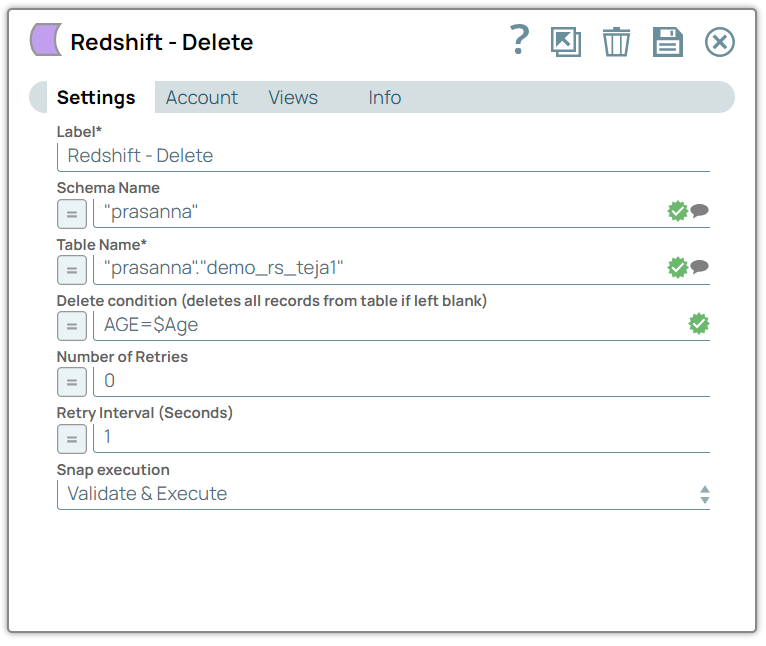
- Schema name: Specify the database schema containing the target table (for example,
The Snap successfully deletes all records from the target Redshift table. The output shows:
status: success- The number of records deleted from the table
Warning: Deleting all records from a table is an irreversible operation. Ensure you have appropriate backups before running this operation in a production environment.