MCP OAuth2 JWT Validator rule
Validates JWT tokens issued by an external identity provider for MCP Server authentication, with optional token propagation to pipeline parameters.
- Checks if the JWT token is valid.
- If valid, processes the request and optionally propagates claims to pipeline parameters.
- If invalid or expired, rejects the request.
Policy execution order
The MCP OAuth2 JWT Validator policy executes after the request has been received and before it is routed to the MCP Server pipeline.
Supported algorithms
- Elliptic Curve Digital Signature Algorithm (ECDSA): ES256, ES384, ES512
- Rivest–Shamir–Adleman (RSA): RS256, RS384, RS512
- Hash-Based Message Authentication Code using SHA (HMAC): HS256, HS384, HS512
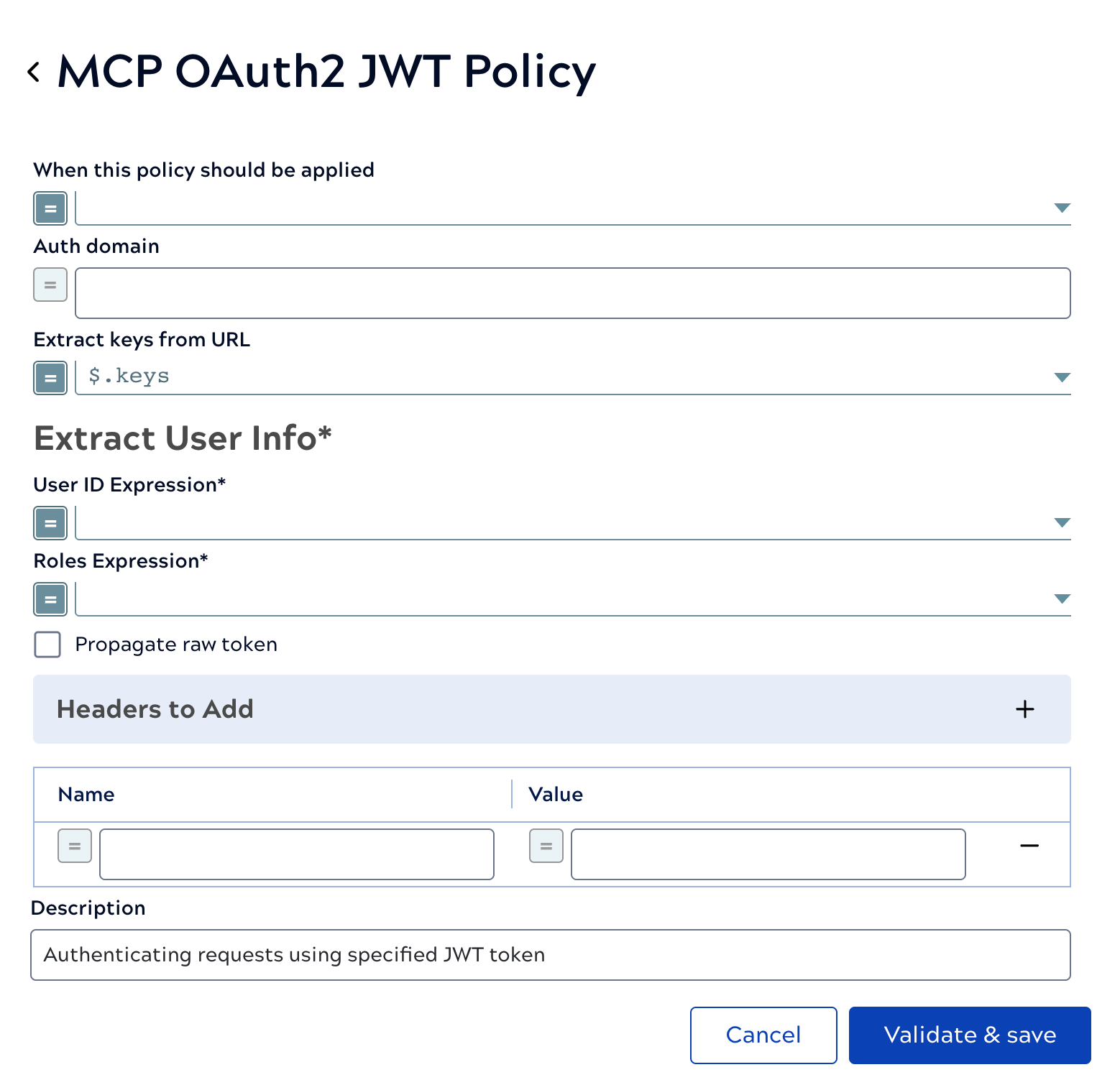
| Field/Field set | Description |
|---|---|
| When this policy should be applied |
Boolean that determines when this policy should be applied to a request Default value: Example: |
| Auth domain |
Base URL of the authorization server. The rule uses this URL for JWKS endpoint
discovery — first by appending Default value: N/A Example: https://test-example.us.auth0.com |
| Extract keys from URL |
How to extract the keys from the URL response entity. Default value: $.keys Example: $.keys |
| Extract User Info | Required. Extract username and roles for authentication. |
| Roles Expression |
Required. An expression that will extract the roles from the User Info URL responses Example: |
| User ID Expression |
Required. An expression that will extract the user ID from the User Info URL responses Example: |
| Propagate raw token |
To propagate the raw token in the header Default status: Deselected |
| Headers to Add |
The headers to be added in the request Example: |
| Description | The purpose of the rule. |
Token Propagation
Token propagation passes an identity or access token from the authenticating client through to your pipeline execution context, so that downstream pipeline logic can act on behalf of the authenticated user without re-authenticating. Typical use cases include single sign-on (SSO) across internal tools, orchestrating workflows across multiple APIs while preserving user context, and enforcing fine-grained access control in data platforms.
The configurations described here affect only token propagation and do not affect the MCP Server's request processing. However, the resolved claims must exist if they are referenced in the pipeline; otherwise, the request results in an error.
Policy setup
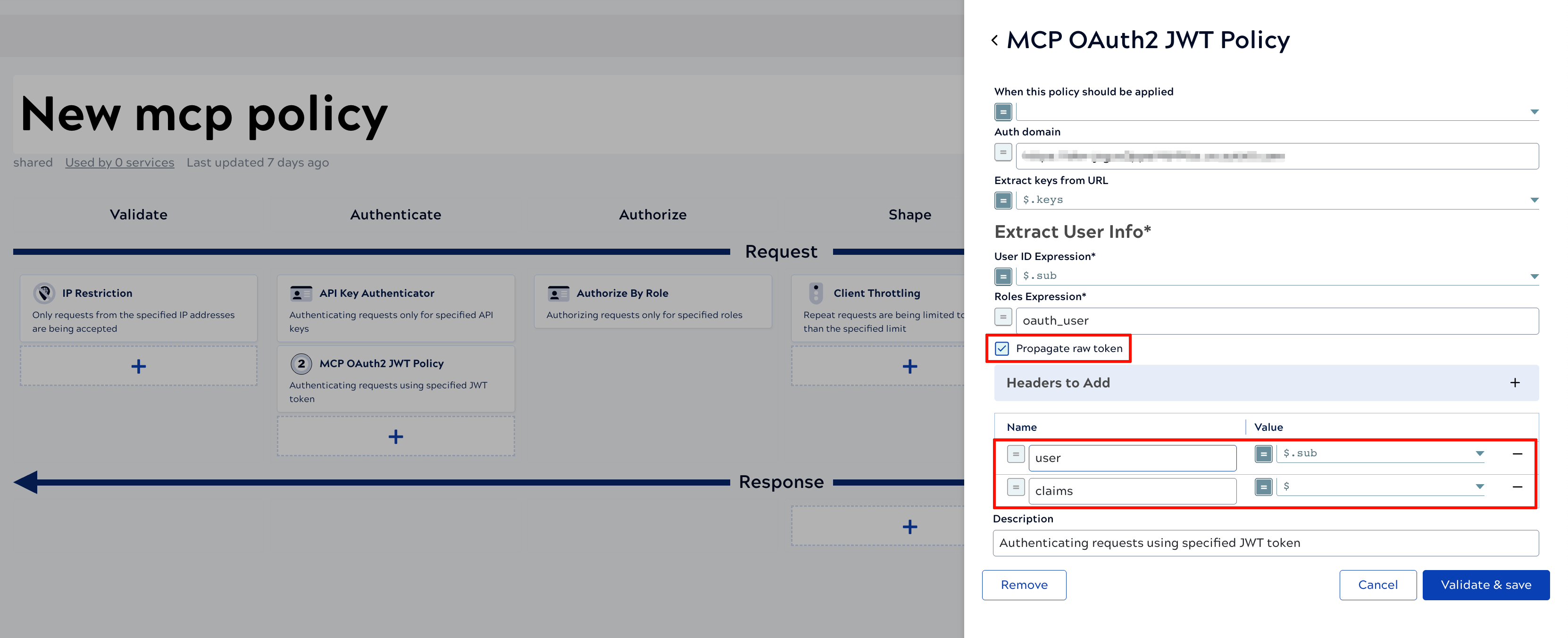
The MCP OAuth2 JWT Validator rule supports token propagation through two fields:
- Propagate Raw Token: When enabled, propagates the raw JWT
token string to the pipeline as the
RAW_TOKENpipeline parameter. - Headers to Add: Extracts specific claims from the JWT token.
Individual fields can be referenced using a dot-notation expression (for example,
$.sub), or all claims using$. The extracted values are passed to the pipeline when matching pipeline parameters exist.
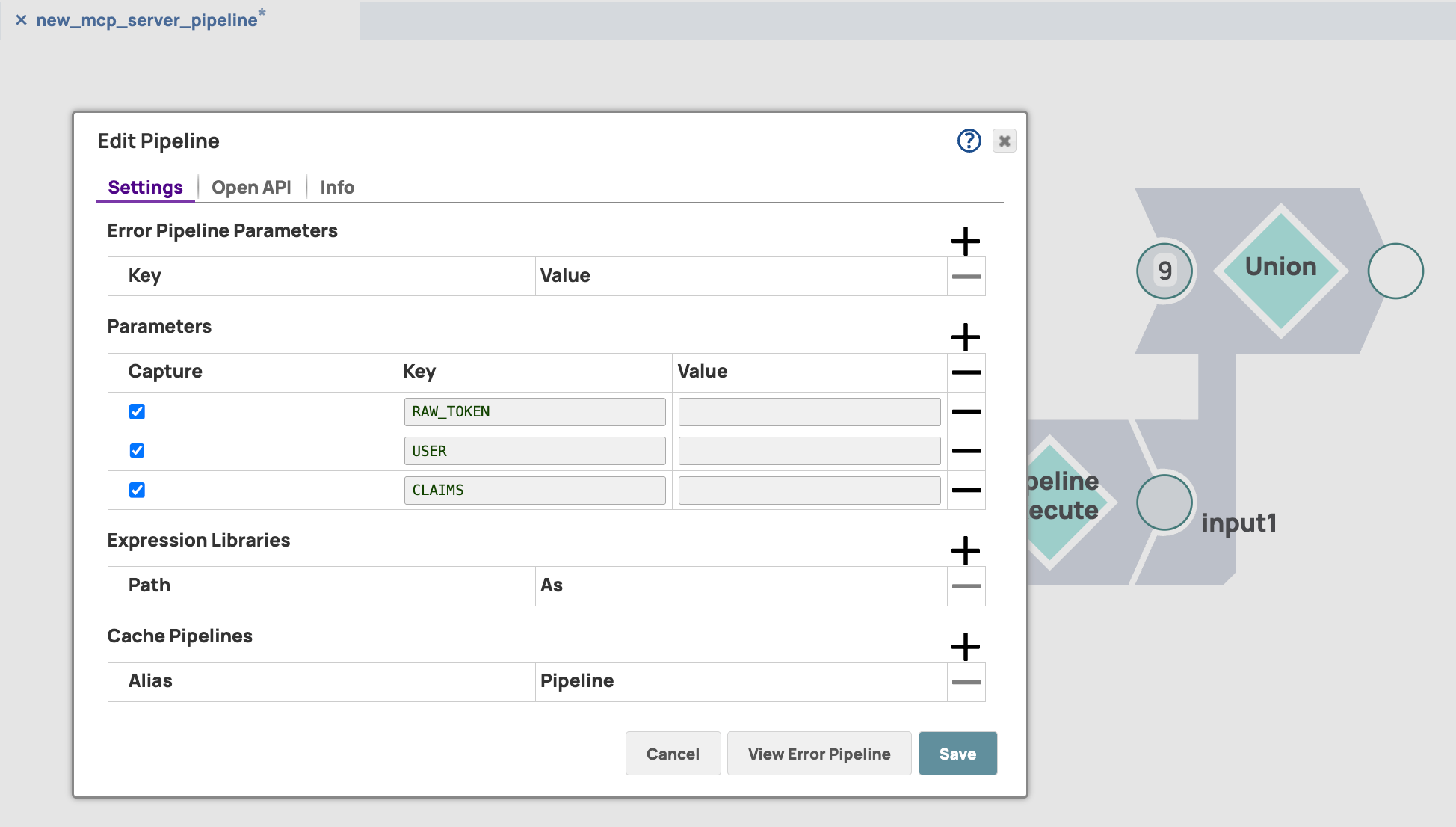
Pipeline setup
After configuring token propagation in the policy, add matching keys to the pipeline
parameter table so the token values are passed to the declared keys. For example, if
Propagate Raw Token is enabled and Headers to
Add contains entries for user and
claims, declare RAW_TOKEN, USER,
and CLAIMS as keys in the pipeline parameter table.
- All keys sourced from headers must be declared in upper case in the pipeline parameters.
- Header field names containing hyphens (
-) are converted to underscores (_) in the pipeline parameters.