


Execute multiple statements using PostgreSQL Multi Execute Snap
This pipeline performs database table management operations on a PostgreSQL database. It executes multiple SQL statements in a sequence—it drops an existing table if it exists, creates a new table with specific schema, and inserts initial data into the newly created table.
Download this pipeline
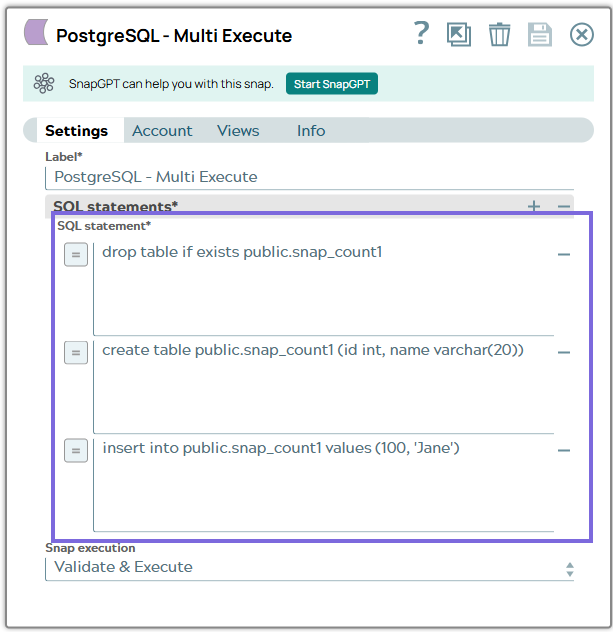
Configure the PostgreSQL - Multi Execute Snap with the following SQL Statements:
drop table if exists public.snap_count1: Drops the table public.snap_count1 if it exists.
drop table if exists public.snap_count1public.snap_count1create table public.snap_count1 (id int, name varchar(20)): Creates a new table with columns id and name.
insert into public.snap_count1 values (100, 'Jane'): Inserts a record with values into the newly created table.
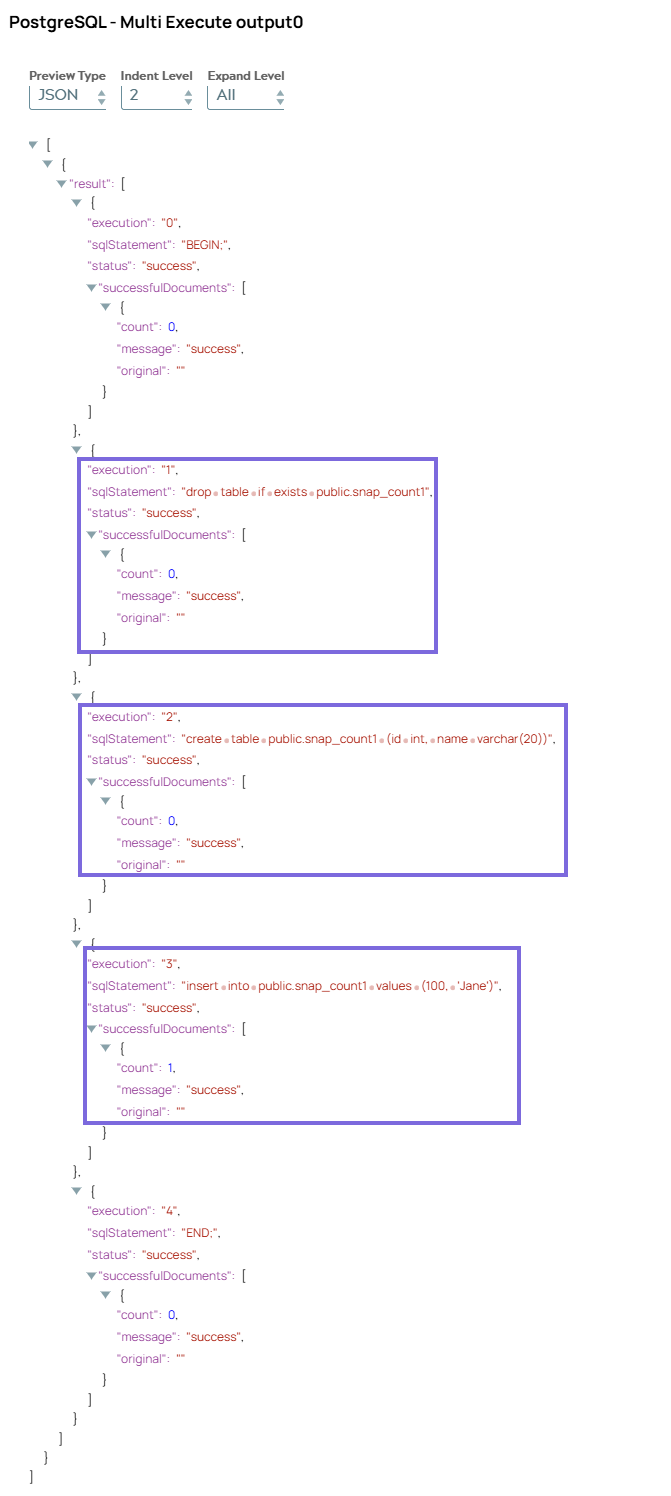
On validation, the pipeline executes the three SQL statements and displays the three SQL operations:
Drop Table Result - Status of dropping the existing 'public.snap_count1' table (if it existed) (
success)Create Table Result - Status of creating the new 'public.snap_count1' table with 'id' and 'name' columns. Count for each SQL statement
Insert Data Result - Status of inserting the initial record into the newly created table
After successful execution, you'll have:
A new PostgreSQL table named
public.snap_count1The table will contain the initial data record that was inserted.
The table will have the defined
idandnamenames.
A new PostgreSQL table named public.snap_count1
public.snap_count1The table will contain the initial data record that was inserted.
The table will have the defined id and namenames.