


Sending Messages as per the Schedule
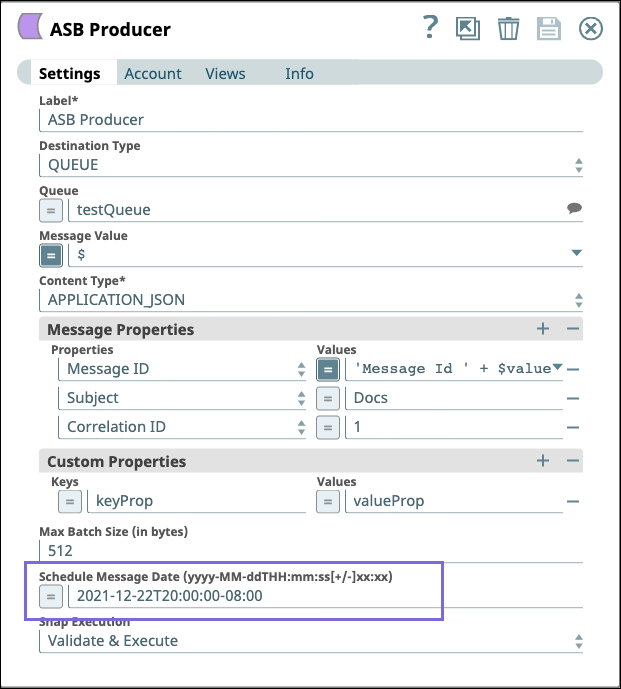
This example Pipeline demonstrates how to schedule a time and date to send messages in ASB. To do so, configure the ASB Producer Snap with the time and date when the message should be sent as follows. After validating the Pipeline, the Snap sends the message in ASB according to the specified schedule.
Download this Pipeline
Configure the ASB Producer Snap as shown in the pipeline and run the pipeline to see the results.
- Download and import the SLP file into your Environment.
- Configure Snap accounts.
- Provide Pipeline parameters, if any.