


HubSpot Update
Overview
- This is a Write-type Snap.
 Works in Ultra Tasks
Prerequisites
A valid HubSpot Account with the required permissions.
Supported Accounts
Examples
Snap views
| Type | Description | Examples of upstream and downstream Snaps |
|---|---|---|
| Input |
A document containing details identifying the entity to update along with the information to update. |
|
| Output |
A document containing details of the updated entity. |
|
| Learn more about Error handling. | ||
Snap settings
| Field/Field set | Description |
|---|---|
Label
String |
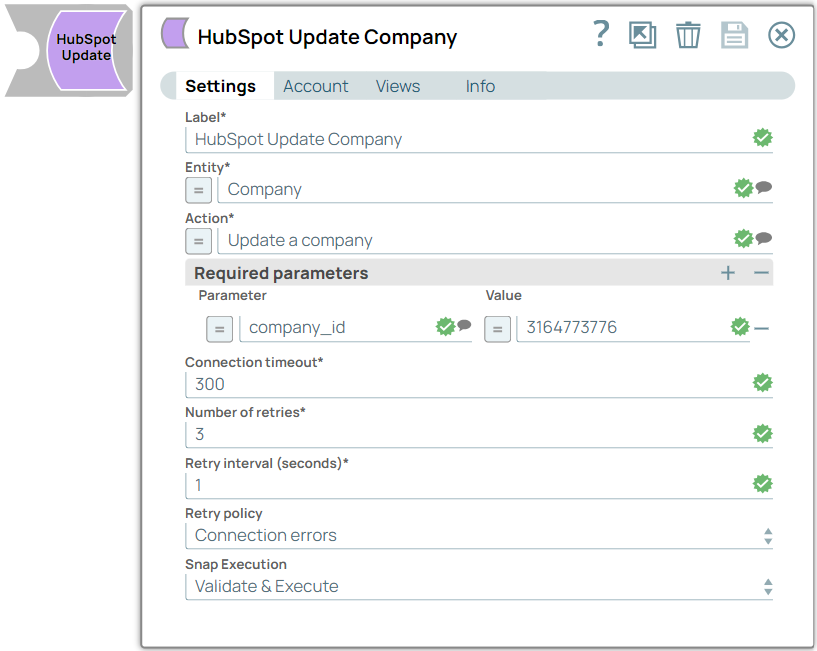
Specify a unique name for the Snap. Modify this to be more appropriate, especially if more than one of the same Snaps is in the pipeline. Default value: HubSpot Update Example: Update Company Details |
Entity*String |
Select the data object to update. Default value: Association Example: Company |
Action*String |
Select the update-action to perform on the entity selected above. Click to see the list of supported actions. Default value: N/A Example: Update a company |
Parameter*String |
Specify the names of the parameters. Click to see the list of supported parameters. Default value: N/A Example: table_id |
Value*String |
Specify the values of the parameters. The data type of this field depends on the specified parameter. Default value: N/A Example: 123561234 |
Connection timeout*Integer |
Enter the connection timeout duration of seconds. Default value: 30 Example: 30 |
Number of retries*Integer |
Enter the maximum number of re-connection attempts in case of a failure or timeout. Default value: 0 Example: 3 |
Retry interval (seconds)*Integer |
Enter the interval in seconds between reconnection attempts. Default value: 0 Example: 10 |
Retry policyDropdown list |
Choose the retry policy for connection and error responses. The available options are:Connection errors: Select this option when the client fails to establish a secure connection to the server.Connection and API limit exceeded errors (429): Select this option when the 10-second or daily limit is exceeded. Default value: Connection errors Example: Connection and API limit exceeded errors (429) |
Snap executionDropdown list |
Choose one of the three modes in
which the Snap executes. Available options are:
|
Troubleshooting
| Error | Reason | Resolution |
|---|---|---|
| Missing required parameters. | There is a required parameter that was not provided. | Verify whether all required parameters are configured. |
| You have reached your ten-second rolling limit. | There are too many requests to REST endpoint. | Select Connection and API limit exceeded errors (429) in the Retry policy field and adjust the values for Number of retries and Retry interval. |
| You have reached your daily limit. | There are too many requests to REST endpoint. | The maximum number of daily requests has been reached, and no further requests can be made until it resets. For more information, refer to HubSpot Documentation. |