


Inserting Bulk Records in Salesforce
This example demonstrates how to insert or update a new bulk record in a Salesforce object.

Download this Pipeline
-
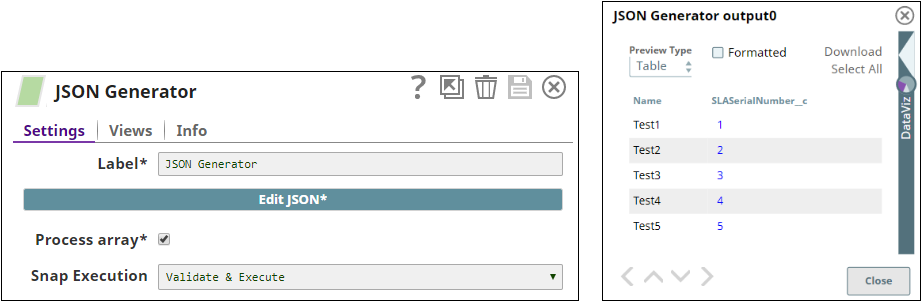
The JSON
Generator Snap generates five new JSON documents. The output from the Snap displays the names of the documents and customized serial numbers.The following images display the Snap configuration and output:
-
The Mapper Snap transforms the incoming data using the given mappings and produces new output data. The output from the Snap displays the names and customized serial numbers of the output documents. The following images display the Snap configuration and output:

-
The Salesforce Bulk Upsert Snap updates or inserts data in Salesforce.com. The output from the Snap displays the names, IDs, and customized serial numbers of the updated or inserted documents. The following images display the Snap configuration and output:

- Download and import the SLP file into your Environment.
- Configure Snap accounts.
- Provide Pipeline parameters, if any.