


Use Pagination to fetch records
This example Pipeline demonstrates how to use the Pagination
functionality with the TestRail API. All the TestRail bulk APIs return a maximum of 250
records on every request.

Prerequisites
A valid account to access the resources from the endpoint.
-
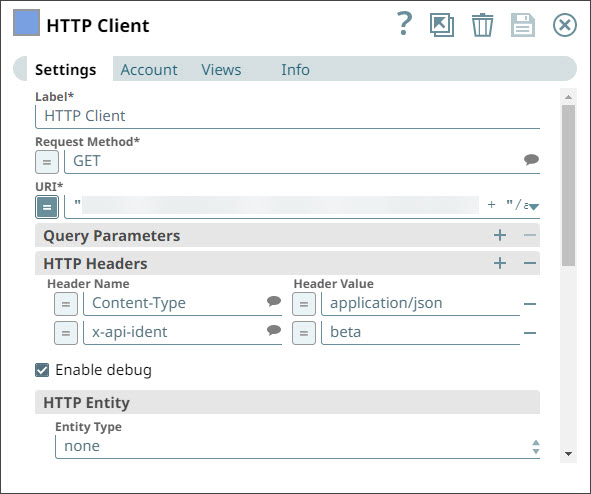
Configure the Request Method with the GET method and the URL with
the endpoint from where you want to fetch the records.
-
Based on the output, configure the Has Next condition so that the Snap evaluates
to
truewhen the 'next' value in the output page is not null. The condition returnsfalsewhen the 'next' value in the output is null. Configure the Next URI by appending the Has Next value to the URI.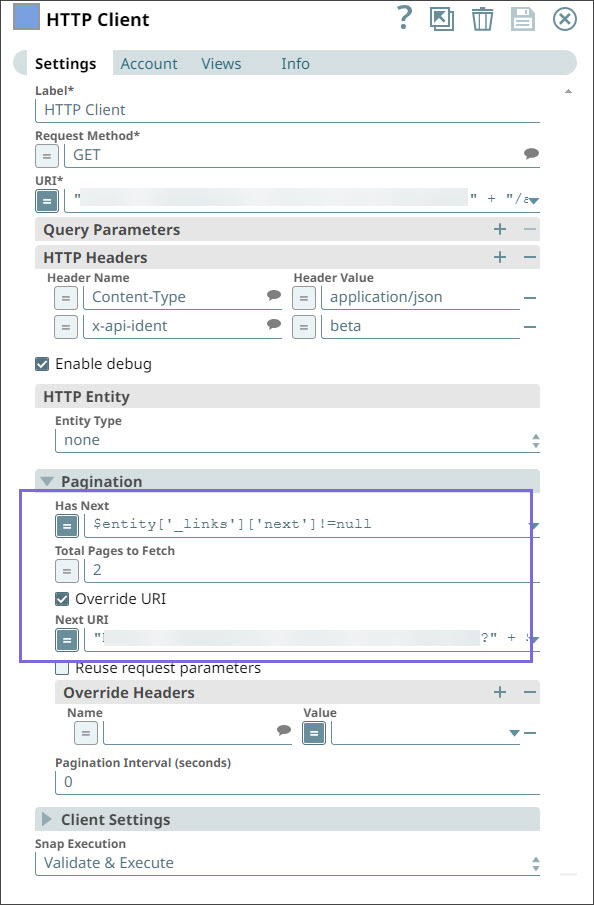
-
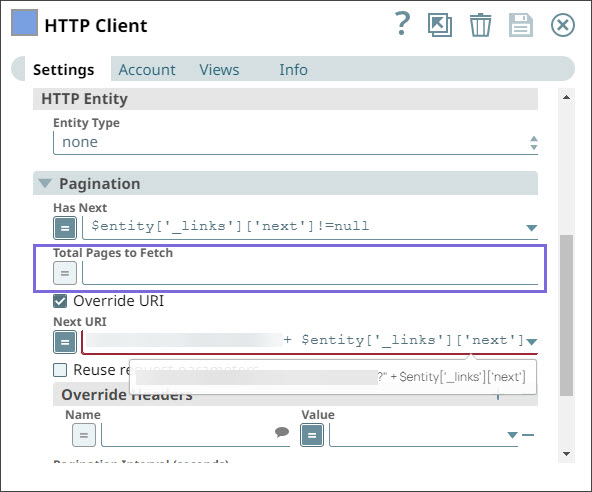
When the Total Pages to Fetch field is blank, the Snap continues paginating
until all records are fetched or the connection times out.
-
Validate the Snap. The Snap displays the following output when you do not configure the
Total Pages to Fetch field.
The Snap fetches 250 records each time. You can see that the previous value is null and the next value is not null. Here, the Snap fetches the next 250 records (251 through 500). 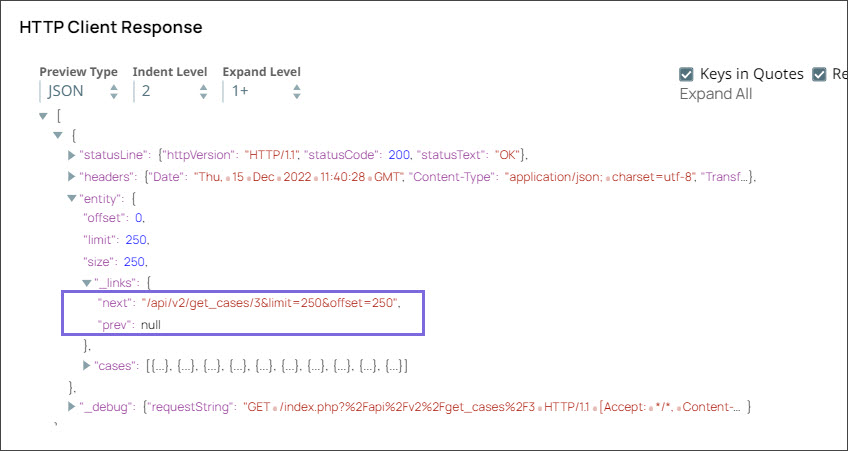
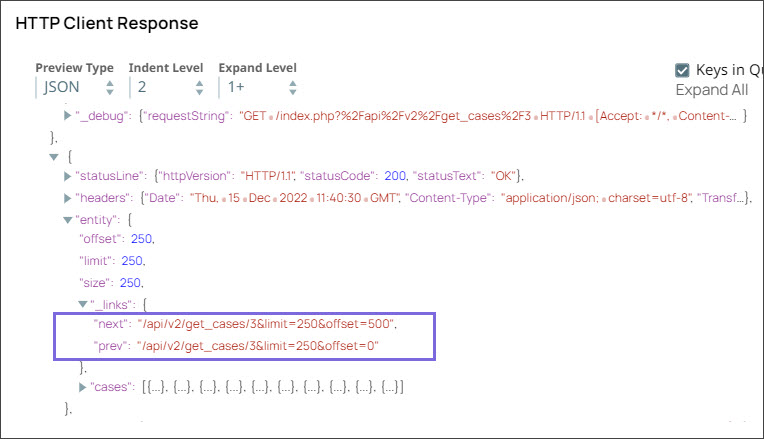
The following is the HTTP Client output when the next value is null, which means that no more records are left and the Snap has fetched all 25, 500 records.

- Download and import the pipeline into SnapLogic.
- Configure Snap accounts as applicable.
- Provide pipeline parameters as applicable.