


File Decrypt
Overview
The File Decrypt Snap utilizes SecuPi's decryption capabilities to securely restore encrypted data to its original, readable format. It supports various file types and allows for detailed transaction information to be specified, ensuring comprehensive data protection and compliance with regulatory requirements.
- This is a Transform-type Snap.
 Works in Ultra Tasks
Prerequisites
None.
Limitations and known issues
None.
Snap views
| Type | Description | Examples of upstream and downstream Snaps |
|---|---|---|
| Input | Optional. This Snap has at most one document. |
|
| Output | This Snap has exactly one document output view. |
|
| Learn more about Error handling. | ||
Snap settings
Legend:
- Expression icon (
 ): Allows using
JavaScript syntax to access SnapLogic Expressions to set field values dynamically (if
enabled). If disabled, you can provide a static value. Learn more.
): Allows using
JavaScript syntax to access SnapLogic Expressions to set field values dynamically (if
enabled). If disabled, you can provide a static value. Learn more. - SnapGPT (
 ): Generates SnapLogic Expressions
based on natural language using SnapGPT. Learn
more.
): Generates SnapLogic Expressions
based on natural language using SnapGPT. Learn
more. - Suggestion icon (
 ): Populates a
list of values dynamically based on your Snap configuration. You can select only one
attribute at a time using the icon. Type into the field if it supports a comma-separated
list of values.
): Populates a
list of values dynamically based on your Snap configuration. You can select only one
attribute at a time using the icon. Type into the field if it supports a comma-separated
list of values. - Upload
 : Uploads files. Learn more.
| Field/Field set | Type | Description |
|---|---|---|
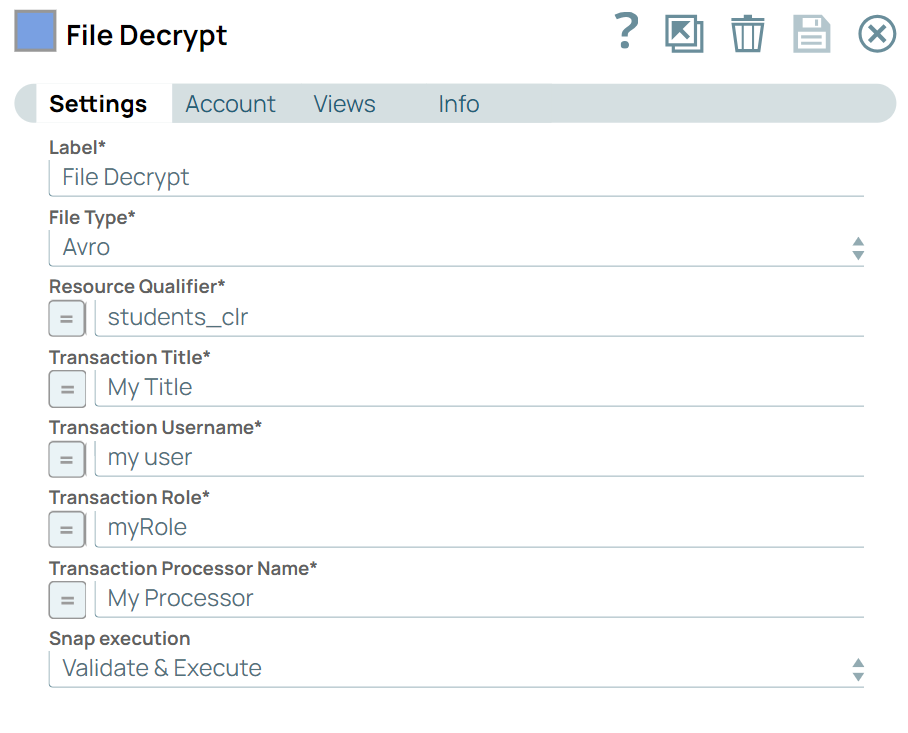
| Label* | String | Specify a unique name for the Snap. Modify this to be more appropriate, especially if there are more than one of the same Snap in the pipeline. |
| File Type | Dropdown list | Required. Select the type of file to be decrypted. Default value: N/A Example: CSV |
| Resource Qualifier | String/Expression | Required.Specify the resource qualifier for the decryption process. Default value: N/A Example: customers_clr |
| Transaction Title | String/Expression | Required.Enter a title for the transaction. Default value: N/A Example: Processing Transaction |
| Transaction Username | String/Expression | Required. Enter the username for the transaction. Default value: N/A Example: myUserName |
| Transaction Role | String/Expression |
Required. Specify the role for the transaction. Default value: N/A Example: myRole |
| Transaction Processor Name | String/Expression | Required. Enter the name of the SecuPi processor. Default value: N/A Example: SecuPi Processor Name |
| Snap execution | Dropdown list | Choose one of the three modes in which the Snap executes. Available options
are:
|
Troubleshooting
None.