


Fetch Active Incidents from ServiceNow
The following example pipeline demonstrates how to query and retrieve records from a ServiceNow table.
-
Configure the ServiceNow Query Snap to query the
incidenttable and specify that the query results include only some of the columns (such asactive,upon_approval,location,impact,urgency).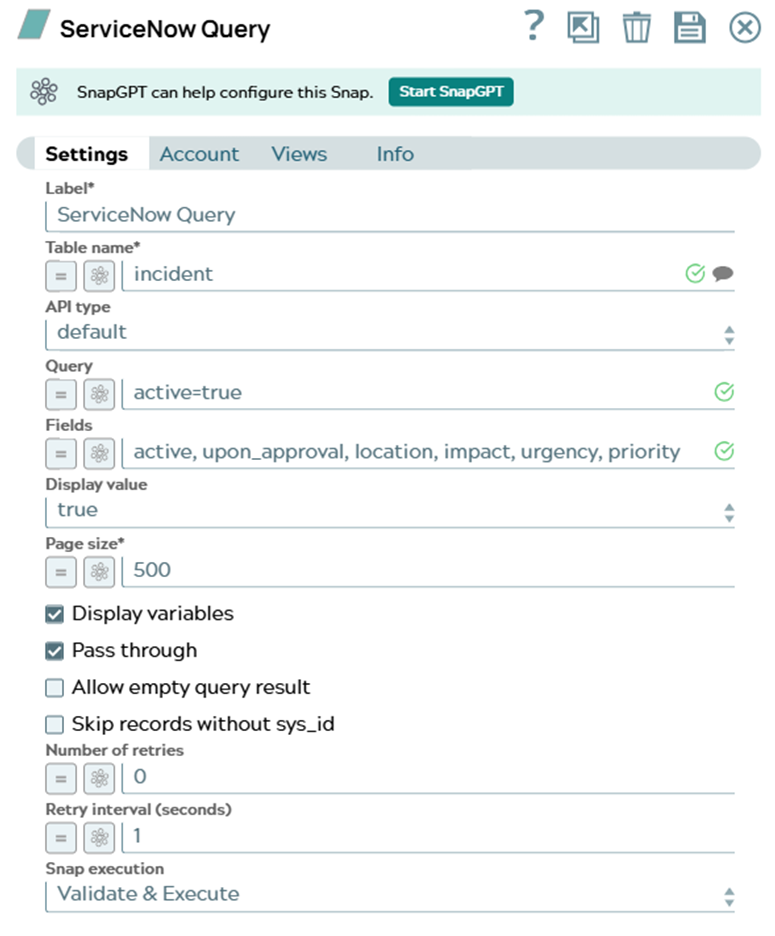
Note: When the API type is set to default, the Query field specifies the filter condition. When the API type is set to table, the Fields field specifies the filter condition. In the example below, if the API type is specified as default, the specified Query searches theactivecolumn and returns all the records that have the column field value astrue(active=true). -
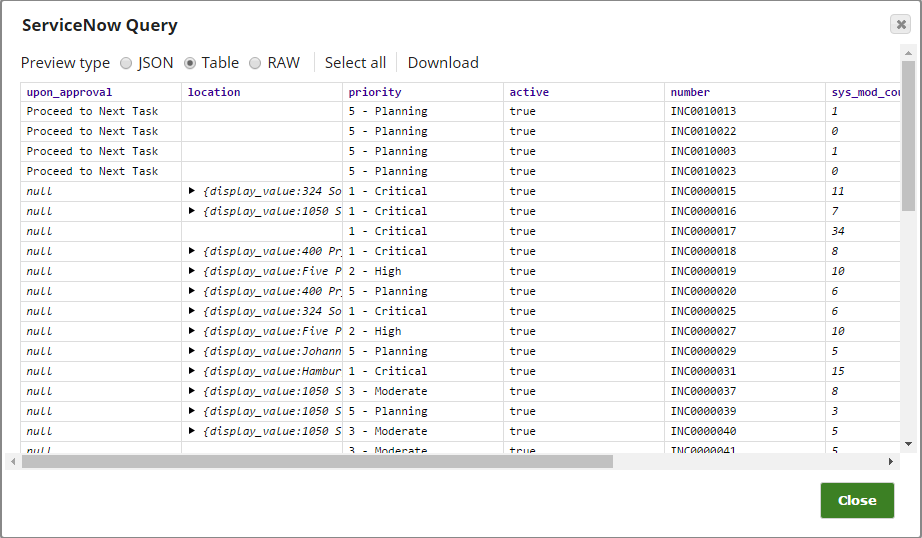
Validate the Snap. After successful validation of the Snap, you will see a data preview
that shows the query results.
You can also learn how to use the ServiceNow Query Snap from the example pipeline (Pipeline: Data from Salesforce.com and ServiceNow).