


Snaplex Logging
Field reference for the Logging tab of the Add Snaplex page
This tab is available for both Groundplexes and Cloudplexes. You create a Groundplex and set its Logging fields yourself; SnapLogic provisions a Cloudplex instead, but Environment admins can still adjust its logging settings through this same page.
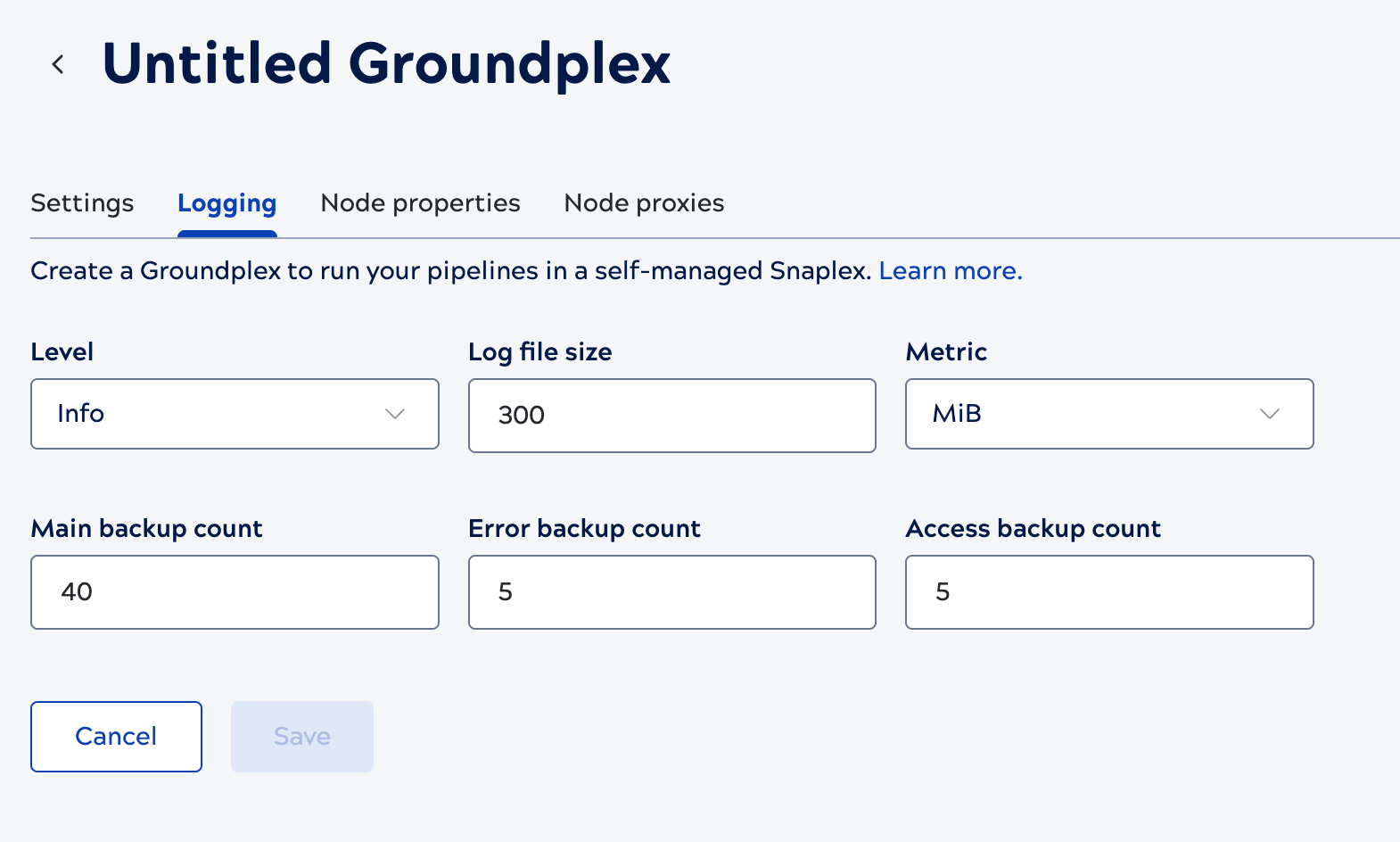
| Field/Field set | Description |
|---|---|
| Level | Specify the minimum level of logging or the type of details that you want to enable for the new Snaplex.
Available values:
This setting applies to the whole Snaplex. To change the log level for individual libraries instead, refer to Configure a Snaplex node. Higher verbosity levels (such as Trace or Debug) generate significantly more log volume. If you forward Snaplex node logs to a third-party monitoring tool, factor this into your expected ingestion volume; refer to Third-party Observability for details on forwarding Snaplex logs and metrics to third-party observability tools. |
| Log file size |
The maximum size of the log file to be created for the Snaplex. Default value: 300For the full list of Snaplex log files and how rotation into the backup directory works, refer to Snaplex logs. |
| Metric | Select the log file size in KB, MB or GB from the dropdown. Default value: MB |
| Main backup count | The number of backup main log files that the Platform must maintain for the Snaplex. Default value: 40 |
| Error backup count | The number of backup error log files that the Platform must maintain for the Snaplex. Default value: 5 |
| Access backup count |
The number of backup access log files that the Platform must maintain for the Snaplex. Default value: 5For how the main, error, and access backup counts relate to the log types written to disk and the rotation schedule, refer to Snaplex logs. |