


Fetch employee details from a table in the SQL Server database
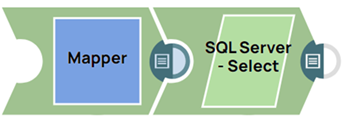
This example pipeline demonstrates how to retrieve employee details from the Employee_Demo table.
Download this Pipeline
-
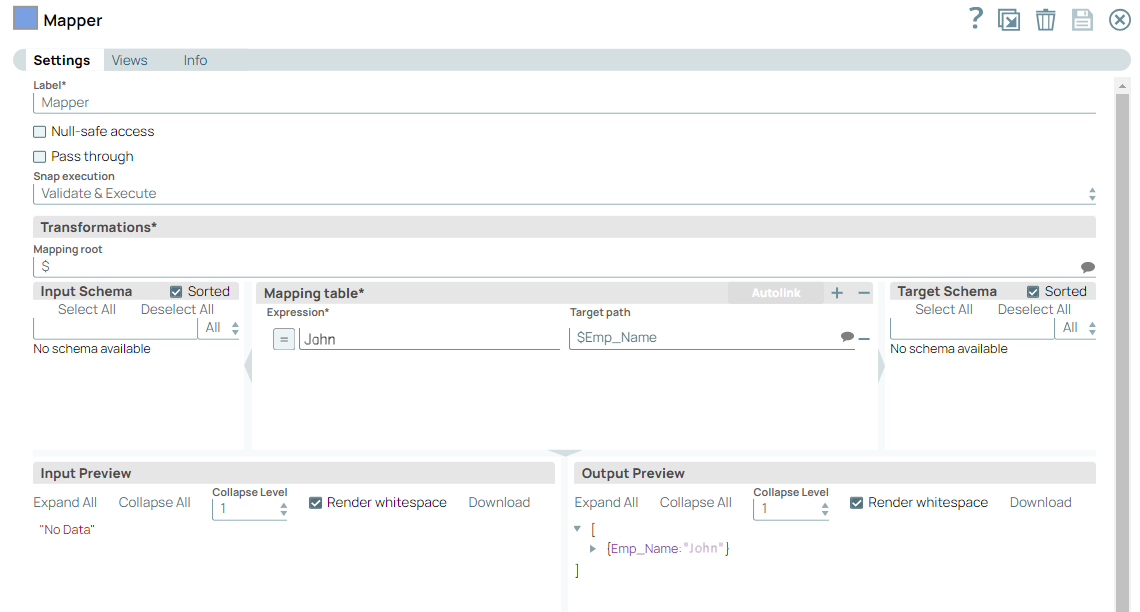
Configure the Mapper Snap to pass the value for the WHERE clause (EmpID field is used) to retrieve employee details for the specified EmpID from the Employee_Demo table.
-
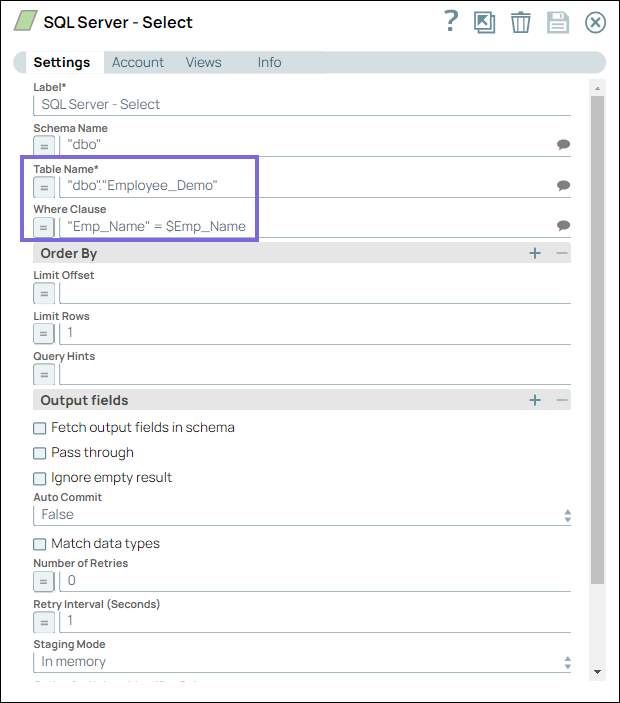
Configure the SQL Server Select Snap to retrieve employee details from the Employee_Demo table where EmpID matches the value from the Mapper Snap. The SQL query uses the WHERE clause to filter data.
-
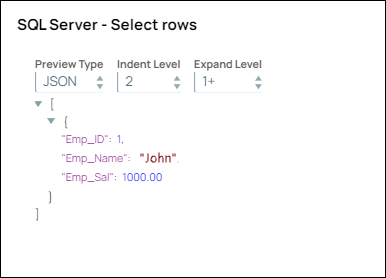
View the output showing the retrieved employee details.
- Download and import the pipeline into SnapLogic.
- Configure Snap accounts as applicable.
- Provide pipeline parameters as applicable.