


Expensify Account
Overview
Use this account type to connect Expensify Snaps with your Expensify account for expense management operations.
Prerequisites
You must have an Expensify account with API credentials (Partner User ID and Partner User Secret) to use this account type.
Account settings
Note: Learn about
the common controls in the Snap settings dialog.
| Field/Field set | Description |
|---|---|
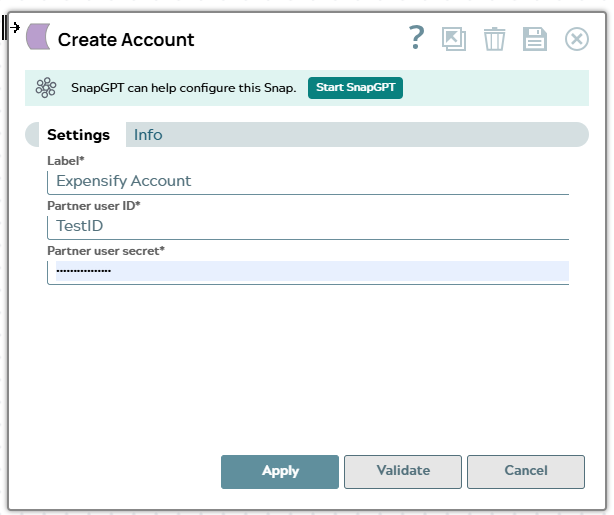
Label*
String |
Specify a unique label for the account. Example: Expensify Production |
Partner User ID*
String/Expression |
The Partner User ID for your Expensify account. |
Partner User Secret*
String/Expression |
The Partner User Secret for your Expensify account. |
Account encryption
| Standard Encryption | If you are using Standard Encryption, follow the High sensitivity settings under Enhanced Encryption. |
| Enhanced Encryption | If you have the Enhanced Account Encryption feature, the following describes
which fields are encrypted for each sensitivity level selected for this account:
|