


MongoDB Group
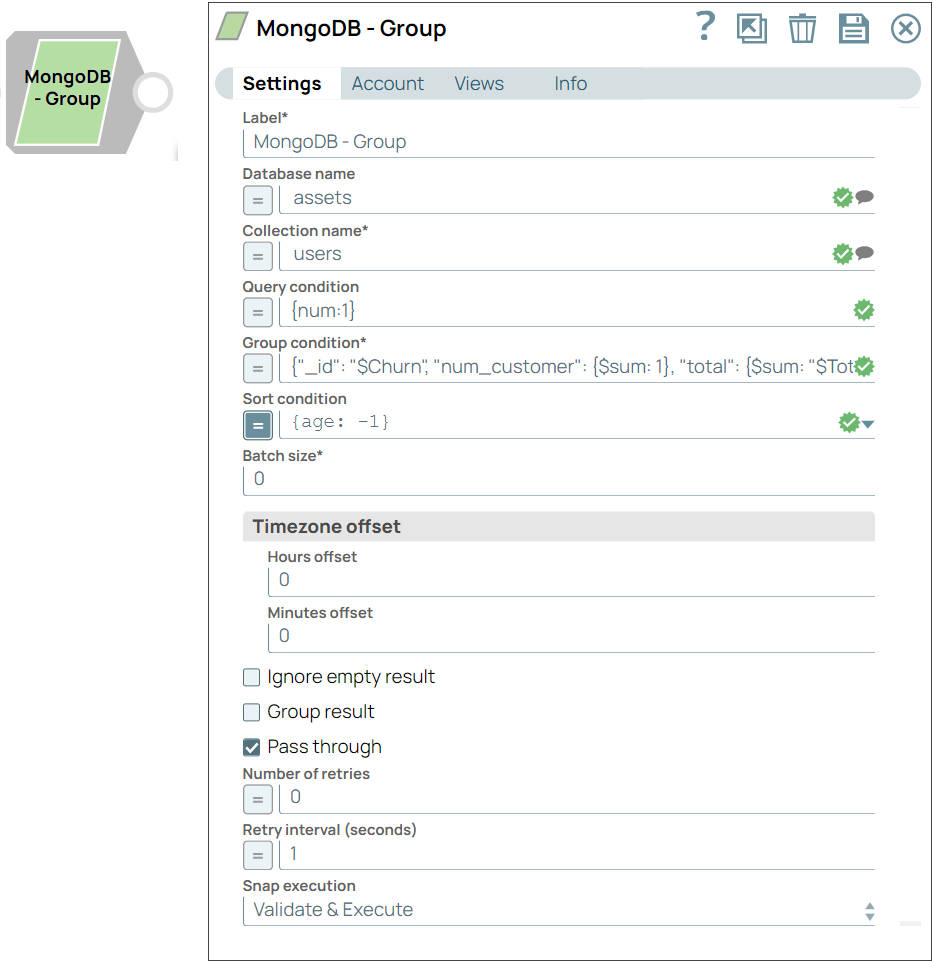
This Snap groups input documents by specified expressions and generates one output document for each distinct grouping.
Overview
The MongoDB Group Snap groups input documents by specified expressions. The Snap then generates one output document for each distinct grouping. Each of the output documents contains an _id field which contains the distinct group by key.
Supported Accounts
- This is a Read-type Snap.
Prerequisites
None.
Limitations and known issues
None.
Snap views
| Type | Description | Examples of upstream and downstream Snaps |
|---|---|---|
| Input | Optional. This Snap has at most one document input view. If the input view is defined, then values will be used to evaluate the expression in the conditions. | |
| Output | This Snap has exactly one document output view. | |
| Learn more about Error handling. | ||
Snap settings
| Field/Field set | Description |
|---|---|
Label
String |
Specify a unique name for the Snap. Modify this to
be more appropriate, especially if there are more than one of the same Snap in the
pipeline.
Default value: MongoDB - Group Example: Group Customer Churn Data |
Database name
String/Expression/ Suggestion |
The database that contains the documents. If you do not specify a database, then the Snap uses the MongoDB account database. Default value: N/A Example: assets |
Collection name
String/Expression/ Suggestion |
Required. The MongoDB collection name to execute the grouping. Default value: N/A Example: users |
Query Condition
String/Expression |
An expression that represents the query parameter. If no query condition is defined, then MongoDB retrieves all the documents of the collection. When the expression evaluates to an object, only strict mode is supported. When the expression evaluates to a JSON string, both strict mode and mongo shell mode are supported. More information about MongoDB Extended JSON can be found here. Default value: N/A Example: {num:1} |
Group Condition
String/Expression |
Required. The condition to group documents and create a single document for each distinct group. Read here for details on group conditions. Default value: N/A Example: {"_id": "$Churn", "num_customer": {$sum: 1}, "total": {$sum: "$TotalCharges"}} |
Sort Condition
String/Expression |
The condition to order the documents in the result set. To use multiple sort orders, enter comma-separated sort conditions. Read here for details on sort conditions. Default value: N/A Example: {age: -1} |
Batch Size
Integer |
Required. The number of documents to return in a batch. Click here for more details on how MongoDB batches documents. If n is the batch size, the Snap behaves as follows:
In MongoDB 3.4, the batch buffer size is 16MB. In previous versions, the batch buffer size is 4MB. The initial batch always returns a maximum of 101 documents. Click here for details. Default value: 0 Example: 0 |
| Timezone Offset | The timezone offset to be applied to the time fields. By default, the Snap follows UTC (00:00 offset). |
Hours Offset
Integer |
The number of hours to be offset. For example, if you specify a value of -2 in Hours Offset and 30 in Minutes Offset, then the timezone is offset by -2:30 hours. Default value: 0 Example: -7 |
Minutes Offset
Integer |
The number of minutes to be offset. For example, if you specify a value of -2 in Hours Offset and 30 in Minutes Offset, then the timezone is offset by -2:30 hours. Default value: 0 Example: 1 |
Ignore empty result
Checkbox |
If selected, no document is written to the output view when the group operation does not produce any result. If this property is not selected and the Pass through property is selected, the input document is passed through to the output view. Default status: Deselected |
Group result
Checkbox |
If selected, results are grouped in one single field named result, instead of an array. Default status: Deselected |
Pass through
Checkbox |
If selected, the input document is passed through to the output view under the key 'original'. Default status: Selected |
Number of retries
Integer/Expression |
Specify the maximum number of attempts to be made to receive a response. The request is terminated if the attempts do not result in a response. Note:
Default value: 0 Example: 4 |
Retry interval (seconds)
Integer/Expression |
Specify the time interval between two retry requests. Default value: 1 Example: 5 |
|
Snap execution Dropdown list
|
Choose one of the three modes in
which the Snap executes. Available options are:
Default value: Execute only Example: Validate & Execute |
Temporary files
During execution, data processing on Snaplex nodes occurs principally in-memory as streaming and is unencrypted. When processing larger datasets that exceed the available compute memory, the Snap writes unencrypted pipeline data to local storage to optimize the performance. These temporary files are deleted when the pipeline execution completes. You can configure the temporary data's location in the Global properties table of the Snaplex node properties, which can also help avoid pipeline errors because of the unavailability of space. Learn more about Temporary Folder in Configuration Options.
Troubleshooting
None.
Examples
This pipeline demonstrates how the MongoDB Group Snap helps you group the number of customers based on churn and the total customer count for a telecommunication company. For each group, the Pipeline returns the average monthly charges, and total charges for the Telco customer churn dataset.
Understanding the Pipeline
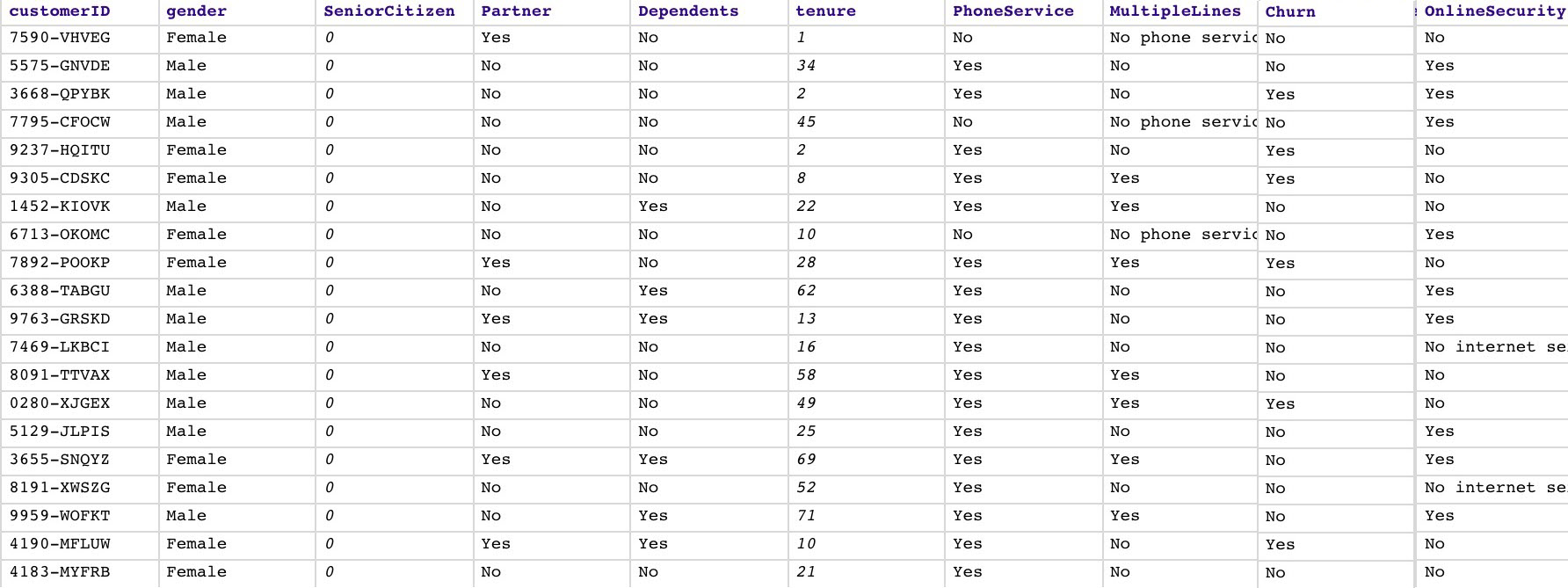
In this example, we use the dataset of a telecommunication company. The dataset contains 21 fields. Each document in the dataset represents a customer record and contains data about the customer's demographics, service subscriptions, and the field $churn which indicates whether the customer is an existing customer or has quit. The Snap reads the dataset from the database location specified in the Snap configuration.
The query that we use in the Group Condition field is:
{"_id": "$Churn", "num_customer": {$sum: 1}, "avg_monthly": {$avg: "$MonthlyCharges"}, "total": {$sum: "$TotalCharges"}}
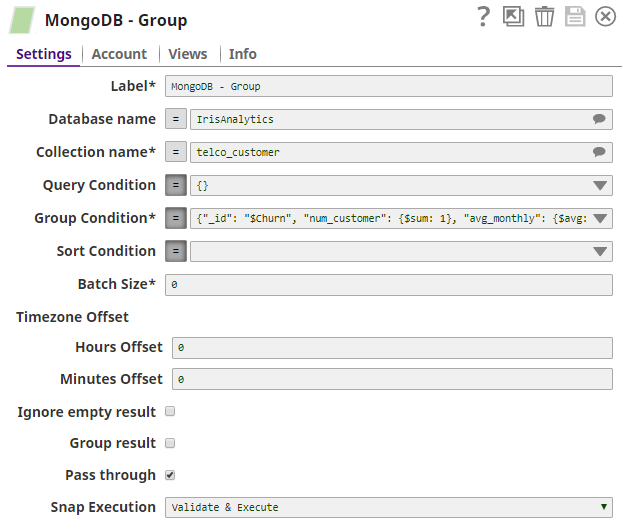
This Snap runs this query on the dataset and returns the customer churn rate, the total number of customers, the average monthly charges, and the total charges.
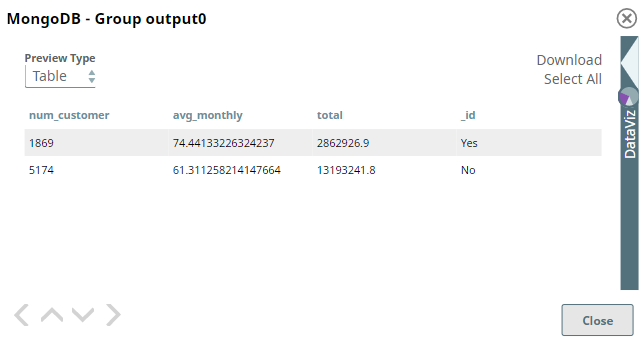
The Snap groups the dataset into two: one for customer churn rate and the other for the total number of customers, represented by _id as Yes and No, respectively. And for each group, it returns the average monthly charges and the total charges.