


Email Delete
Overview
You can use this Snap to delete email messages from the IMAP server.
- This is a Write-type Snap.
 Works in Ultra Tasks
Prerequisites
This Snap requires a valid IMAP account to handle access to this endpoint.
Snap views
| Type | Description | Examples of upstream and downstream Snaps |
|---|---|---|
| Input |
This Snap can have a most one document input view. If you do not specify an input view, the Snap generates a downstream flow of one row. |
Any Document Snap |
| Output | This Snap has exactly one output view and produces documents in the view. Each
document contains a Map data which represents a deleted email message. The keys in
the Document are "subject", "dateSent". The value of "subject" and "dateSent" keys
is a string. The following is an example of an Output Document:
|
Any Document Snap |
| Learn more about Error handling. | ||
Snap settings
- Expression icon (
 ): Allows using
pipeline parameters to set field values dynamically (if enabled). SnapLogic Expressions
are not supported. If disabled, you can provide a static value.
): Allows using
pipeline parameters to set field values dynamically (if enabled). SnapLogic Expressions
are not supported. If disabled, you can provide a static value. - SnapGPT (
 ): Generates SnapLogic Expressions
based on natural language using SnapGPT. Learn
more.
): Generates SnapLogic Expressions
based on natural language using SnapGPT. Learn
more. - Suggestion icon (
 ): Populates a
list of values dynamically based on your Snap configuration. You can select only one
attribute at a time using the icon. Type into the field if it supports a comma-separated
list of values.
): Populates a
list of values dynamically based on your Snap configuration. You can select only one
attribute at a time using the icon. Type into the field if it supports a comma-separated
list of values. - Upload
 : Uploads files. Learn more.
| Field/Field set | Type | Description |
|---|---|---|
| Label*
|
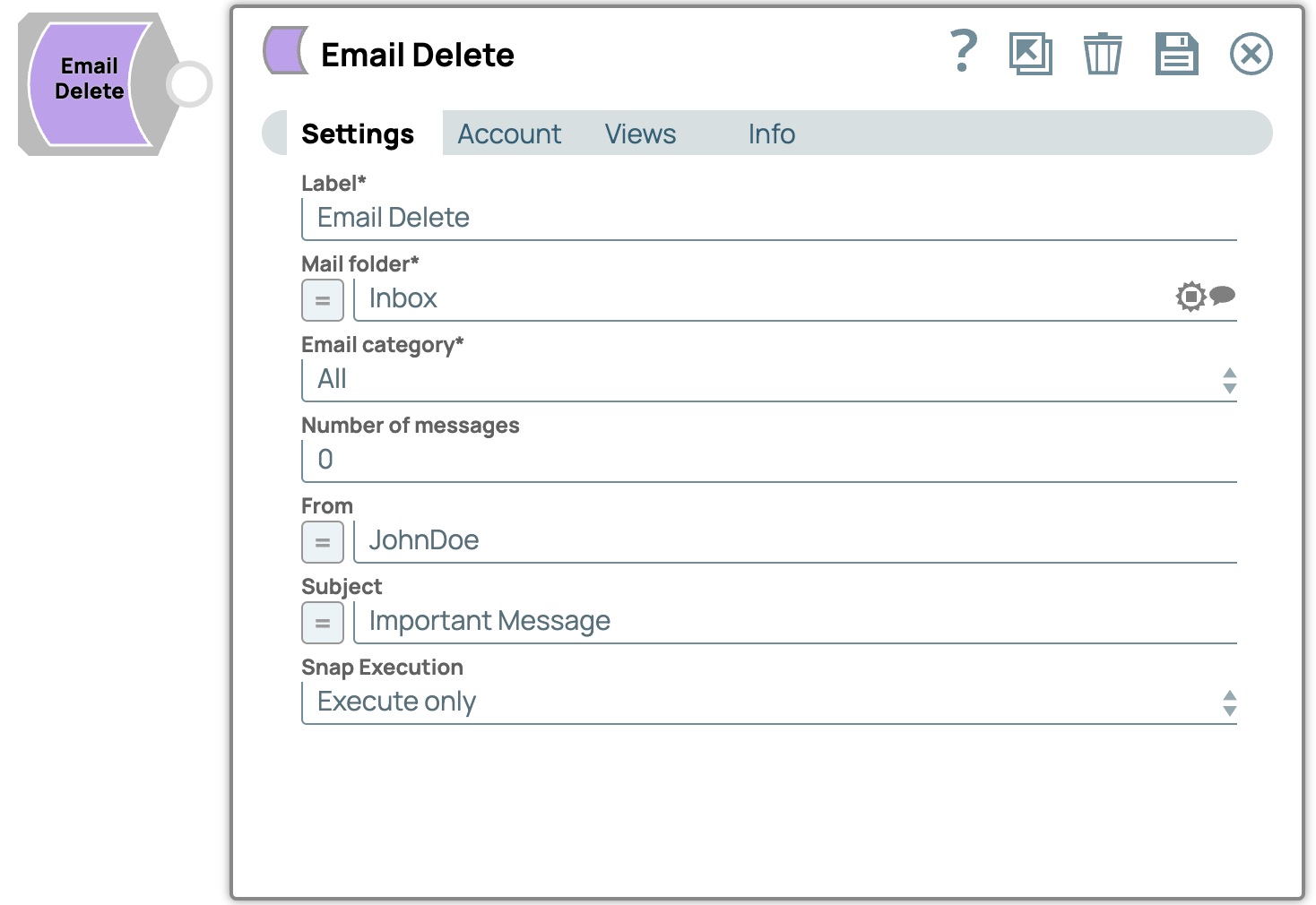
String | Specify a unique name for the Snap. Modify this to be more appropriate, especially if more than one of the same Snaps is in the pipeline. Default value: Email Delete Example: Email_Delete |
| Mail folder | String/Expression/ Suggestion | Required. Enter the name of email folder from where the Snap should delete messages. Default value: None. Example: Inbox |
| Email Category | Dropdown list |
Required. Select an option to choose category of emails to delete, like READ, UNREAD and ALL corresponding to read email messages, unread email messages and all messages. Please note that POP3 servers may ignore this property and the Snap deletes all messages regardless of whether this property is checked or not. Default value: All Example: READ |
| Number of messages | Integer | Specify the maximum number of messages that the Snap has to read. Any non-integer or negative value leads to "All" messages being moved. Default value: All Example: 100 |
| From | String/Expression | Specify the sender of the email. This field is used to filter email messages to
delete, based on the sender name. Default value: None. Example: JohnDoe |
| Subject | String/Expression | Specify the subject of the email. This field is used to filter email messages
to delete based on the specified subject. Default value: None. Example: Important Message |
| Snap execution
|
Dropdown list |
Choose one of the three modes in
which the Snap executes. Available options are:
Default value: Execute only Default value: Execute only |