


Manage documentation pages
By default, each Service version has an empty How to use page. The page can contain instructions and images to help subscribers use the Service correctly. You can add or remove these how to pages.
Add or remove a how to page.
To add or remove a how to page from a Service:
- Open any Service version. The Service can have any status.
- Select the Documentation tab.
- Click Edit document. The Edit documents panel opens:
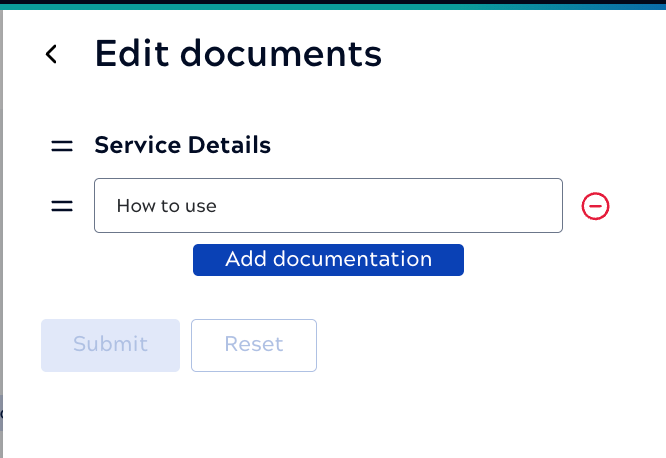
- Do any of the following:
- Click Add document and enter a name for the new page.
- Change the name of a page.
- Click the minus icon to remove a page.
- After you finish, click Submit.
Next, you can add content to the page.
Edit a how to page
- Under the Edit document button, select the how to page to edit.
The Markdown editor opens:
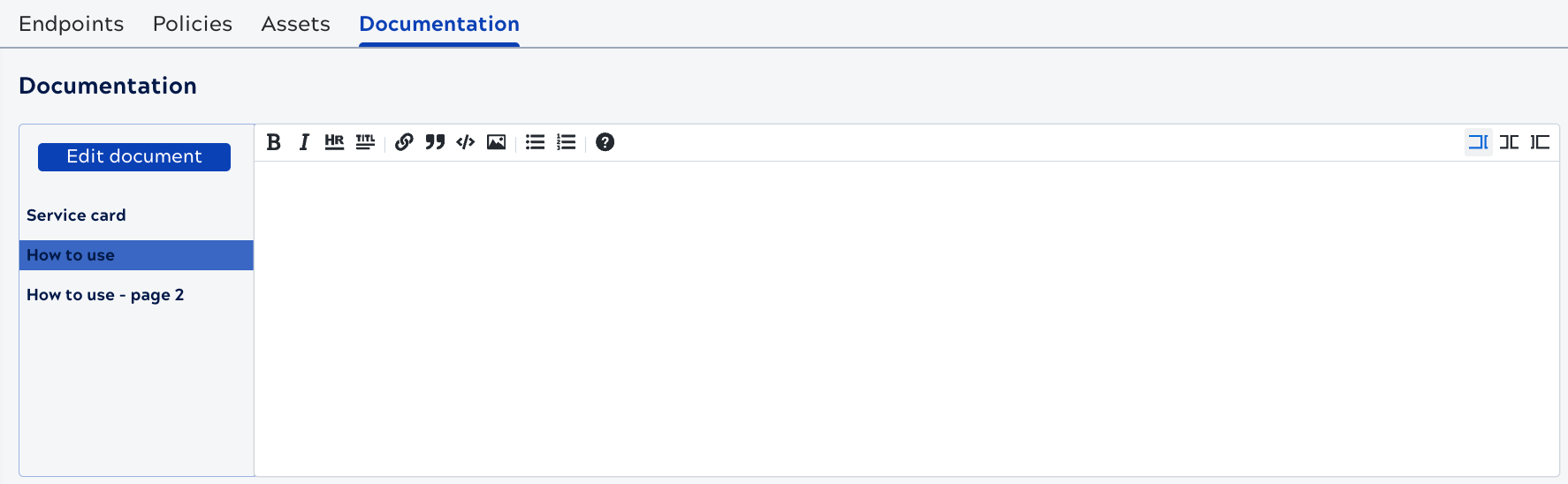
- Use the toolbar or Markdown syntax to enter text and images.
Tip: Click the ? icon to open a web page describing other Markdown syntax.
- Click Submit.