


Scheduled Tasks
You can view information about your Scheduled Tasks in Project Manager from the Month or the Agenda tab. The tasks displayed are only those to which you have access.
You can view information about your Scheduled Tasks in Project Manager from the Month or the Agenda tab. The tasks displayed are only those to which you have access.
Agenda tab
The Agenda tab displays a list of Scheduled Tasks for the current week, sorted by those scheduled for the current day at the top:
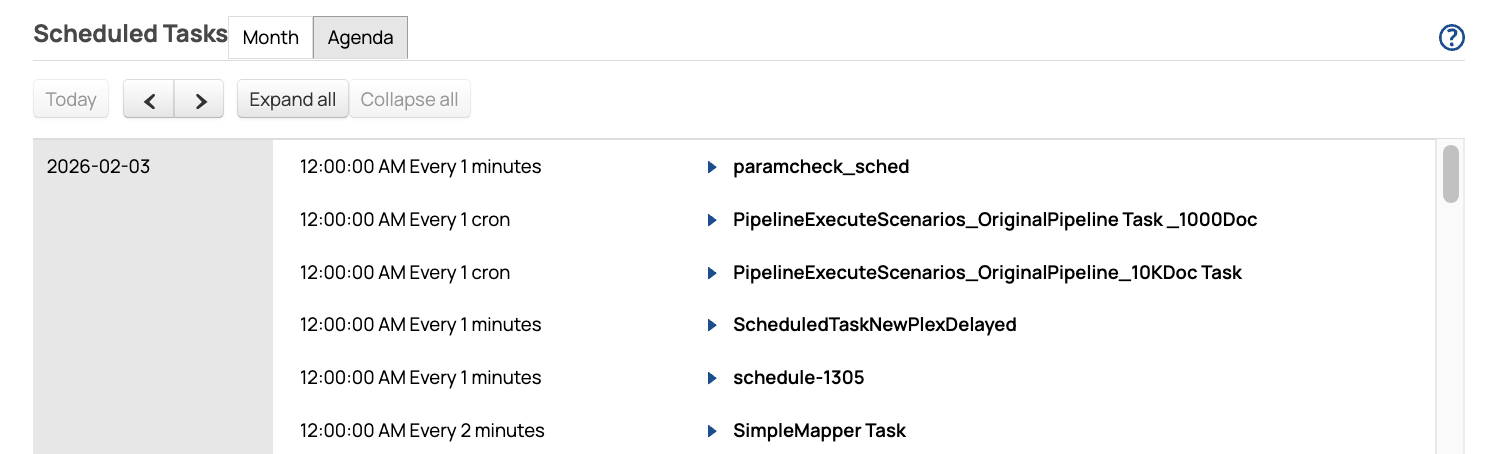
From this tab, you can:
- Scroll vertically to view the rest of the days in the week.
- Use the arrows to page through future or previous weeks.
- Click the arrow next to a Task to expand it and view more information, such as who created it
and which Snaplex it executes on. You can also click Edit to open the Task or
click Execution Statistics.

- Click the buttons to Expand All or Collapse All.
Month tab
The Month tab displays Scheduled Tasks in a calendar, with the current day selected:
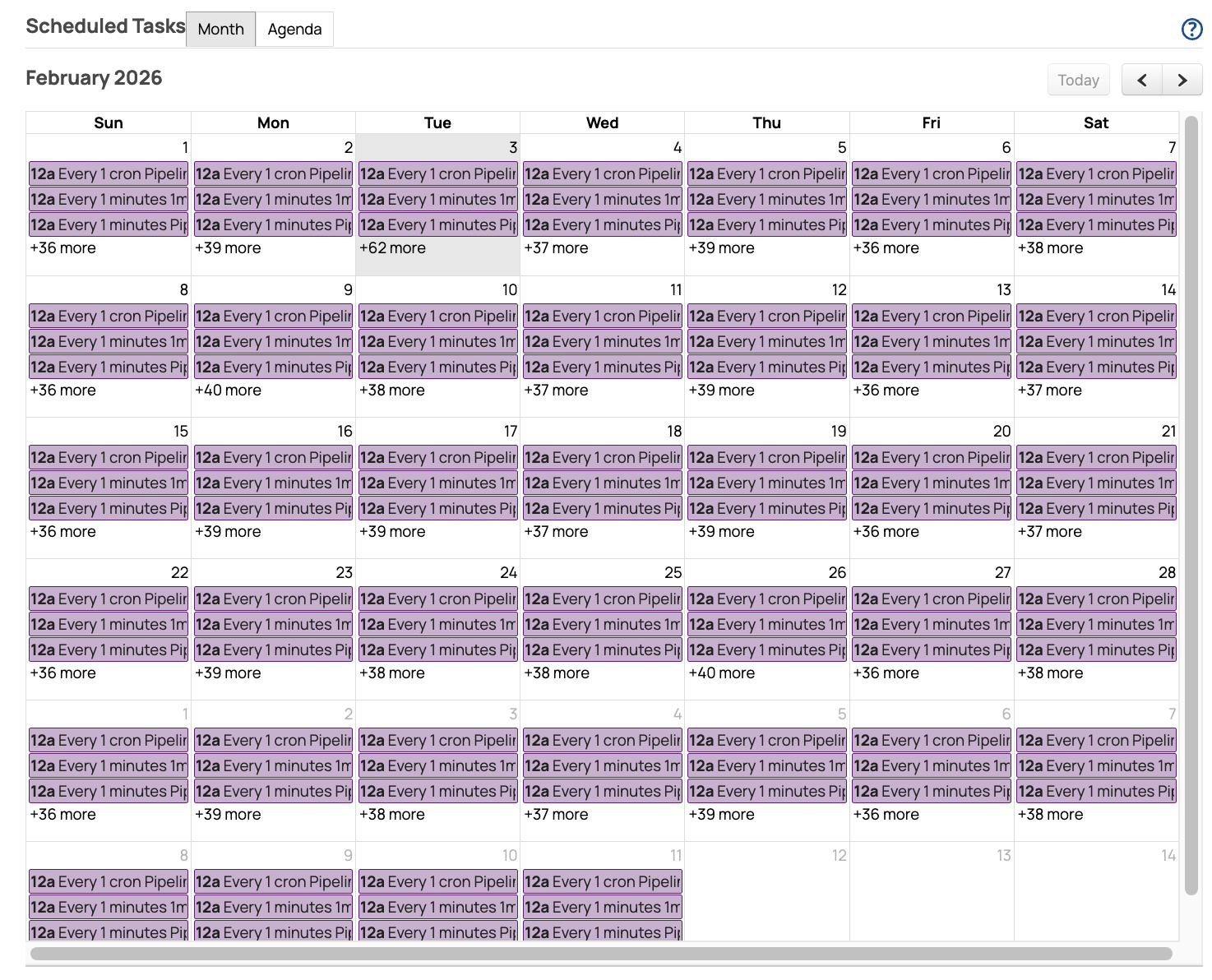
From this tab, you can:
- Click the + N more link on a day to view all Tasks scheduled for that day.
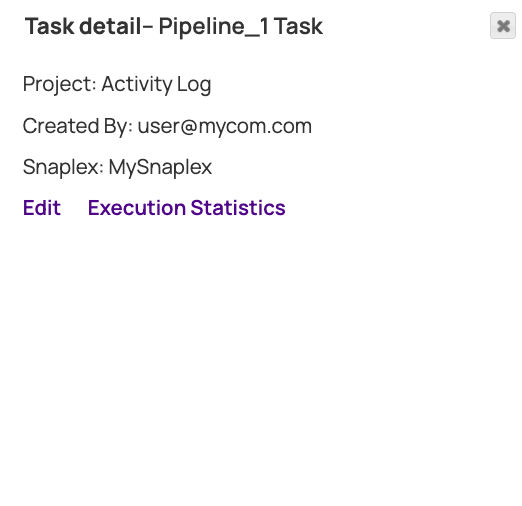
- Click a Task to expand it and view more information, such as who created it and which Snaplex it
executes on. You can also click Edit to open the Task or Execution
Statistics.
- Use the arrows to page through future or previous weeks. Click Today to navigate back.