


Exact Online Create
Overview
The Exact Online Create Snap creates data objects in the Exact Online instance.
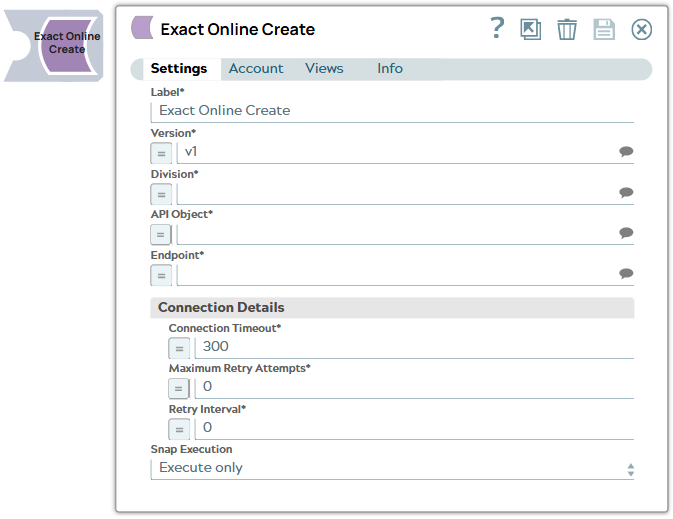
- This is a Write-type Snap.
 Works in Ultra Tasks
Supported Accounts
Prerequisites
- A valid OAuth 2.0 account that supports the Exact Online instance, with the appropriate access permissions. See Exact Online OAuth 2.0 Account.
Snap views
| Type | Description | Examples of upstream and downstream Snaps |
|---|---|---|
| Input |
This Snap has exactly one document input view. Expected input: A document containing data that must be created and written into the Exact Online instance. |
|
| Output |
This Snap has at most one document output view. Expected output: A document containing the response to the creation of new records in the Exact Online instance. |
|
| Learn more about Error handling. | ||
Examples
Snap settings
| Field/Field set | Description |
|---|---|
Label String |
Required. Specify a unique name for the Snap. Modify this to be more appropriate, especially if more than one of the same Snaps is in the pipeline. Default value: N/A Example: Create_Demo |
Version
Dropdown list |
Required. Choose or specify the version of the Exact Online API. Default value:
Example:
|
Division
String/Expression/ Suggestion |
Required. Specify the unique ID of the Exact Online
Division. You can retrieve this ID using a REST call to
Default value: N/A Example:
|
API object
String/Expression/ Suggestion |
Required. Specify the API that you want to access in the Exact Online instance. This dropdown list contains supported services available for the Exact Online instance. Alternatively, click the Suggestion icon to fetch the list of API objects and select an object. Default value: N/A Example:
|
Endpoint
String/Expression/ Suggestion |
Required. Specify an Exact Online Endpoint to be connected for each of the API objects. Alternatively, click the Suggestion icon to fetch the list of endpoints and select one. Default value: N/A Example:
|
| Connection details Use this field set to specify the connectivity parameters: timeout, retry count, and retry interval. | |
Connection timeout
Integer |
Required. Enter, in seconds, the duration for which the Snap must try to establish a connection with the Exact Online instance. If the connection cannot be established within this duration, the Snap times out, writes the event to the log, and waits until the specified Retry Interval before attempting to reconnect. Default value:
Example:
|
Maximum request attempts
Integer |
Required. Specify an integer value to set the maximum number of reconnection attempts that the Snap must perform in case of connection failure or timeout. Default value:
Example:
|
Retry Interval
Integer |
Required. Enter, in seconds, the duration for which the Snap must wait between two reconnection attempts until the number of retries is reached. Default value:
Example:
|
|
Snap execution Dropdown list
|
Choose one of the three modes in
which the Snap executes. Available options are:
Default value: Validate & Execute Example: Execute |
Troubleshooting
| Error | Reason | Resolution |
|---|---|---|
| API object does not exist. |
The specified API object is not found for the Exact Online API. |
Search and select an API object from the dropdown list. |
| The endpoint does not exist. |
The specified Endpoint is not found for the selected API object in the server. |
Search and select the Endpoint from the dropdown list. |
Additional information
Snap General Behavior
The Exact Online Create Snap supports the following:
- POST operation to create new data in the Exact Online instance.
- Display of only the create-compatible input parameter set from the upstream input Snap.
- Dynamic loading of API metadata with a parent-child dependency structure. This means
that you can:
- Select an API object from the API Object field to view only entities that are related to the API object and support POST queries (create operations).
- Then, select an entity to view and specify values for only create-compatible parameters related to this entity in the input schema.
Input schema
The input schema for the Exact Online Create Snap:
- Use the Payload schema for the Exact Online Create Snap to define
the input payload for an API call. This dynamically loads and represents all the
parameters that you need for creating the data object (payload).
- If the upstream Snap can display the entire input schema like Mapper Snap, always select the Payload object in the schema to define your input payload in that Snap.
- If your input payload is a JSON object, ensure that the text
Payloadis included as the key in the parent of your input.
Schema settings
| Parameter Name | Data Type | Description | Default Value | Example |
|---|---|---|---|---|
| Payload | Object | Specify the input data parameters for the selected entities. | N/A | N/A |