


Groundplex Settings Tab
Field reference for the Settings tab of the Add Snaplex page
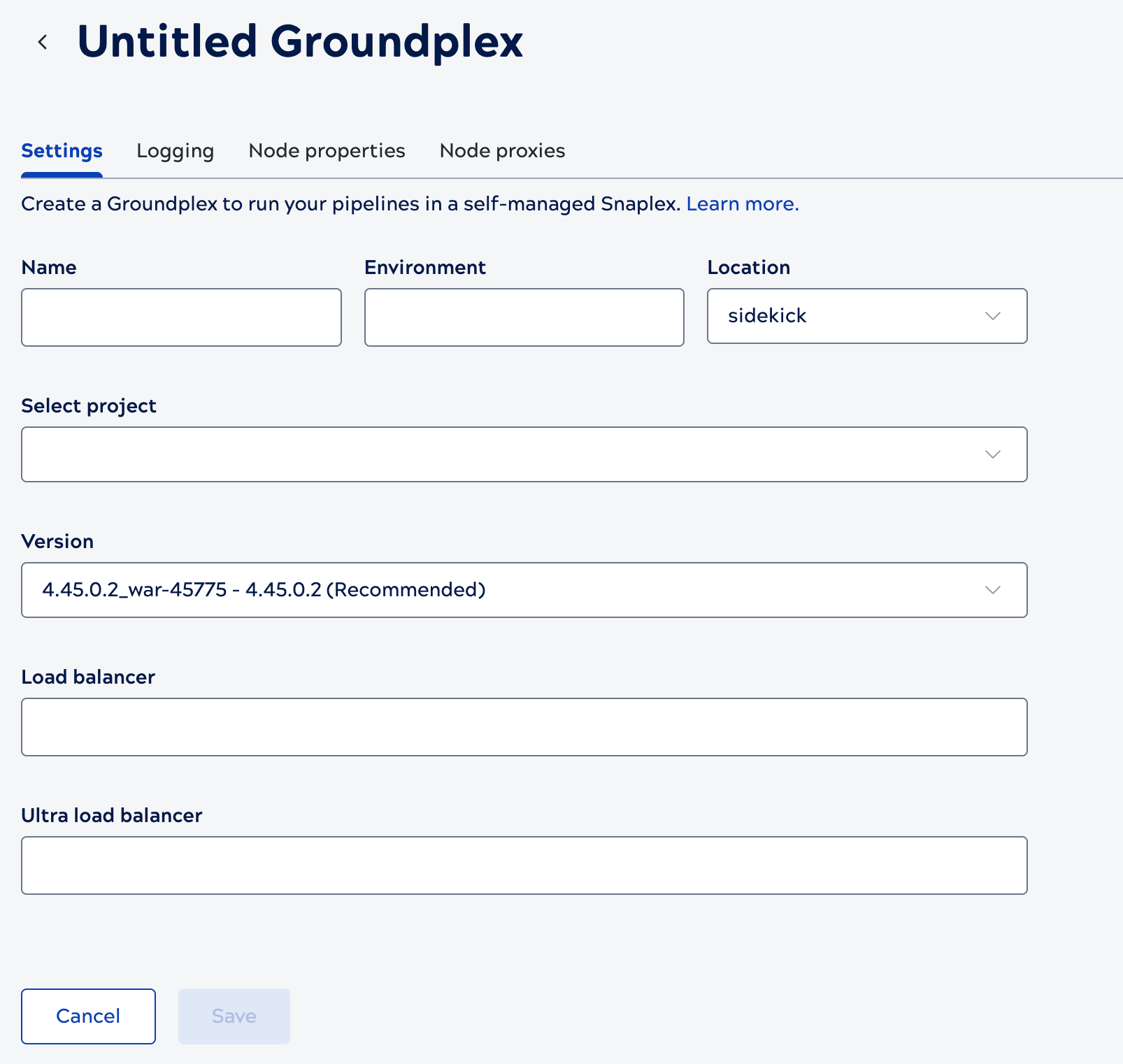
This tab is available for both Groundplexes and Cloudplexes. You create a Groundplex and set its Settings fields yourself; SnapLogic provisions a Cloudplex instead, but Environment admins can still edit its Settings fields through this same page. Use this tab to set the Snaplex's name, the Environment value its nodes bind to, the Snaplex version its nodes run, and the load balancers for the Snaplex.
| Field/Field set | Description |
|---|---|
| Name |
Required. Identifies this Snaplex throughout the UI, including the Snaplex picker. A descriptive name makes the Snaplex easier to find. Maximum 100 characters. Any character is valid except a slash ( The name doesn't associate nodes with the Groundplex — the Environment field does that. For details, refer to Groundplex name and association with nodes. Example: Production US East |
| Environment |
Required. Nodes bind to their Snaplex by matching this value, so it must be the same on every node. Despite the name, it's unrelated to the SnapLogic Environment you manage elsewhere in Admin Manager. For details, refer to Groundplex name and association with nodes. For example, you might use this value to indicate the deployment stage, such as dev, test, or prod, or the infrastructure the nodes run on, such as aws-us-east-1. Allowed characters: letters, digits, underscore ( The .slpropz configuration file on the Downloads tab carries this value. Every node you install with that file binds to this Snaplex. Important: Changing the Environment value on a
Groundplex whose nodes are already running breaks:
Tip: We don't recommend sharing a single node between two SnapLogic
Environments (orgs) — running multiple installations of the SnapLogic Platform on one
machine can compromise stability.
Example: Test-10k |
| Location | Leave the default option, sidekick, which creates a Groundplex. Default value: sidekick |
| Select project |
The project that contains the Snaplex controls who can use it. Select the shared folder to make the Snaplex available across the Environment, or a project to limit it to people with write permission to that project. You set the project when you create the Snaplex. To move it later, refer to Move a Snaplex to a Project. |
| Version |
The Snaplex version the nodes run. A new Snaplex defaults to the version marked
Changing the version makes each node download the new Snaplex binaries from SnapLogic and restart. Nodes restart one at a time, and each waits for its running pipelines to finish, up to the Max. restart wait time. For the version support policy and the full list of releases, refer to Manage Snaplex Versions and Snaplex versions by release. |
| Load balancer |
Base URL — scheme and host only, no path — for the load balancer in front of your JCC nodes. Used to build the Snaplex Trigger URL for Triggered and Instant Task execution requests. If this field is blank and Ultra load balancer is set, Triggered and Instant Tasks use the Ultra load balancer URL instead. If both fields are blank, Triggered and Instant Tasks fall back to a single node's address instead of a load-balanced one — this fallback doesn't work if you use APIM, which requires a load balancer. Default value: None. Example: https://snaplexlb.mydomain.com For use cases and best practices, refer to Load balancers and Groundplexes. For infrastructure requirements, refer to Groundplex requirements: Load balancer. |
| Ultra load balancer |
Base URL — scheme and host only, no path — for the FeedMaster load balancer in front of your FeedMaster nodes. Used to build the execution URL for Ultra Task requests. This property is available only to Environments that have subscribed to Ultra Tasks. Required. for low-latency Ultra Tasks (those invoked by an inbound HTTP request through a FeedMaster) to use a load-balanced execution URL. If this field is blank, these Ultra Tasks fall back to a FeedMaster node's address directly instead of a balanced one; if the Snaplex has no FeedMaster nodes, they have no execution URL and fail. Headless Ultra Tasks don't use a FeedMaster or an inbound execution URL, so this field doesn't apply to them. Also serves as the fallback Load balancer URL for Triggered and Instant Tasks if that field is left blank. Default value: None. Example: https://ultralb.mydomain.com |