


MCP OAuth2 Client Credentials rule
Authenticates MCP Server requests using the OAuth2 Client Credentials flow, validating access tokens against your authorization server.
- Validates the access token against the authorization server.
- If valid, processes the request.
- If invalid or expired, rejects the request.
Policy execution order
The MCP OAuth2 Client Credentials rule executes after early-stage request validation rules, such as IP Restriction, and before the request is routed to the MCP Server pipeline.
Token caching
Validated tokens are cached for the duration specified in Time-To-Live in Seconds. During this period, subsequent requests using the same token do not require re-validation against the authorization server.
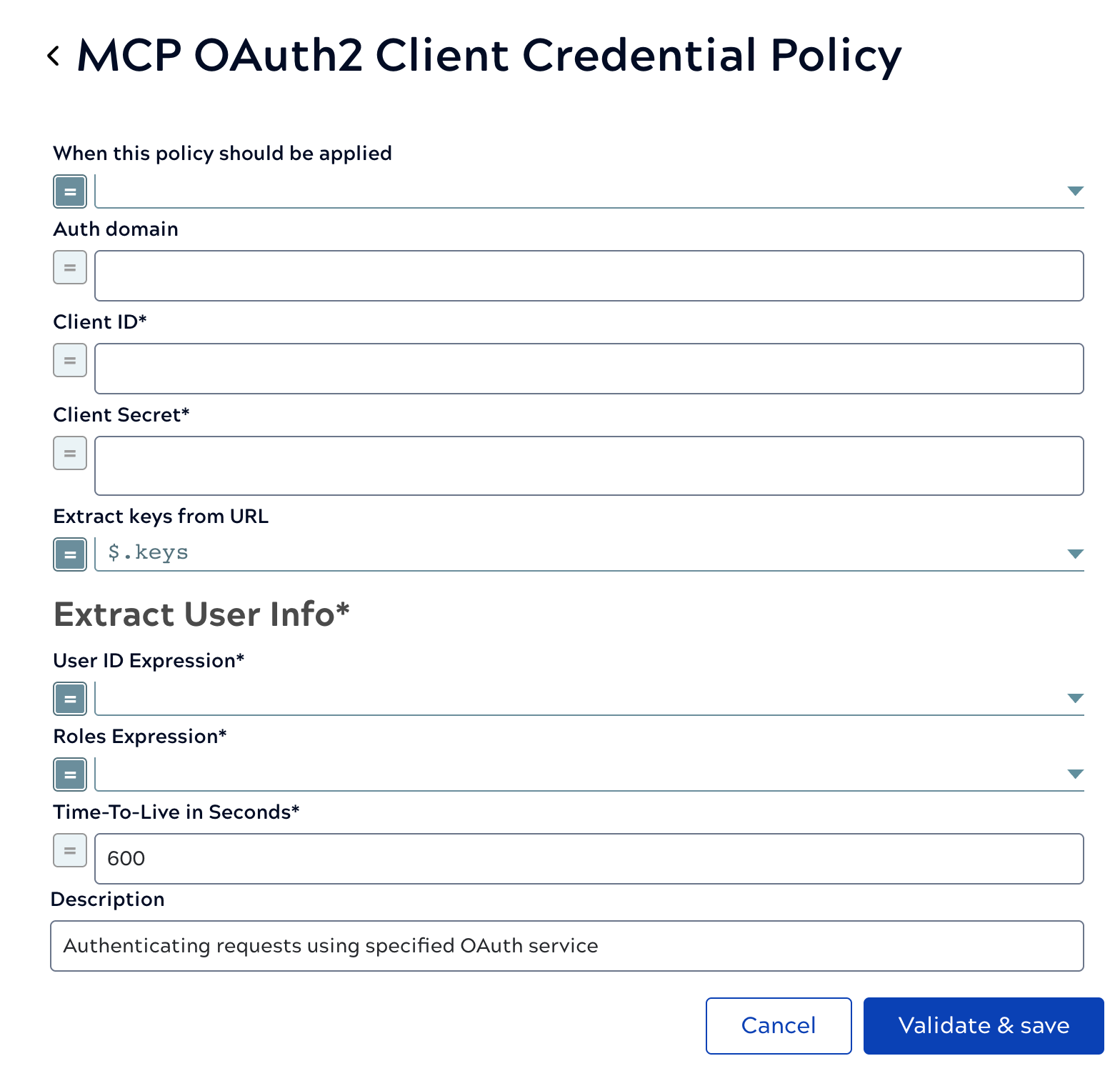
| Field/Field set | Description |
|---|---|
| When this policy should be applied |
Boolean that determines when this policy should be applied to a request. Default value: Example: |
| Auth domain |
URL for fetching the keys for verifying the JWT Token. Default value: N/A Example: https://test-example.us.auth0.com |
| Client ID |
Required. The Client ID for the OAuth2 application on the provider. Default value: N/A Example: |
| Client Secret |
Required. The Client Secret for the OAuth2 application. Default value: N/A Example: Value is encrypted |
| Extract keys from URL |
How to extract the keys from the URL response entity. Default value: Example: |
| Extract User Info |
Required. Extract username and roles for authentication. |
| Roles Expression |
Required. An expression that will extract the roles from the User Info URL responses. Default value: N/A Example: |
| User ID Expression | Required. An expression that will extract the user ID from the User Info URL responses. Default value: N/A Example: $.xyz |
| Time-To-Live in Seconds |
Required. How many seconds the token is valid for before it will be re-validated. Default value: 600 Example: 600 |
| Description | The purpose of the rule. |