


Try Services
An APIM 3.0 Service version can be configured to accept one or more of the following authentication methods:
- Basic authentication: A username and password to log into the SnapLogic UI or the Developer Portal.
- JWT
- API key
When any of these are enabled, a Try it out button displays on the Service endpoint details. The developer of a Service can use Try it out with the JWT or API key they configured. Other developers or Service consumers can try out endpoints that support Basic Auth.
The following steps describe how to use Try it out with Basic Auth:
- Open the APIM 3.0 Developer Portal.
- Locate the Service to try.
- Click the Service card or table row to open the Service details.
- Click an endpoint to show its details:
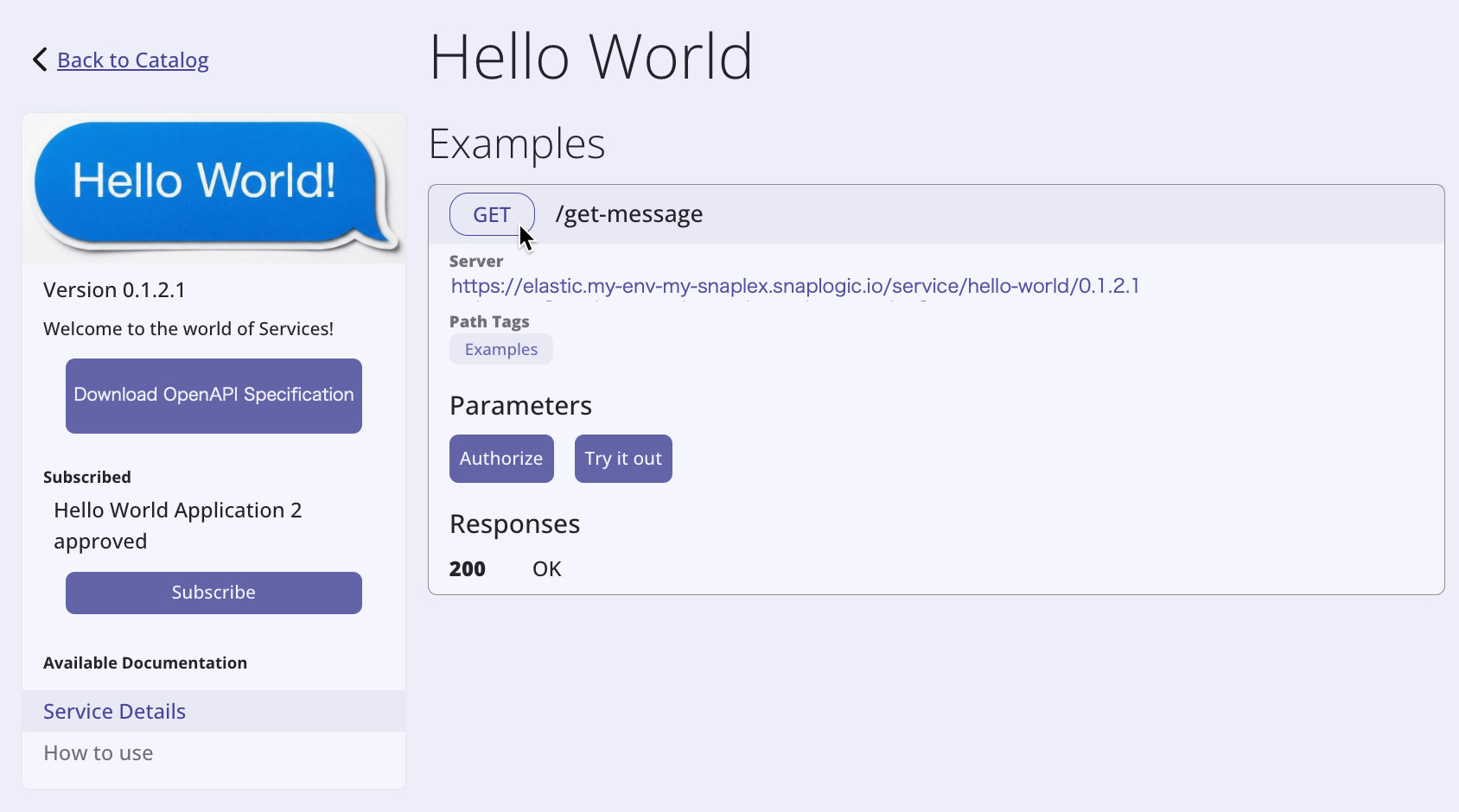
- Click Authorize.
- Enter your username and password.
- Click Authorize. The field values display as masked:
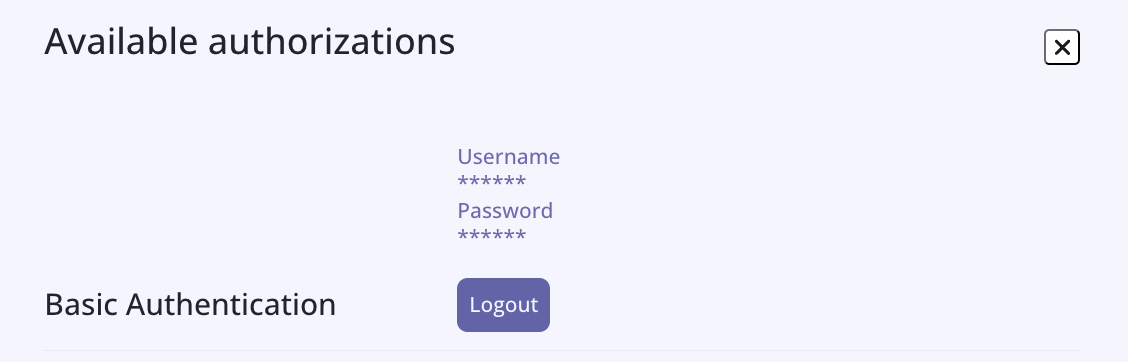
- Click the X to dismiss the Authorize dialog.
- Click Try it out.
- Click Execute.
- The response displays.
Tip: To clear the credentials, click Logout.