


Retrieve details of pipeline with ID
GET https://{controlplane_path}api/1/rest/public/catalog/{env_org}/pipelines/{pipeline_id} Prerequisites
- Environment (Org) admin permissions
Path parameters
| Parameter | Description | Required |
|---|---|---|
controlplane_path |
The path to the SnapLogic control plane:
elastic.snaplogic.com
For the UAT or EMEA control plane, substitute the name for
elastic. For example:
|
Yes |
env_org |
The name of the SnapLogic Environment/Org. | Yes |
pipeline_id |
The id for the specified pipeline in the Environment/Org. | Yes |
Query parameters
None
Request header
Basic authentication
To use basic authentication, specify Basic for authorization in the request
header, add your credentials (email and password for your SnapLogic user or service account), and
specify application/json for content type. For example:
Authorization: Basic {base64_encoded <email>:<password>}
Content-Type: application/json
Example of basic authentication using Postman:
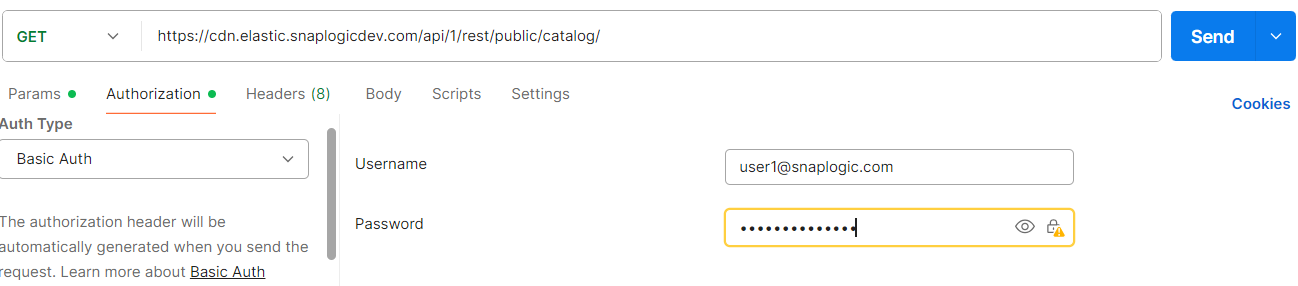
Learn more about the basic authentication header in REST API requests.
JWT authentication
When using JWT authentication, the API request includes specific headers. In the request header,
specify Bearer Token for authorization, add the token, and specify
application/json for content type. These headers are automatically added when
you configure bearer token authentication in your API client. The authorization header contains
the word Bearer followed by a space and your JWT.
Authorization: Bearer Token {token}
Content-Type: application/json
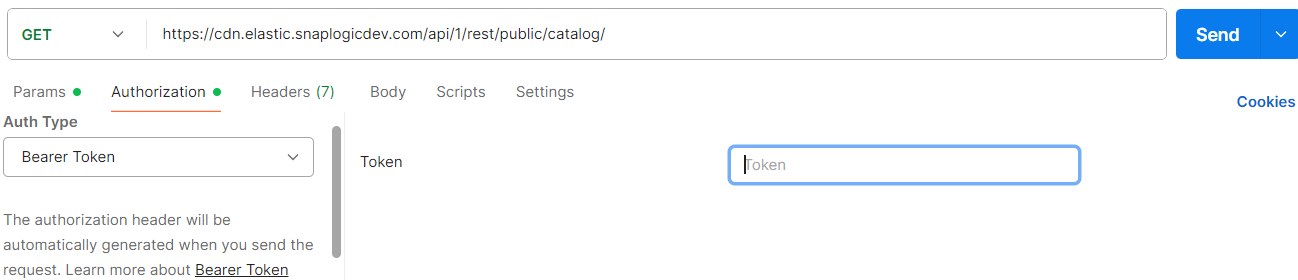
Example of JWT authentication using Postman:
Response
Code 200 OK where: list: Details of pipeline with specified id.
  {
  "doc_link": null,
  "purpose": null,
  "notes": null,
  "params": {
  "pipe": ""
   },
Example
Assuming retrieving details of a pipeline in a development environment with pipeline
id a84697f5-11b0-4e3b-9895-038b09c5d4eb:
https://elastic.snaplogicdev.com/api/1/rest/public/catalog/DEV/pipelines/a84697f5-11b0-4e3b-9895-038b09c5d4eb"
    {
   {
   "doc_link": null,
   "purpose": null,
   "notes": null,
   "params": {
   "pipe": "ParentPipelineTest"
   },
   "operational_data": {
   "total_executions": 6,
   "stopped_executions": 0,
   "successful_executions": 4,
   "failed_executions": 2,
   "execution_failure_rate": 33.0,
   "average_duration_ms": 434,
   "average_docs_processed": 1
   },
   "last_run_node_label": "Cloud/na10sl-jcc-ux06876a5b79c0c6f13",
   "total_number_of_snaps": 2,
   "number_of_snaps_with_endpoint": 1,
   "number_of_snaps_without_endpoint": 1,
   "name": "DemoPipelineExecute",
   "path": "/DEV/projects/shared",
   "pipeline_id": "a84697f5-11b0-4e3b-9895-038b09c5d4e",
   "snode_id": "685d60daa4a9e4986fb7cfad",
   "created_by": "user1snaplogic.com",
   "updated_by": "[email protected]",
   "last_run_status": "Completed",
   "created_at": "2025-06-26T15:01:46.873Z",
   "updated_at": "2025-06-26T15:02:51.572Z",
   "last_run_date": "2025-07-14T11:03:47.409Z",
   "sources": [
   {
   "name": "test"
   }
   ],
   "targets": [],
   "custom_metadata": {
   "LOB": "Information Technology",
   "LOB_Reasoning": "The pipeline is classified as Information Technology because it involves the execution of a demo pipeline, utilizes specific tools like SourceBot and Pipeline Execute, and does not directly relate to core functions of other LOBs such as payroll, finance, HR, sales, operations, customer service, supply chain, or e-commerce."
   }
   }