


Retrieve config info for a Groundplex
GET https://{controlplane_path}/api/1/rest/public/snaplex/config/{plex_path}?{query_parameters}This API retrieves the information needed to install and configure a node on a Groundplex.
You can use this API to automate the installation of Groundplex nodes.
Prerequisites
- Environment (Org) admin permissions
Path parameters
| Key | Description |
|---|---|
controlplane_path |
Required. The SnapLogic control plane host:
elastic.snaplogic.com (US) or
emea.snaplogic.com (EU). |
plex_path |
Required.
The path to the Snaplex.
The path comparison is case-sensitive.
Format:
Example:
|
Query parameters
| Key | Type | Description |
|---|---|---|
expire_hours |
integer | An optional value to configure the number of hours before the returned URL expires to download the slpropz file. The URL is a link to the Snaplex configuration file.
Default: 1 |
version |
string | If set to current, the returned configuration is based on the version that is currently installed on the Snaplex.
Otherwise, the returned configuration is based on the latest available version.
|
Request header
Basic authentication
To use basic authentication, specify Basic for authorization in the request
header, add your credentials (email and password for your SnapLogic user or service account), and
specify application/json for content type. For example:
Authorization: Basic {base64_encoded <email>:<password>}
Content-Type: application/json
Example of basic authentication using Postman:
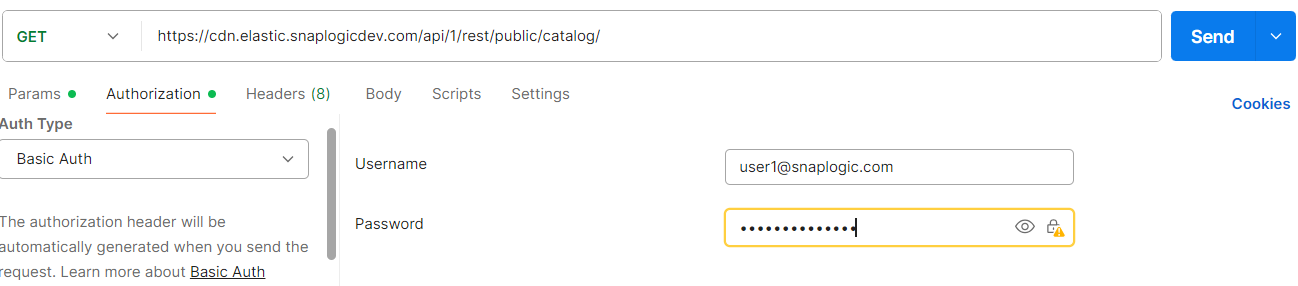
Learn more about the basic authentication header in REST API requests.
JWT authentication
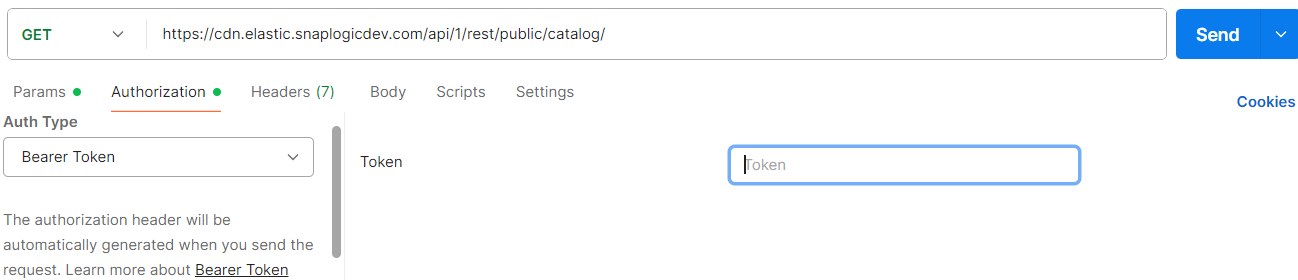
When using JWT authentication, the API request includes specific headers. In the request header,
specify Bearer Token for authorization, add the token, and specify
application/json for content type. These headers are automatically added when
you configure bearer token authentication in your API client. The authorization header contains
the word Bearer followed by a space and your JWT.
Authorization: Bearer Token {token}
Content-Type: application/json
Example of JWT authentication using Postman:
Request body
None.
Response
{
  "response_map": {
    "config": "...",
    "pkgs": {
      "plex-rpm": {
        "comment": "...",
        "status": "...",
        "kind": "plex-rpm",
        "signatures": {
          "md5": "..."
        },
        "pkg_file": "...",
        "driver": "...",
        "uri": "...",
        "version": "...",
        "compatible_version": "...",
        "create_time": "...",
        "_id": "..."
      },
      "plex-deb": {
        ...
      },
      "plex-win": {
        ...
      }
    }
  },
  "http_status_code": 200
}
| Key | Type | Description |
|---|---|---|
| config | string | The signed URL where you can download the configuration file
(.slpropz) for the Snaplex node. Note: If you are
an Environment admin, the configuration file contains generic credentials for
the Snaplex node. Otherwise, the configuration file contains the caller's
credentials.
|
| pkgs | object | The Snaplex software packages that are available for installation.
The following metadata is included for each package type:
|