


Notices tab
Manage broadcast messages.
The Notices tab displays the broadcast messages scheduled by Environment
admins. Broadcast messages have a start and end date.
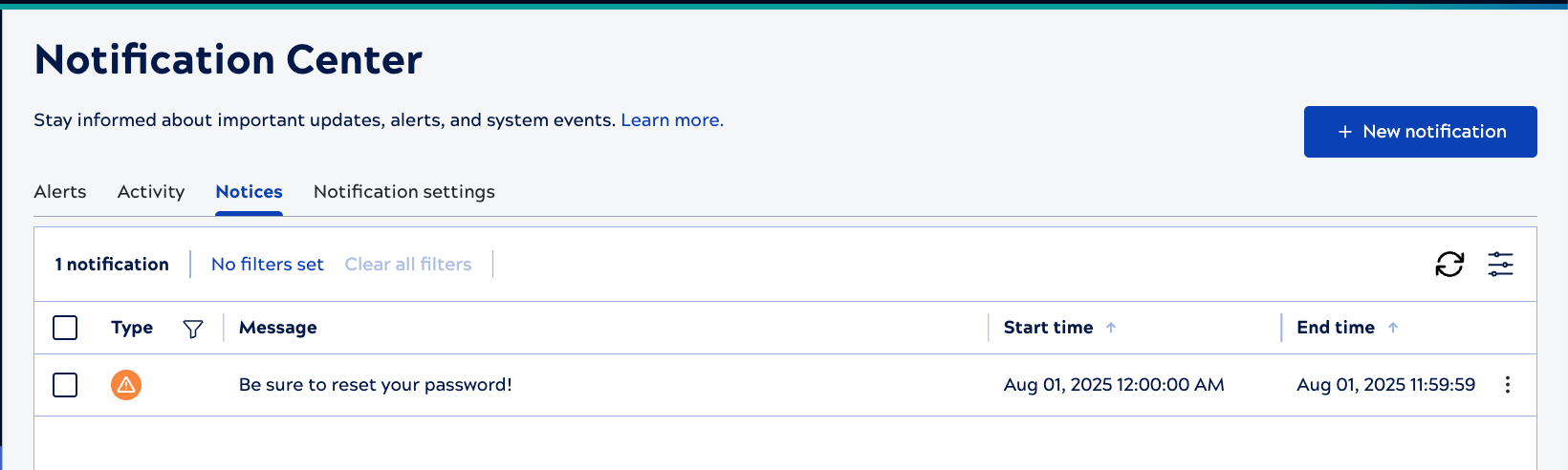
All users in the environment can read broadcast messages from the notification bell next to their username. Refer to View and navigate broadcast notices.
Use controls on the table to:
- Filter the Type column by clicking the filter icon,
 . A dark filter icon,
 , indicates that the column has a filter
applied.
- Clear all filters.
- Refresh table data.
- Configure the table, by clicking
 . You can set row spacing to expanded or
compact, hide or show columns, and filter the Type column, or search by
recipient.
- Stop a broadcast message by clicking the three-dot menu in the notification row and selecting Delete. Environment admins only.