Create a part and do reservation

This example pipeline demonstrates how to create a part and then check it out.
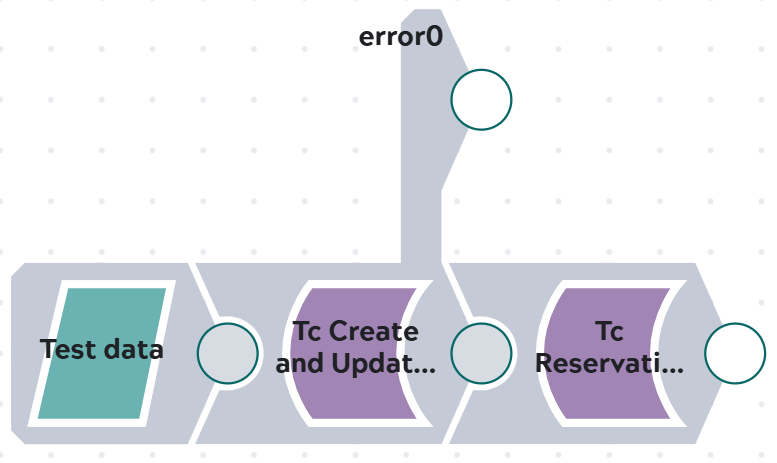

Pipeline consisting of JSON Generator Snap, Tc Create Snap and Tc Reservation Checkout Snap.

Steps

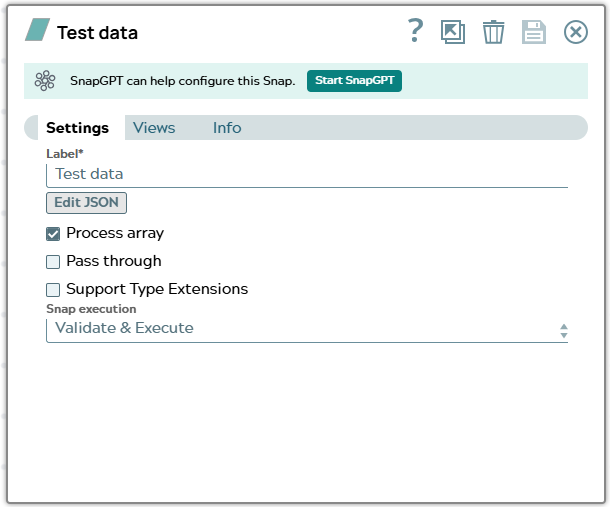
1: Input for the creation is stored in JSON Generator. The stored JSON document contains data necessary for creating a Part.

Snap configuration

Snap output


Settings of JSON Generator Snap.

[
  {
    "object_type": "Part",
    "attributes": {
        "object_desc": "Doku for checkin checkout",
        "object_name": "Doku_checkIn_Out"
    },
    "expand": [
        "object_type",
        "object_name",
        "object_string",
        "item_id",
        "item_revision_id",
        "checked_out",
        "checked_out_change_id",
        "checked_out_date",
        "checked_out_user"
    ]
  }
]

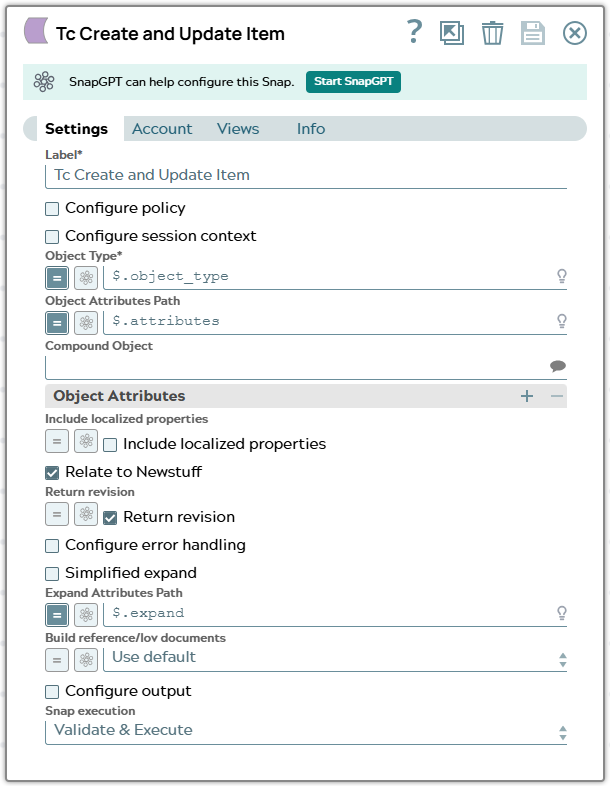
2: In the snap configuration following values has to fed into fields of the Tc Create And Update Item Snap:

  • $object_type to field Object Type
  • $attributes to field Object Attributes Path
  • $expand to field Expand Attributes Path

Snap configuration

Snap output


Settings of Tc Create Snap. Checkboxes to relate to Newstuff and to return revision are ON.

[
  {
    "_id": "TC*Part Revision*null***AWPAAt0x7hAnmD",
    "checked_out": " ",
    "checked_out_change_id": " ",
    "checked_out_date": null,
    "checked_out_user": null,
    "checked_out_user_DISPLAY": " ",
    "item_id": "053044",
    "item_revision_id": "A",
    "object_name": "Doku_checkIn_Out",
    "object_string": "053044/A;1-Doku_checkIn_Out",
    "object_type": "Part Revision",
    "object_type_DISPLAY": "Part Revision",
    "UID": "AWPAAt0x7hAnmD",
    "original": {
      "object_type": "Part",
      "attributes": {
        "object_desc": "Doku for checkin checkout",
        "object_name": "Doku_checkIn_Out"
      },
      "expand": [
        "object_type",
        "object_name",
        "object_string",
        "item_id",
        "item_revision_id",
        "checked_out",
        "checked_out_change_id",
        "checked_out_date",
        "checked_out_user"
      ]
    }
  }
]

Output document contains data of newly created object. The attribute values for checked_out* are empty or null after create in Teamcenter.

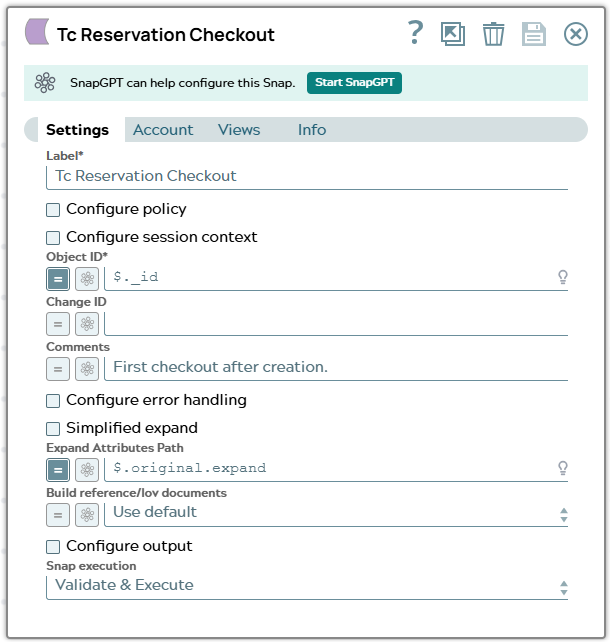
3: In the snap configuration following values has to fed into fields of the Tc Reservation Checkout Snap:

Note:

UIDs in Teamcenter are as the name says UNIQUE. The UIDs in the example only exist in our Teamcenter system as expected for our example. Same is valid for Adapter ID "_id" since its base is the UID.

  • $_id to field Object ID
  • $.original.expand to field Expand Attributes Path

Snap configuration

Snap output


Settings of Tc Reservation Checkout Snap. Comments is filled hard coded.

[
  {
    "_id": "TC*Part Revision*null***AWPAAt0x7hAnmD",
    "checked_out": "Y",
    "checked_out_change_id": "",
    "checked_out_date": "2026-08-07T08:02:38Z",
    "checked_out_user": "TC*User*null***A6CAAAx07hAnmD",
    "checked_out_user_DISPLAY": "user111 (user111)",
    "item_id": "053044",
    "item_revision_id": "A",
    "object_name": "Doku_checkIn_Out",
    "object_string": "053044/A;2-Doku_checkIn_Out",
    "object_type": "Part Revision",
    "object_type_DISPLAY": "Part Revision",
    "UID": "AWPAAt0x7hAnmD",
    "original": {
      "_id": "TC*Part Revision*null***AWPAAt0x7hAnmD",
      "checked_out": " ",
      "checked_out_change_id": " ",
      "checked_out_date": null,
      "checked_out_user": null,
      "checked_out_user_DISPLAY": " ",
      "item_id": "053044",
      "item_revision_id": "A",
      "object_name": "Doku_checkIn_Out",
      "object_string": "053044/A;1-Doku_checkIn_Out",
      "object_type": "Part Revision",
      "object_type_DISPLAY": "Part Revision",
      "UID": "AWPAAt0x7hAnmD",
      "original": {
        "object_type": "Part",
        "attributes": {
          "object_desc": "Doku for checkin checkout",
          "object_name": "Doku_checkIn_Out"
        },
        "expand": [
          "object_type",
          "object_name",
          "object_string",
          "item_id",
          "item_revision_id",
          "checked_out",
          "checked_out_change_id",
          "checked_out_date",
          "checked_out_user"
        ]
      }
    }
  }
]

Output JSON document provides an example of the response returned after checkout of Part Revision in Teamcenter. Now attribute for checked_out* have a value set.