


Canceling an Invoice Using the Revenue Management Service
This example Pipeline demonstrates how to cancel an invoice using the Revenue_Manangement service..
Download this PipelineNote: This Pipeline does not work for any Workday tenant since they are read by WID.
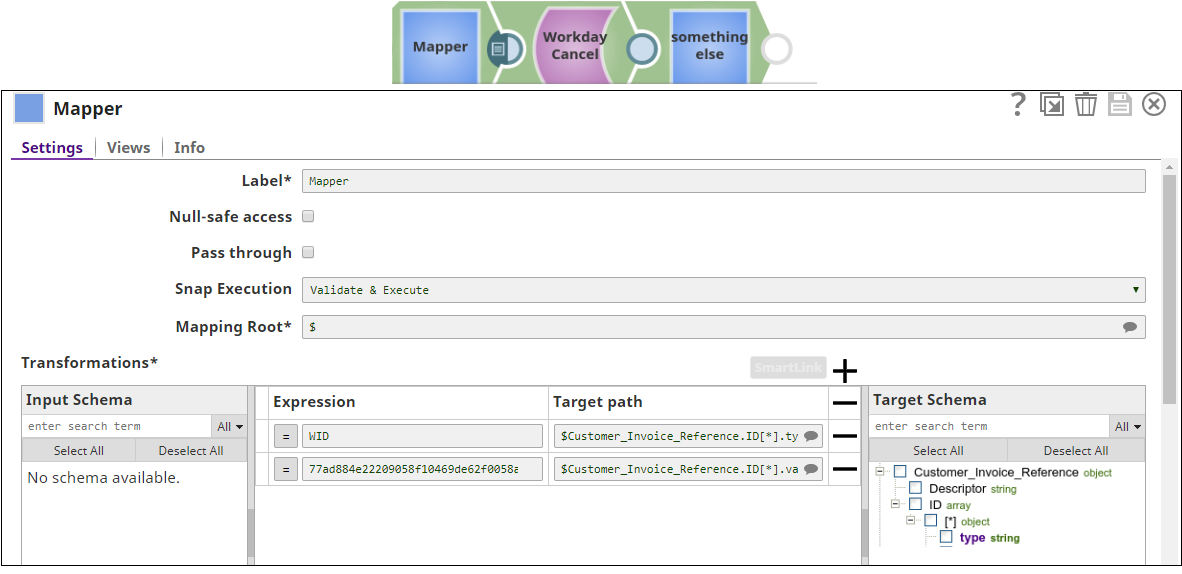
Note: For each expression field, you must provide a corresponding Workday ID (WID). You can get the WID using the Workday Read Snap.
-
Download example Pipeline.
-
First, configure the Mapper Snap to map the customer invoice type and its value. Next, configure the Workday Cancel Snap to use the Revenue_Management service with the Cancel_Customer_Invoice object.

-
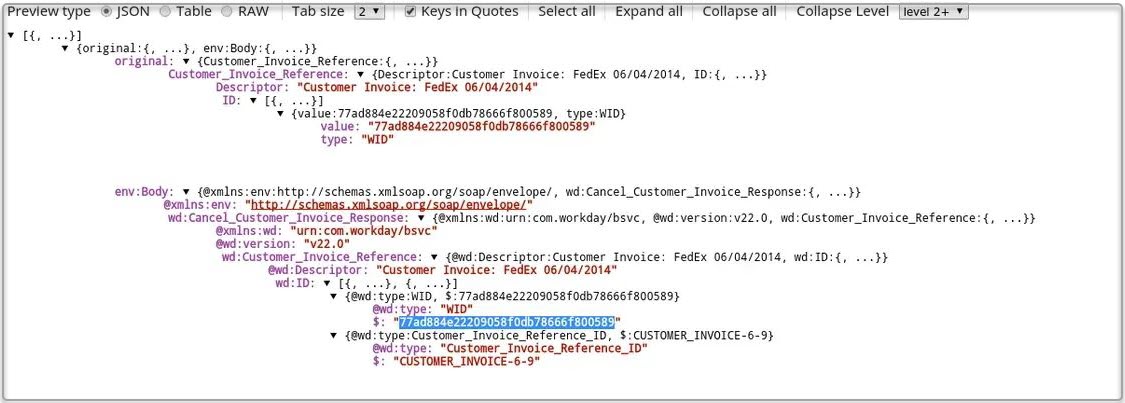
In the output preview, you can see the customer invoice reference ID that is canceled.
- Download and import the SLP file into your Environment.
- Configure Snap accounts.
- Provide Pipeline parameters, if any.