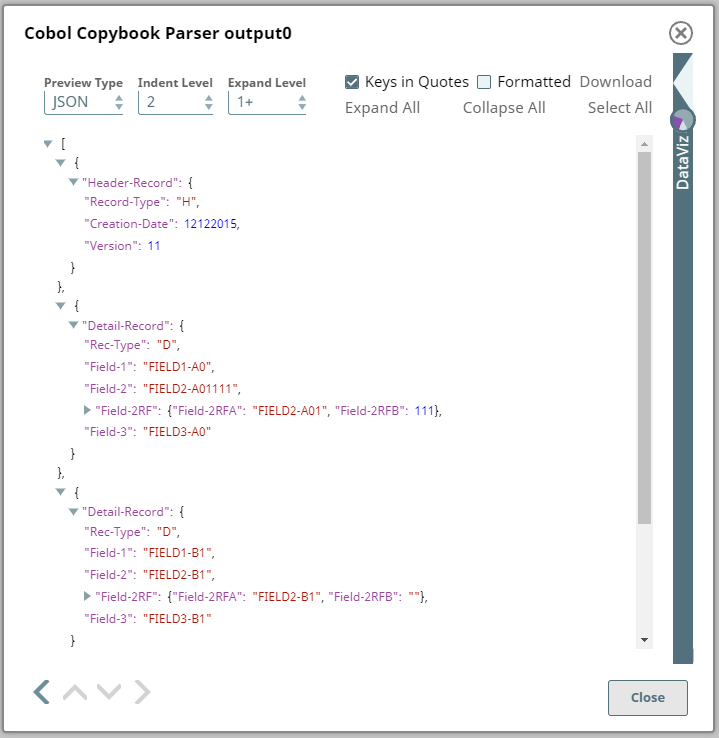
The following example demonstrates a standard file structure where the input file consists of a header as the first record, one or more detail records in the middle, with the last record being a trailer record.
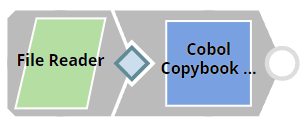
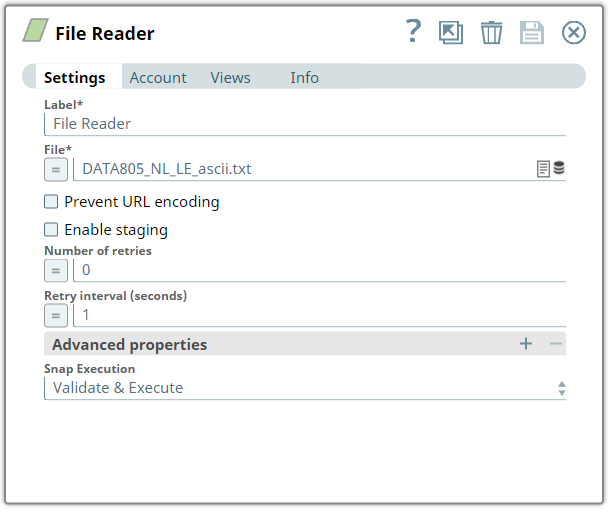
First, we configure the
File Reader
Snap to accept the data for processing. In this case, we need to provide the filename and leave the other setting values defaulted.
Next, we must provide the Cobol Copybook Parser Snap with the Copybook structure file and settings required to parse the input data. To process this, the Snap must be configured to identify the structure to use for the first record (the header structure), the structure to use for the middle/detail records (the Middle Structure) and the structure to be used for the last record (the trailer structure).
Snap configuration settings:
- Copybooks: CPL005.cpy is the copybook file containing the three COBOL structures to be used to process this data.
- Copybook Split: As there are three COBOL Structures in the copybook, SPLIT_01_LEVEL indicates that the structures in the copybook must be split at the COBOL 01 level.
- Organisation: The input file is interpreted based on the length it determines from the COBOL structure(s) provided. These are fixed length records. If a CR/LF or LF is found at the end of the record based on the length of the structures, this will be accommodated.
- Dialect: The binary data in the input file is FMT_INTEL(LITTLE_ENDIAN).
- Encoding: Character data in the Snap is encoded in codepage UTF-8.
- Header Structure Name: This is the name of the COBOL structure in the provided copybook which will be used to interpret the first record in the input file.
- Middle Structure Name: This is the name of the COBOL structure in the provided copybook which will be used to interpret the records between the first and last records in the input file.
- Trailer Structure Name: This is the name of the COBOL structure in the provided copybook which will be used to interpret the last record in the input file.
The further options mean:
- Character fields will not be enclosed in quotes.
- Blanks will be truncated from the start and end of character fields.
- The selection criteria is not provided as it is mutually exclusive with the Header, Middle and Trailer structure parameters.
|
|
The Pipeline is now ready to process the binary file and produce a JSON-formatted output. Following pipeline validation, we can preview the JSON formatted output: