Generate agent and MCP Server pipelines
Use SnapGPT to generate agent pipelines and MCP Server pipelines for AI agent integration from natural language prompts.
In addition to standard pipelines, SnapGPT can generate two specialized pipeline types for AI agent integration:
- Agent pipelines: A pipeline bundle in which a driver pipeline runs an LLM-based agent that calls one or more tool pipelines as callable tools. Refer to Build your first agent pipeline.
- MCP Server pipelines: A pipeline bundle that exposes SnapLogic pipelines as tools through the Model Context Protocol (MCP), so that external AI clients can discover and invoke them. Refer to MCP Server Pipeline Builder.
Both types are generated using natural language prompts. No dedicated skill button or UI option is required. Describe the pipeline you want and SnapGPT generates the appropriate bundle.
Generate an agent pipeline
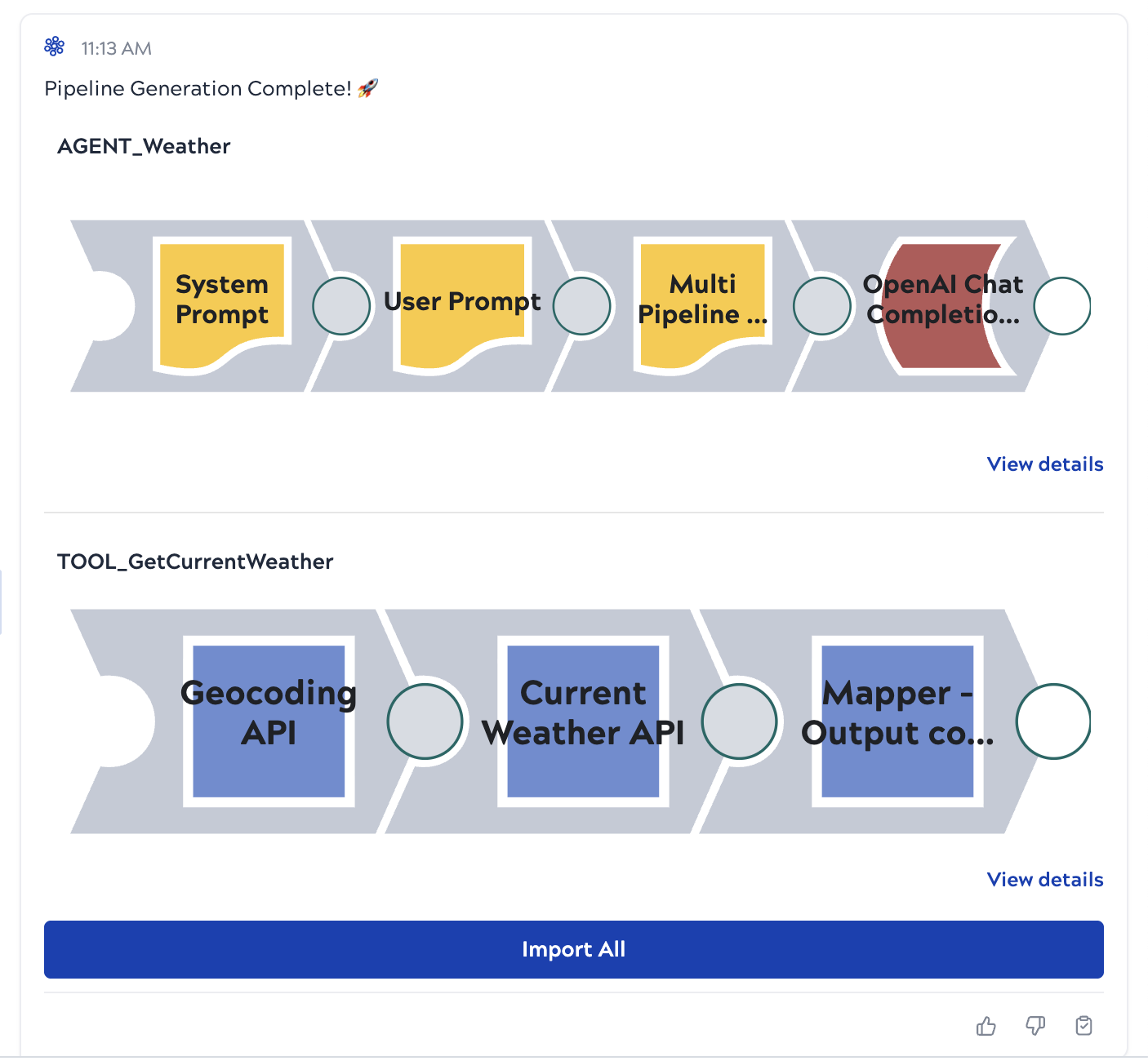
An agent pipeline consists of two pipelines generated as a bundle:
- A driver pipeline (prefixed
AGENT_): Orchestrates the agent loop using two Prompt Generator Snaps (one for the system prompt and the other for the user prompt), a Multi Pipeline Function Generator Snap, and an OpenAI Chat Completions Agent Snap. - A tool pipeline (prefixed
TOOL_): Performs the integration work that the driver pipeline registers and calls as a tool.
Example
In SnapGPT, enter a prompt such as:
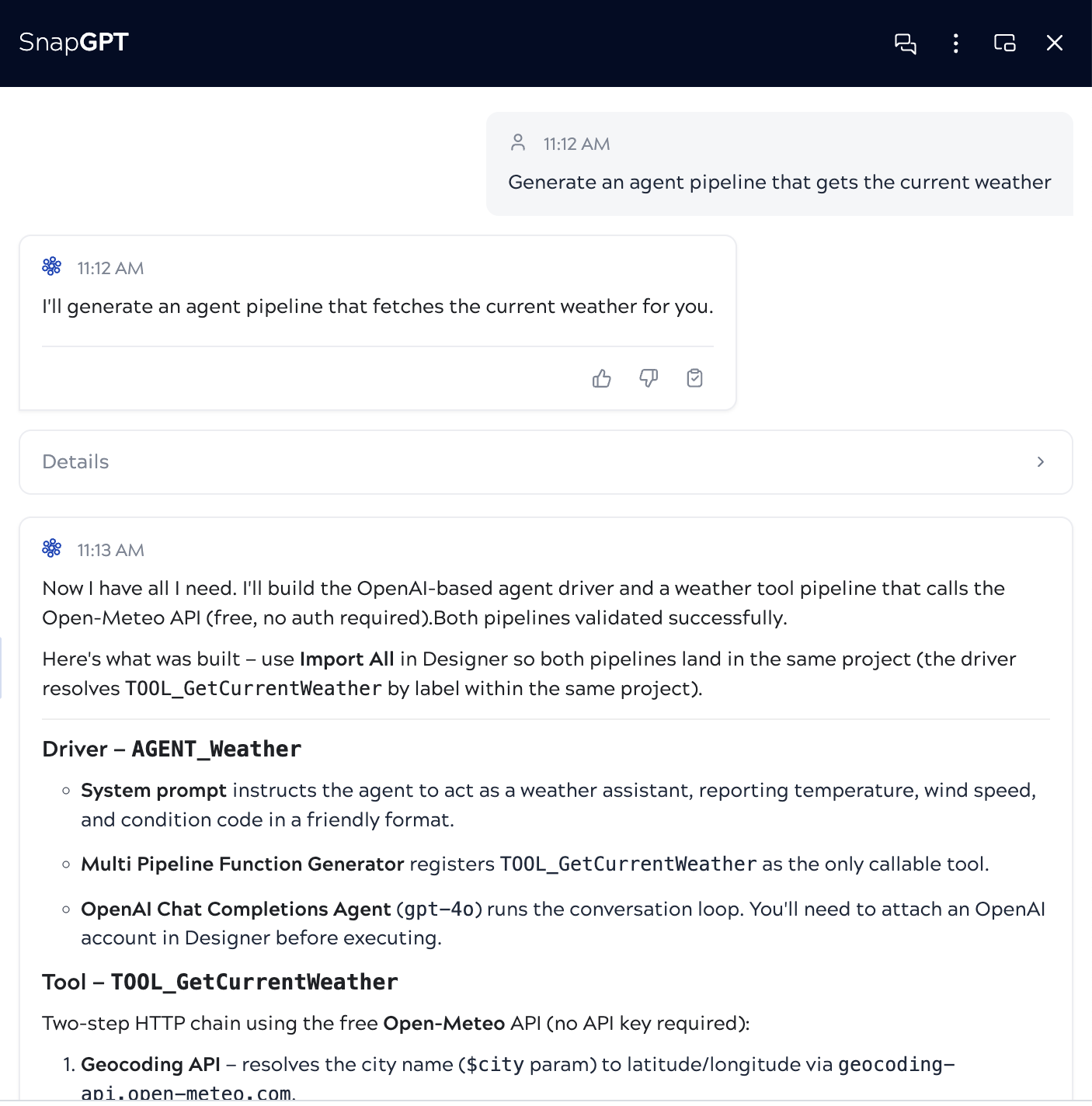
Generate an agent pipeline that gets the current weather
SnapGPT describes the driver and tool pipelines it will build, including the Snaps used and any accounts required:
After generation, SnapGPT presents both pipelines as a bundle. You can:
- Click View details for a pipeline to open a preview window, from which you can choose to replace the current pipeline or import it in a new tab.
- Click Import All to add both pipelines to your project.
Generate an MCP Server pipeline for AI agent integration
An MCP Server pipeline consists of two pipelines generated as a bundle:
- An MCP Server pipeline (prefixed
MCP_, taggedmcp_server): Handles MCP protocol routing using a Multi Pipeline Function Generator, MCP Server Router, Pipeline Execute, Union, and Remove Original. - A tool pipeline (prefixed
TOOL_, taggedtool): Performs the integration work that the MCP Server exposes as a callable tool to AI clients.
Example
In SnapGPT, enter a prompt such as:
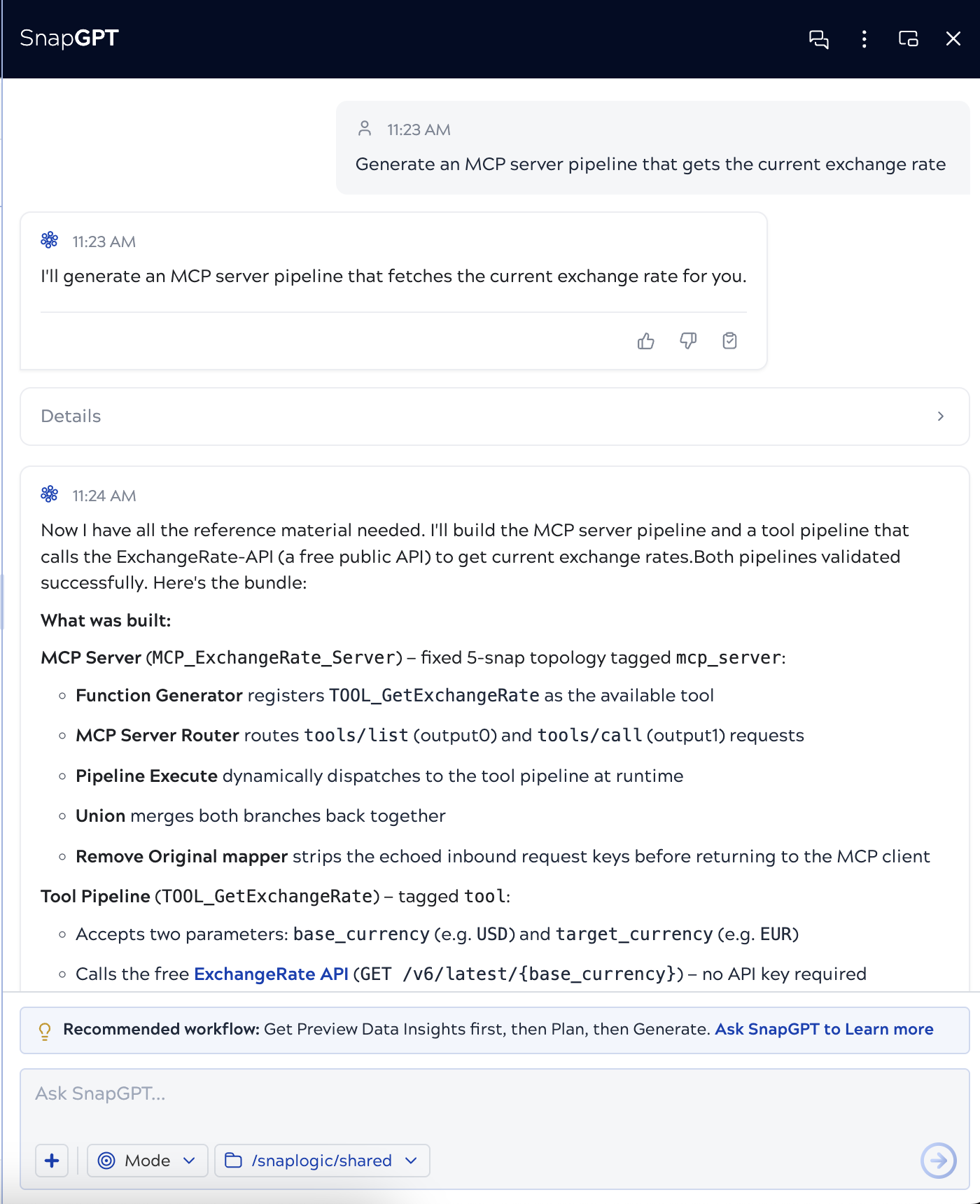
Generate an MCP Server pipeline that gets the current exchange rate
SnapGPT describes the MCP Server pipeline and tool pipeline it will build, including the Snaps used and the API it will call:
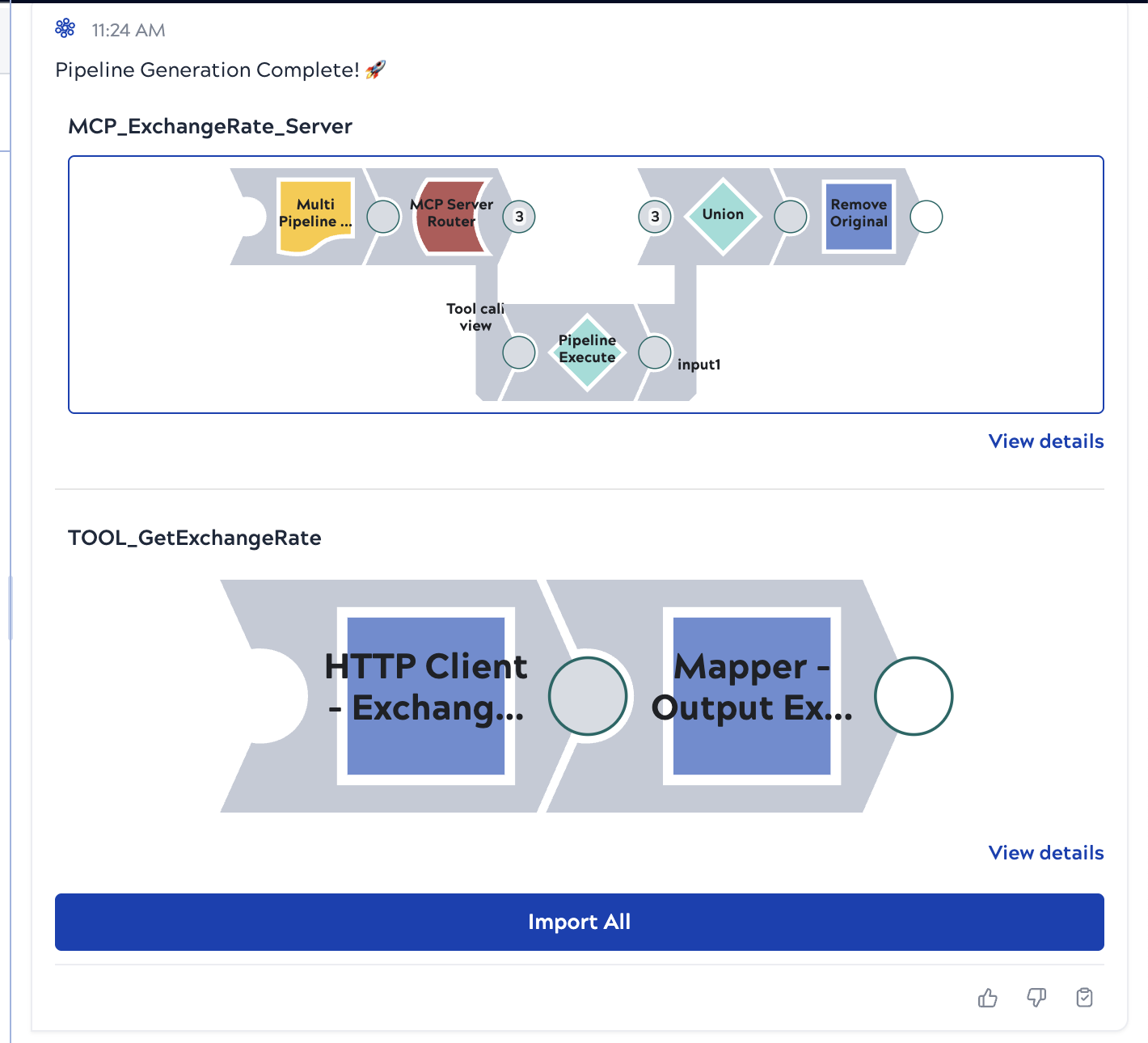
After generation, SnapGPT presents both pipelines as a bundle. You can:
- Click View details for a pipeline to open a preview window, from which you can choose to replace the current pipeline or import it in a new tab.
- Click Import All to add both pipelines to your project.