


Querying for Contacts in Salesforce Using Upstream Parameters in the Bulk Query Snap - Understanding the Pipeline
The Salesforce Bulk Query Snap enables you to retrieve multiple data values from your Salesforce database using a simple query, where you can provide all the details associated with your request in the Snap. This Snap also enables you to use values derived from upstream Snaps. In this example, you query your Salesforce database for contact data using values from an upstream Snap.

Download this Pipeline
-
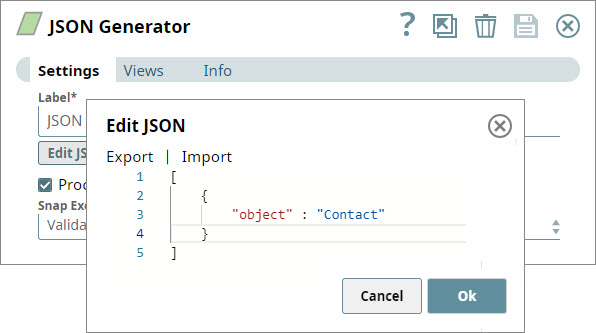
Configure the JSON
Generator Snap to send Contact as the type of data that you want to retrieve.
-
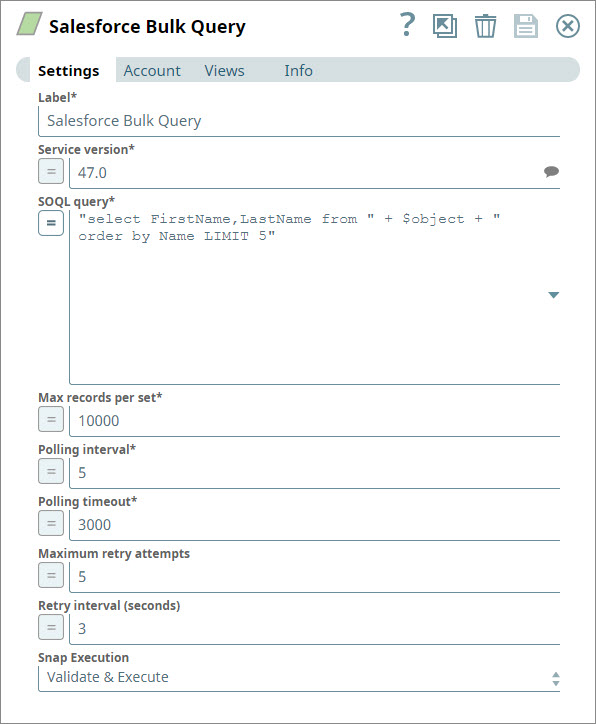
Add the details associated with your bulk query request in the Salesforce Bulk Query Snap. This must include your account credentials.In this example, you are looking to receive the first and last names of the first five contacts in your Salesforce database.
-
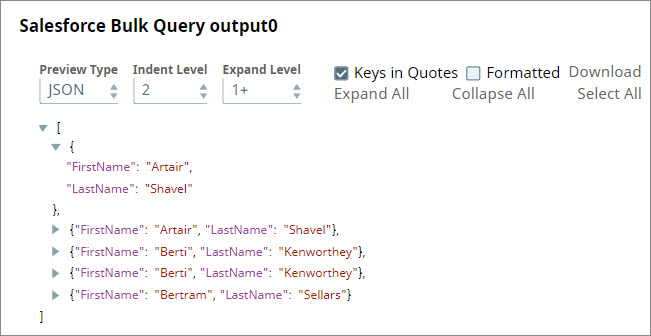
Save the Pipeline and validate it. Successful validation displays the data you requested.
- Download and import the SLP file into your Environment.
- Configure Snap accounts.
- Provide Pipeline parameters, if any.