


Creating and Retrieving Compensation Details
This example Pipeline demonstrates how to retrieve the compensation details with the scorecardResults object using the following operations:

-
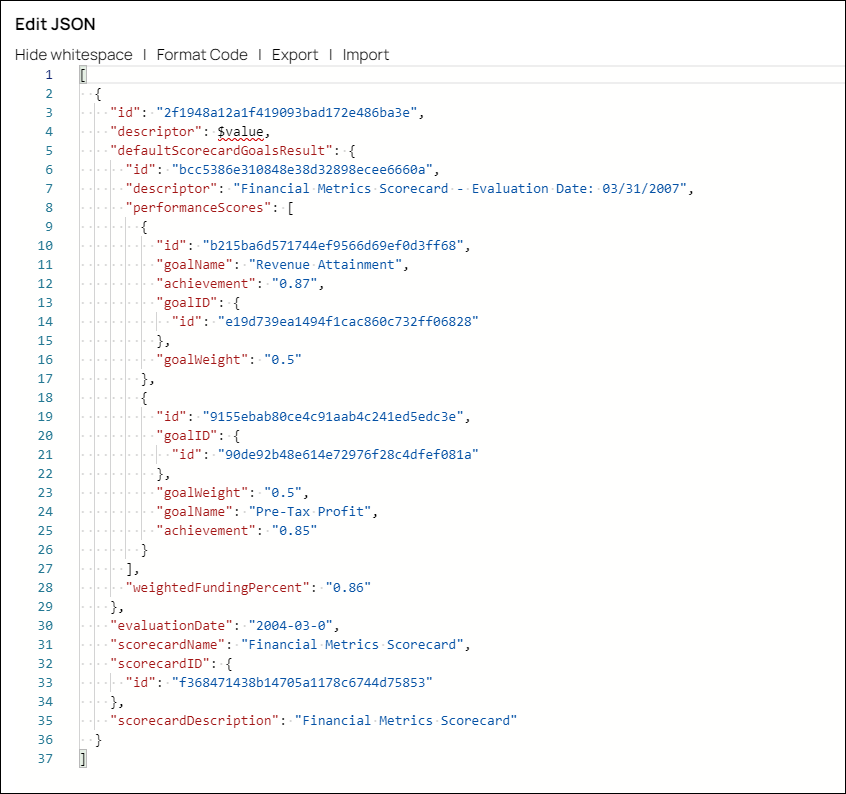
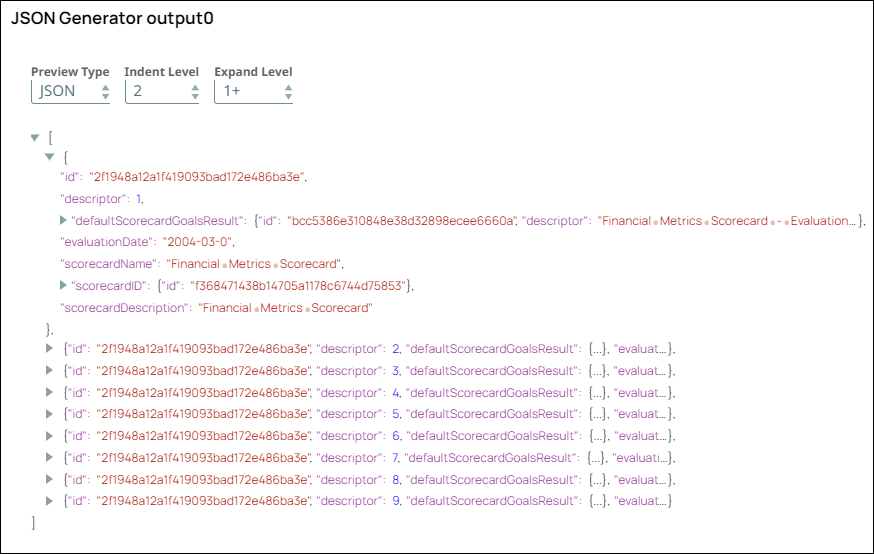
Configure the JSON
Generator Snap as follows with the scorecardResults object and validate the Snap:
-
Configure the Mapper Snap to pass the scorecard details as an input to the Workday REST Snap.

-
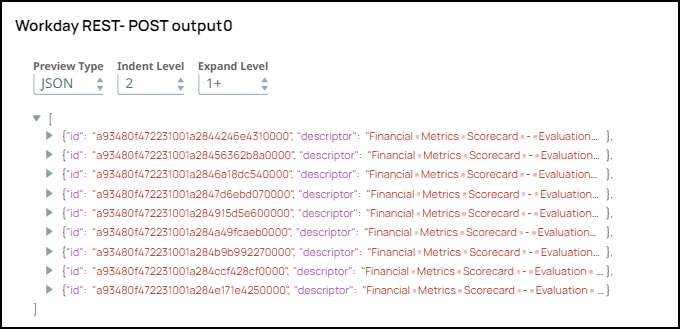
Configure the Workday REST Snap with the compensation Service and post Operation to create the scorecard object.

-
After validating the Snap, view it in the output that the object is created.
-
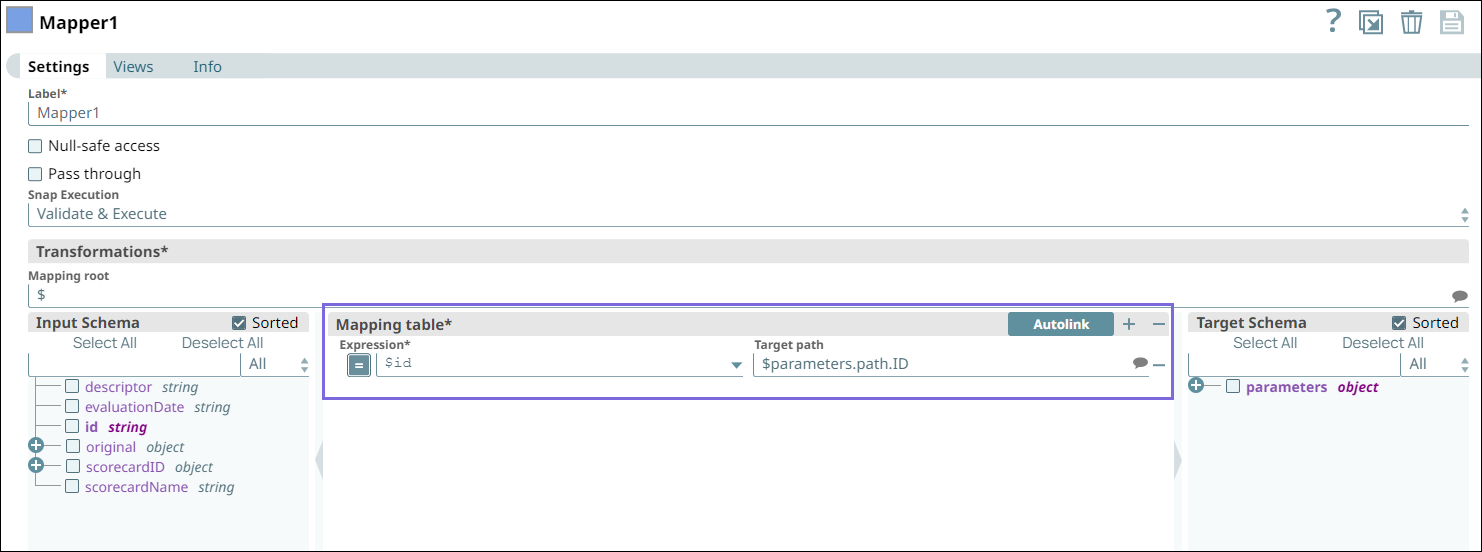
Configure the Mapper Snap to extract the scorecardResultsID.
-
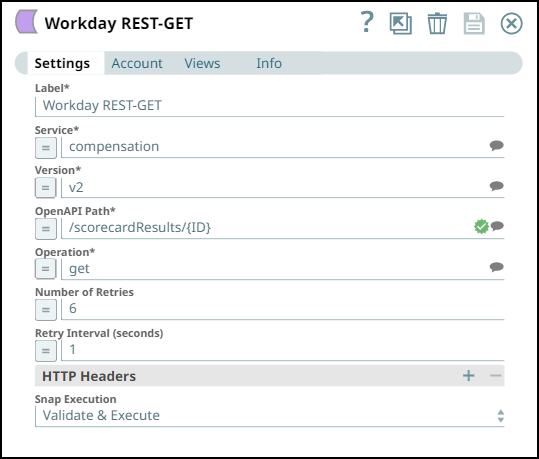
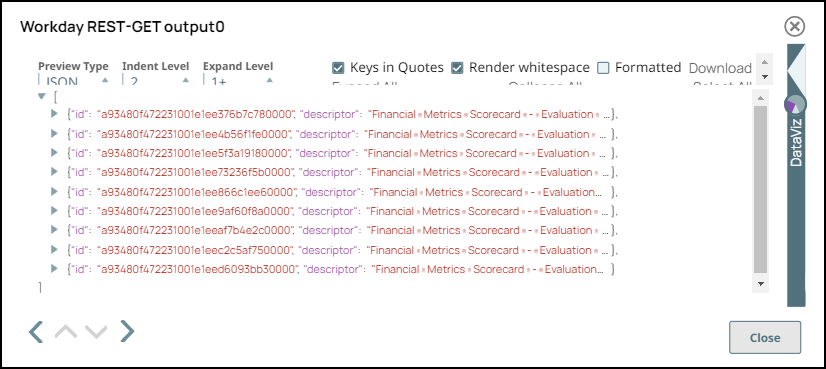
Configure the Workday REST Snap with the compensation Service and get Operation. After validating the Snap, you get the object value:
-
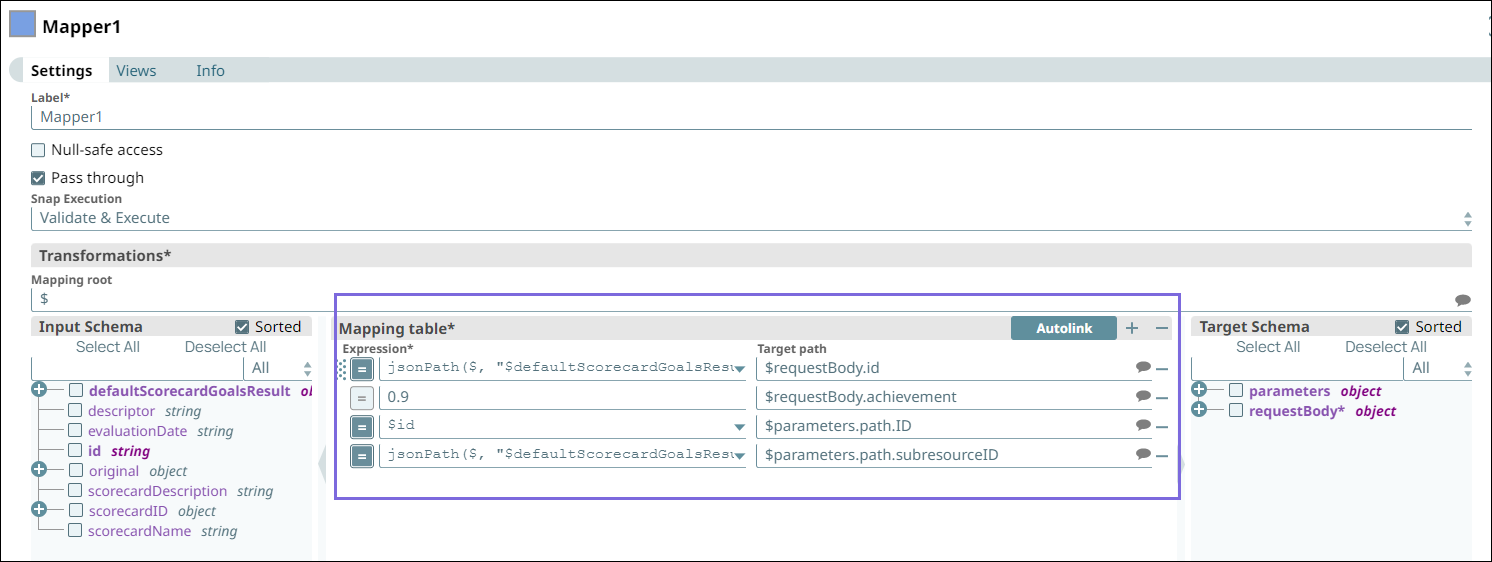
Configure the Mapper Snap to extract the scorecardResults.
-
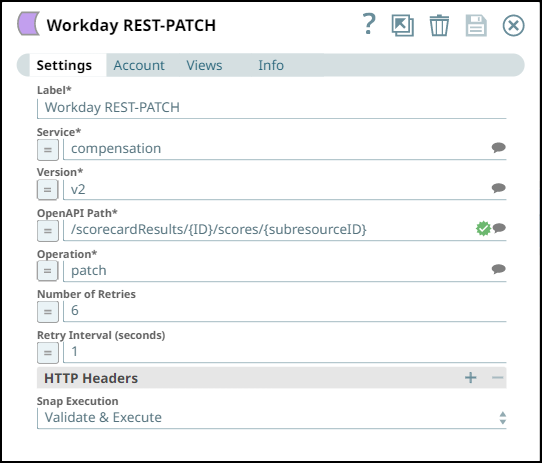
Configure the Workday REST Snap with the Mapper Snap output and Patch Operation.
-
After validating the Snap, you can view the output with updated object values.

-
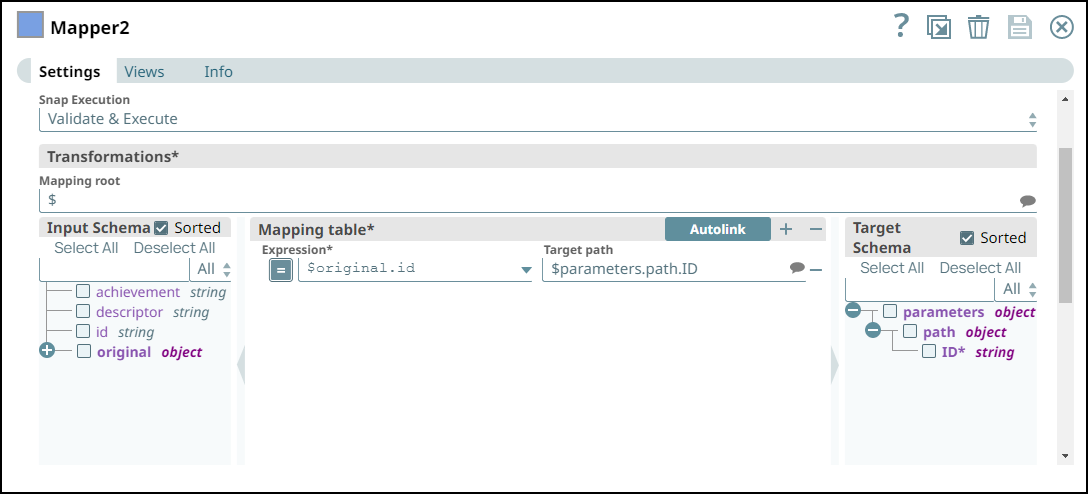
Configure the Mapper Snap to pass the original IDs that are to be deleted.
-
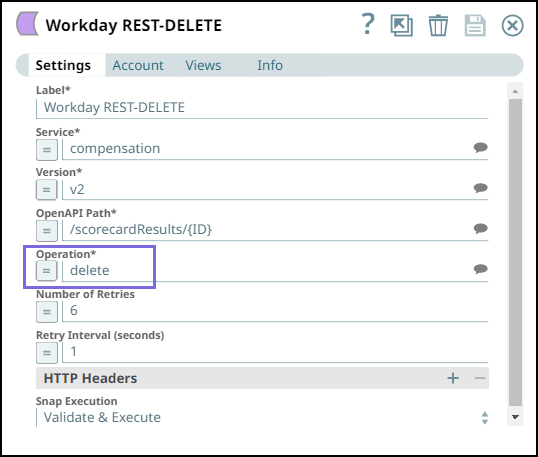
Configure the Workday REST Snap with the Mapper Snap output and Delete Operation.
-
After validating the Snap, you can view the output with the deleted path ID values.

- Download and import the SLP file into your Environment.
- Configure Snap accounts.
- Provide Pipeline parameters, if any.