


JWT Validate - Advanced Use Case
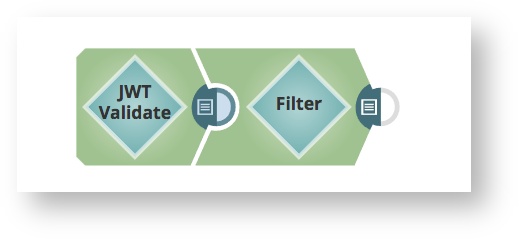
This Snap can be used at the start of a pipeline to limit access. By configuring the "audience" parameter, the pipeline will only allow calls with access token that contains that "audience" parameter.
Following on from the Advanced Use Case in JWT Generate documentation, let us assume that we want to allow calls associated with "sales" department only. Further, let us assume that we only want to allow calls when "age" is greater than 21.
You'll need to create a Configuring JWT Accounts to use for this sample. Use the attached jwt-keystore.jks file to create one.
(The keystore was created using keytool for demo purposes. It contains one symmetric key with alias: jwt password: jwtpasswd)
-
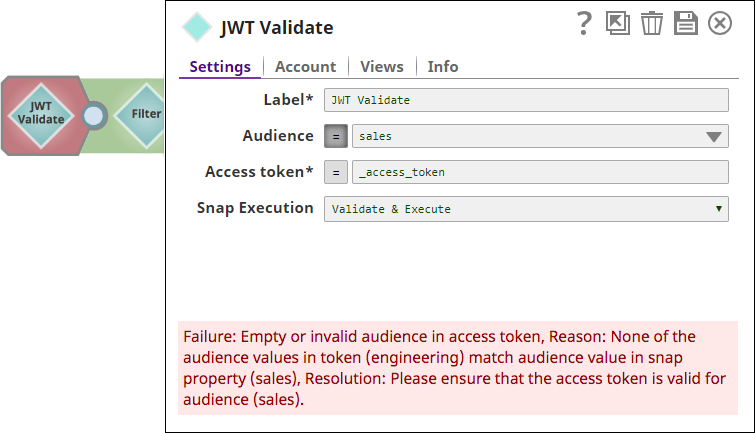
If a token was generated for a different audience (for e.g. "Engineering"), then the
Snap validation fails.
-
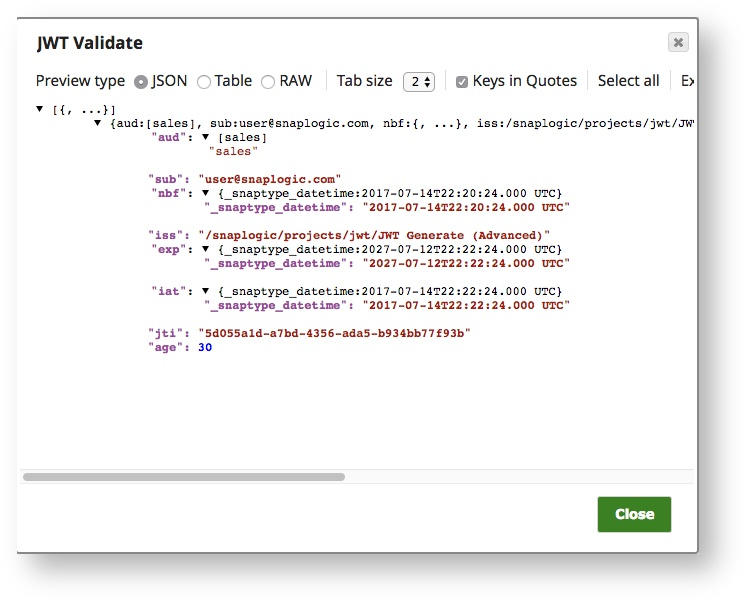
With a valid token, the Validation succeeds and the contents of the decoded JWT are
written to the output document.
-
The next step after
JWT Validate
can perform further
filtering or validation. In this example, we configure a
Filter
snap to only pass calls with an "age" value of
greater than 21.

- Download and import the pipeline into SnapLogic.
- Configure Snap accounts as applicable.
- Provide pipeline parameters as applicable.