


Path configuration
This article describes how to configure endpoint paths and routing rules.
You can perform advanced routing with paths. For example, if two endpoints have the same path, add a rule or expression to differentiate them and route requests to the correct endpoint. The Advanced routing example illustrates this. Path resolution describes how APIM 3.0 computes values at runtime and how pipelines can access them.
For each path (route) for this endpoint:
- Click Add path to open the Add new path panel:
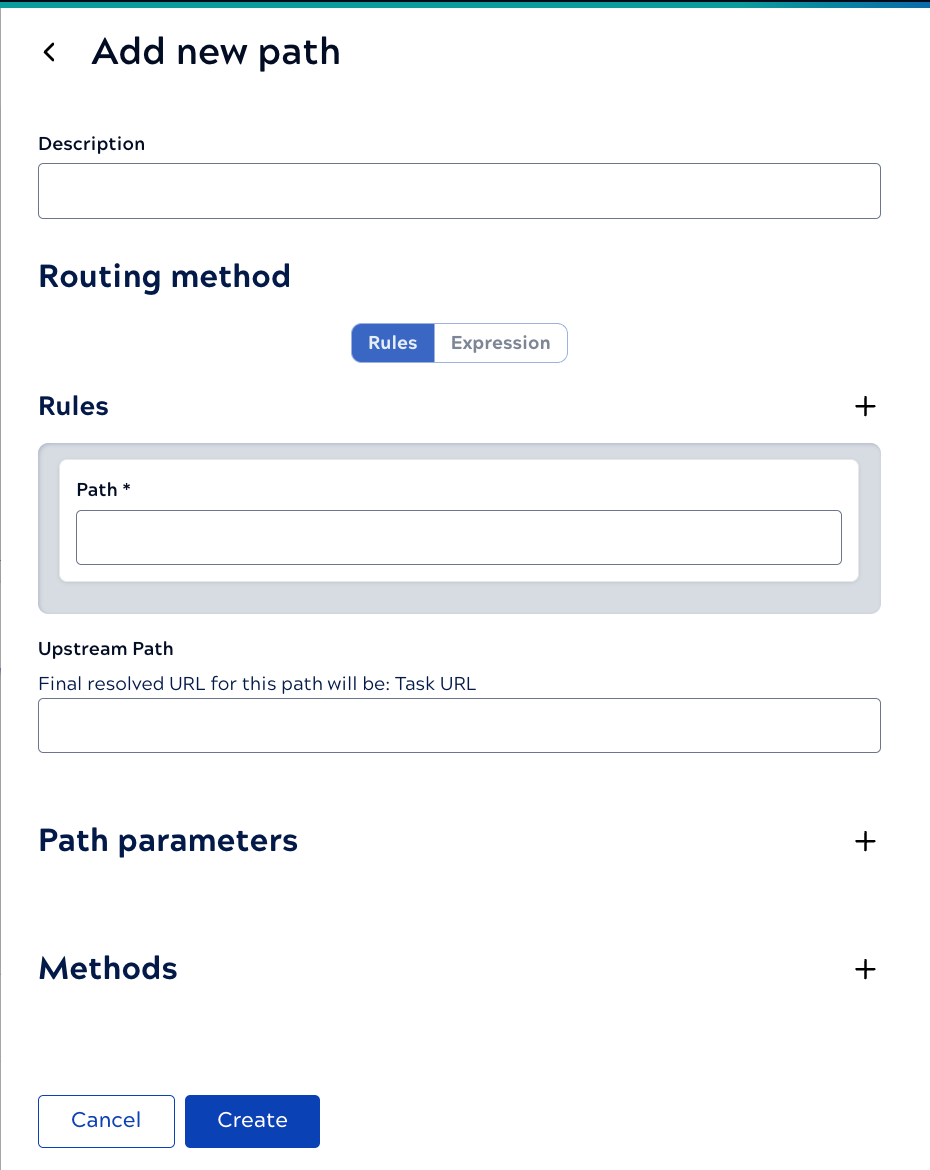
- Add a Description to clarify the purpose of this endpoint path.
- In the Rules section, enter the Path.
- Optionally, to add advanced routing, click Rules to specify one or more query parameters, header values, or path parameters. Alternatively, click Expression to define one or more conditions. All conditions must be true for this path to execute. Click plus to add each rule or expression.
- Optionally, add an Upstream Path. Refer to Path resolution for how APIM 3.0 resolves path values.
- Click plus to add any required parameters. The parameters will be appended to the URL. Parameter configuration describes parameter options.
- Click plus to add one or more Methods. Method configuration describes method options.
- Click Create.