


Athena Query
Overview
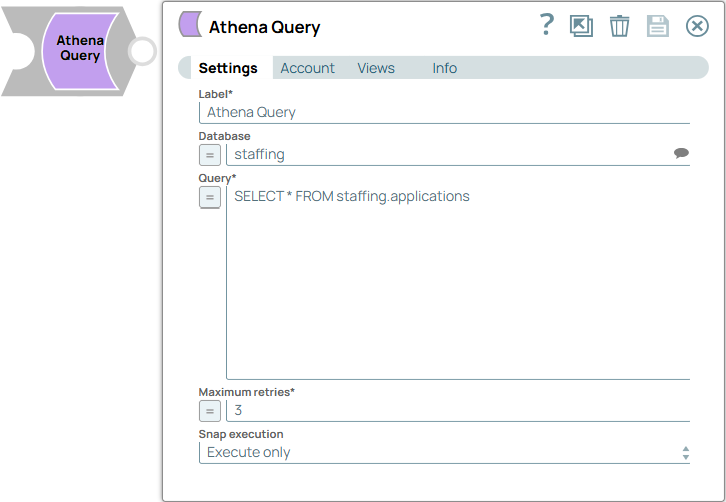
You can use this Snap to execute SQL queries on data stored in Amazon S3 using Amazon Athena.
- This is a Write-type Snap.
 Does not support Ultra Tasks
Prerequisites
None.
Known issues
- ARRAY, STRUCT, and MAP data types are not supported in SELECT queries. If used, it may result in incorrect values in the output documents.
- This Snap can fail on a table created with ORC files in LZO compression because of an Athena service defect.
Snap views
| Type | Description | Examples of upstream and downstream Snaps |
|---|---|---|
| Input | This Snap atmost has one document input view. | |
| Output | This Snap atmost has one document output view that provides the result of the Athena query execution. | |
| Learn more about Error handling. | ||
Snap settings
Legend:
- Expression icon (
 ): Allows using
JavaScript syntax to access SnapLogic Expressions to set field values dynamically (if
enabled). If disabled, you can provide a static value. Learn more.
): Allows using
JavaScript syntax to access SnapLogic Expressions to set field values dynamically (if
enabled). If disabled, you can provide a static value. Learn more. - SnapGPT (
 ): Generates SnapLogic Expressions
based on natural language using SnapGPT. Learn
more.
): Generates SnapLogic Expressions
based on natural language using SnapGPT. Learn
more. - Suggestion icon (
 ): Populates a
list of values dynamically based on your Snap configuration. You can select only one
attribute at a time using the icon. Type into the field if it supports a comma-separated
list of values.
): Populates a
list of values dynamically based on your Snap configuration. You can select only one
attribute at a time using the icon. Type into the field if it supports a comma-separated
list of values. - Upload
 : Uploads files. Learn more.
| Field/Field set | Type | Description |
|---|---|---|
Label
|
String |
Required. Specify a unique name for the Snap. Modify this to be more appropriate, especially if more than one of the same Snaps is in the pipeline. Default value: Athena Query Example: Athena Query data |
| Database | String/Expression/ Suggestion | Specify the name of Athena database, that is a logical grouping of Athena
tables. Tip: This field can be left blank if the query contains the
name of Athena database. Default value: N/A Example: mydatabase |
| Query | String/Expression | Required. Specify the SQL query to be executed by
Athena. Ensure the query follows the syntax supported by Amazon Athena and
references data stored in S3. Learn more. Default value: N/A Example: SELECT * FROM mytable |
| Maximum retries | Integer/Expression | Required. Specify the maximum number of retry
attempts. Default value: 3 Example: 10 |
| Snap execution
|
Dropdown list |
Choose one of the three modes in
which the Snap executes. Available options are:
Default value: Execute only Example: Validate & Execute |