


Perform bulk lead extraction from Marketo
Extraction of data
This example Pipeline demonstrates how we can extract data in bulk from the Lead database using the Bulk Lead Extract Snap. We build the Pipeline to automate the following activities:
- Extract data in bulk using Bulk Lead Extract Snap.
- Write the binary data to an end point using File Writer Snap.

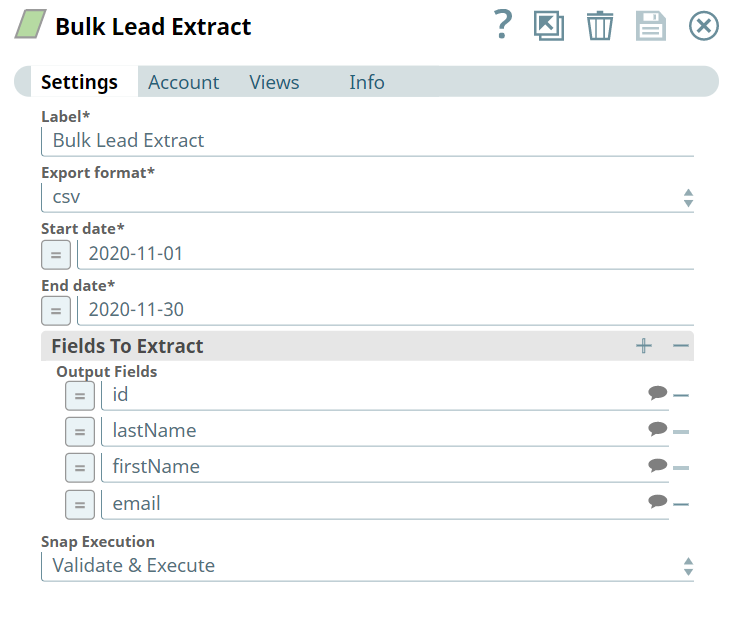
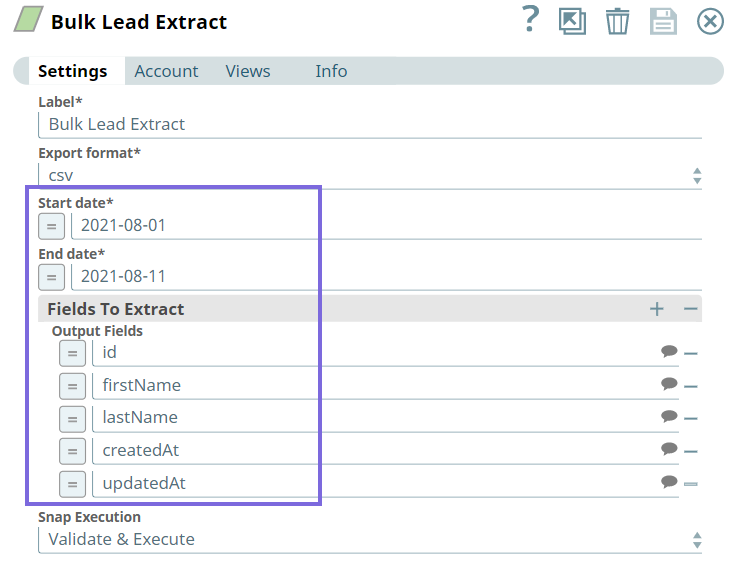
Initially, we configure the Bulk Lead Extract Snap as follows. Note that Export format, Start and End dates fields are mandatory. Additionally, you can provide specific fields to export from the database under Output Fields.
Bulk Lead Extract Input
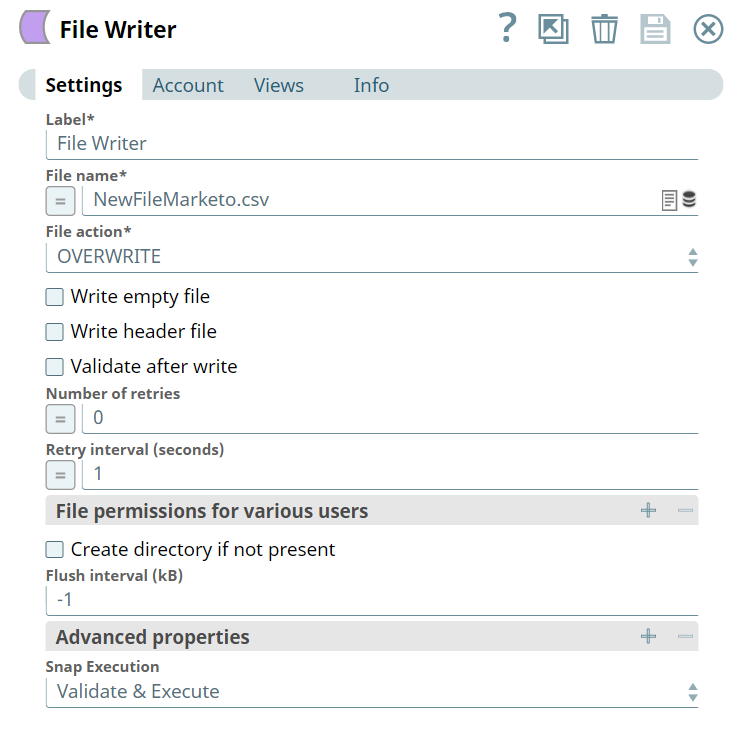
Next, we configure the File Writer Snap to write binary data to an end point.
File Writer Input
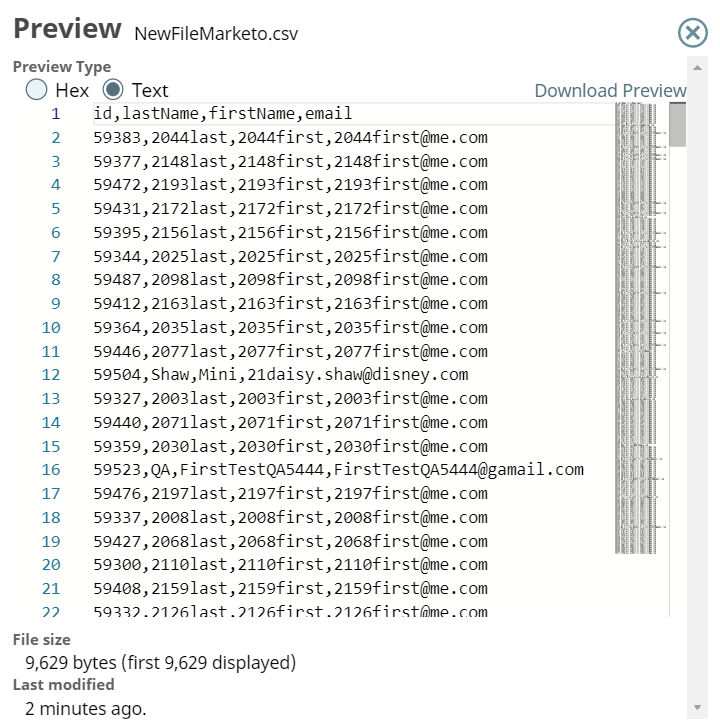
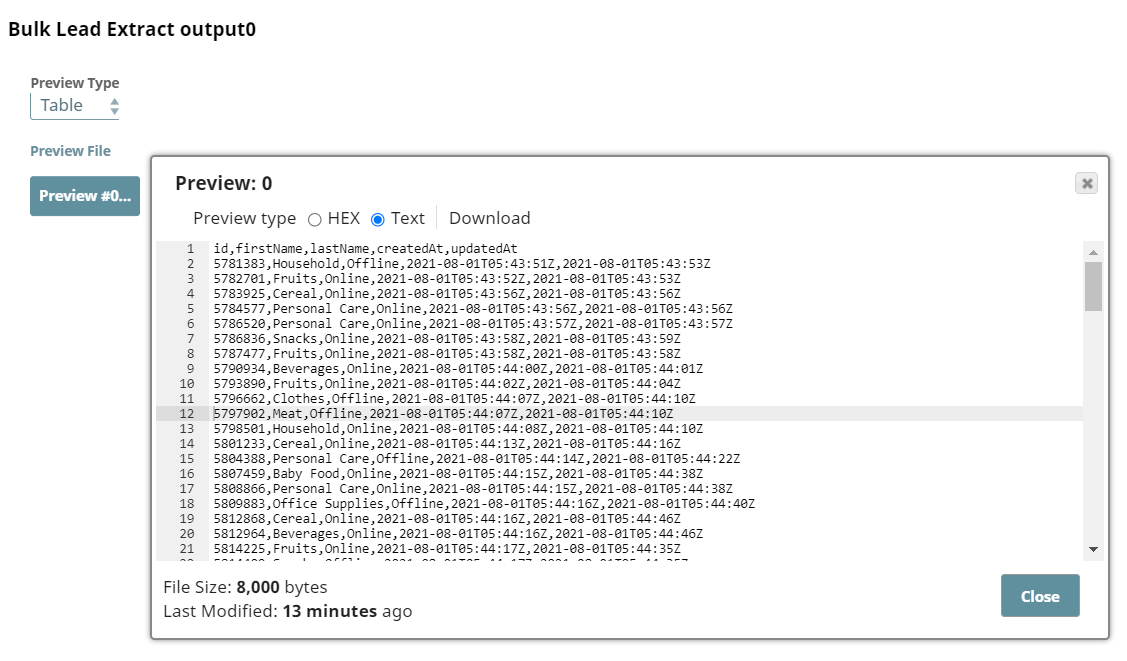
Upon execution, we see the extracted data with the proposed fields as output.
File Writer Output
Extracting leads data created within a specific date range
This is a simple example of a stand-alone Pipeline that demonstrates how we can extract data of leads created during a specific date range. This example assumes that you have configured a valid Marketo account to be used with this Snap.
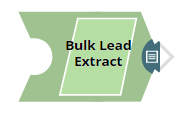
We configure the Bulk Lead Extract Snap to extract the leads created during 2021-08-01 to 2021-08-11. We also want to extract the id, first name, last name, created at, and updated at fields to view in the output.
Upon validation, this Snap generates the leads data created during the specified date range.
- Download and import the pipeline into SnapLogic.
- Configure Snap accounts as applicable.
- Provide pipeline parameters as applicable.