


Delete student records
The following example pipeline demonstrates how to delete all the student records that have the same scores as Adam's. In this example, we have a table named STUDENT that stores students' scores. It has 3 columns:

Download this Pipeline
-
Configure the Oracle - Select Snap to find the row whose NAME is 'Adam', and pass the row's data to Oracle - Delete Snap.
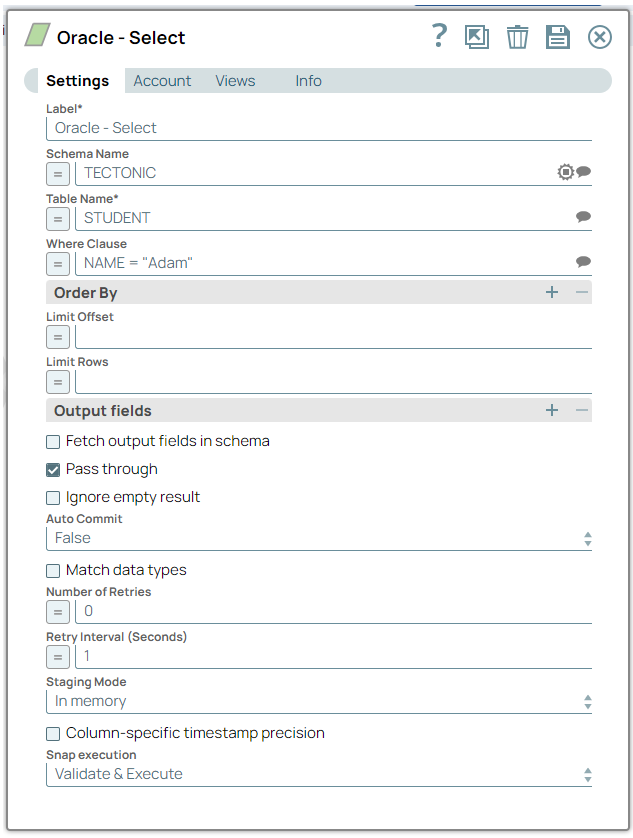
-
Configure the Oracle - Delete Snap to delete all the rows with the same score as Adam's. We use $SCORE to retrieve the data from the SCORE Column passed from Oracle—Select Snap.
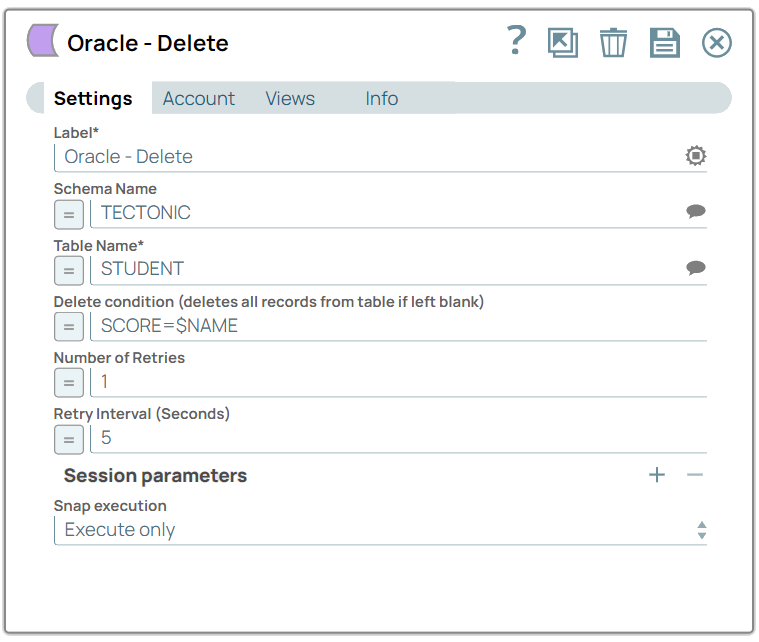
- Download and import the SLP file into your Environment.
- Configure Snap accounts.
- Provide Pipeline parameters, if any.