


Remove Job Profile Data from SuccessFactors Data Center
This example illustrates how you can use SuccessFactors Delete Snap to delete a job profile via the Employee Central (EC) - Jobprofile API entity in the Success Factors Data Center. It assumes that you have configured and authorized a valid SuccessFactors Account (see SuccessFactors Basic Auth Account).

Download this Pipeline
-
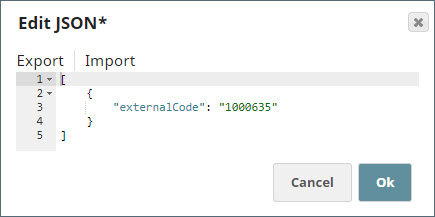
In the sample Pipeline, the data to be deleted, the job profile externalCode, is provided as input data within the JSON
Generator Snap.
-
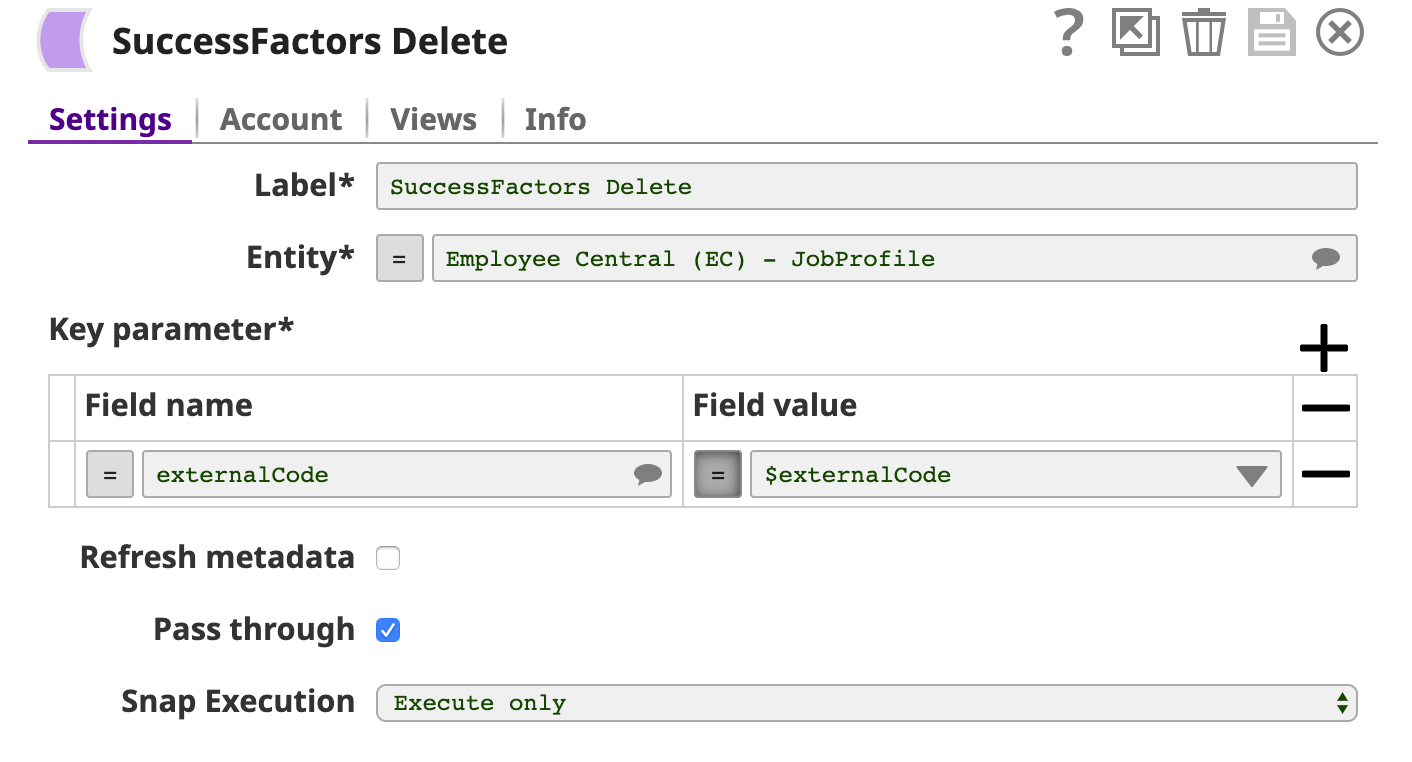
The image below shows the data to be deleted under the Key parameter fieldset of the SuccessFactors Delete Snap.
-
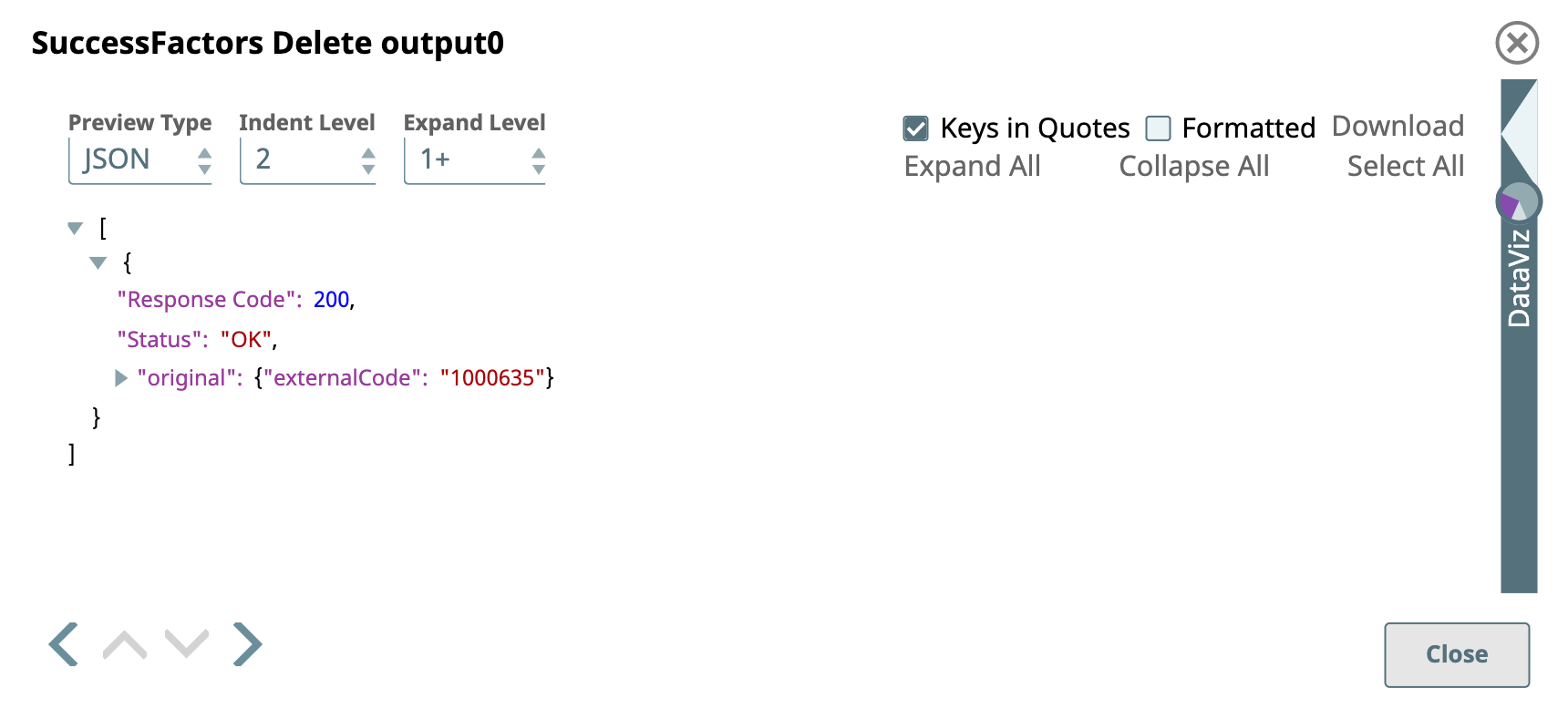
A successful validation of the Snap generates the following output preview, with the status code of 200 confirming a successful deletion.
-
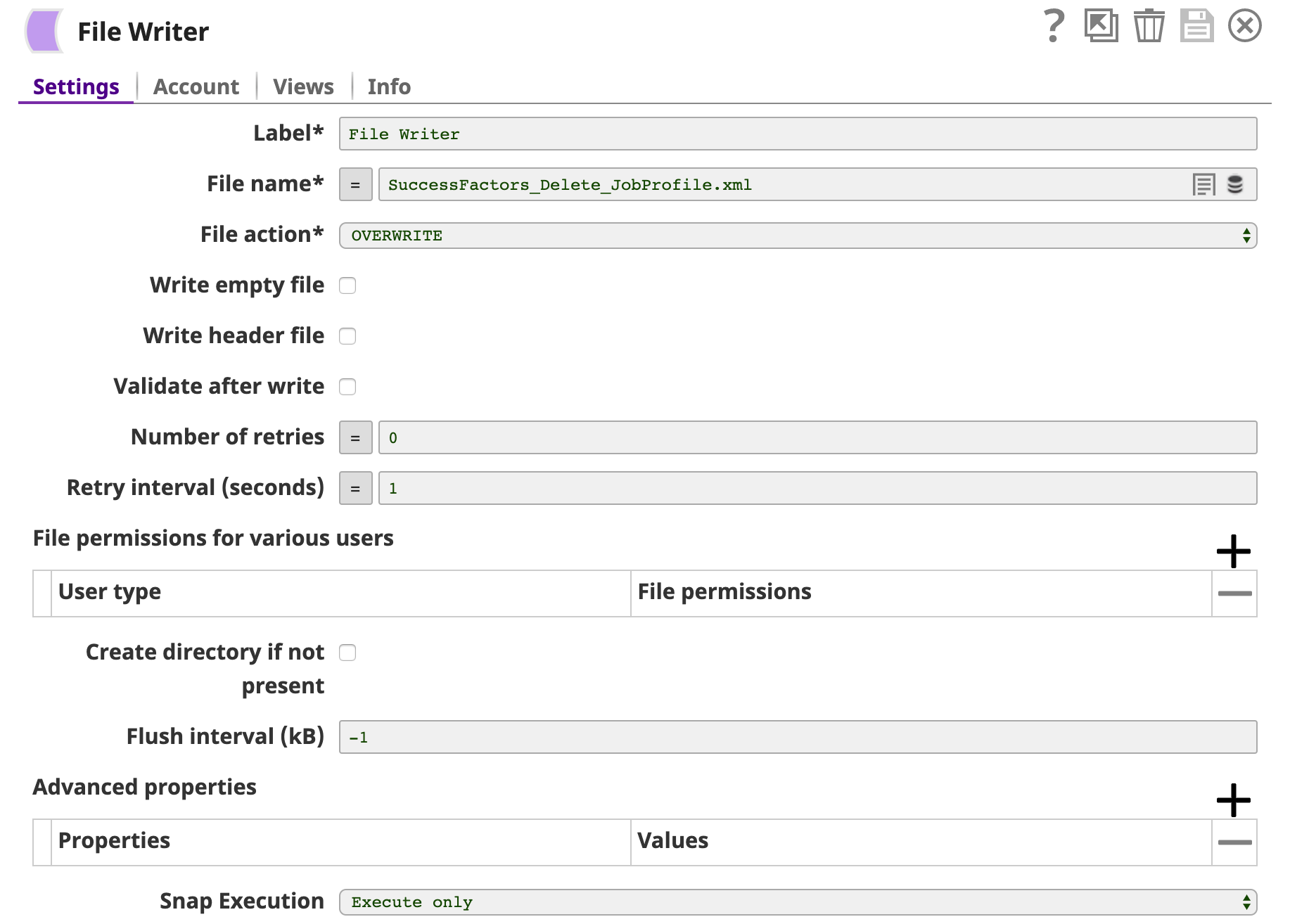
Finally, an
XML Formatter
Snap and a
File Writer
Snap is added downstream to format and save the returned data in a new file. In the image below, the output is written to the SuccessFactors_Delete_JobProfile.xml file.
- Download and import the SLP file into your Environment.
- Configure Snap accounts.
- Provide Pipeline parameters, if any.