


Exchange Online Dynamic OAuth2 Account
Overview
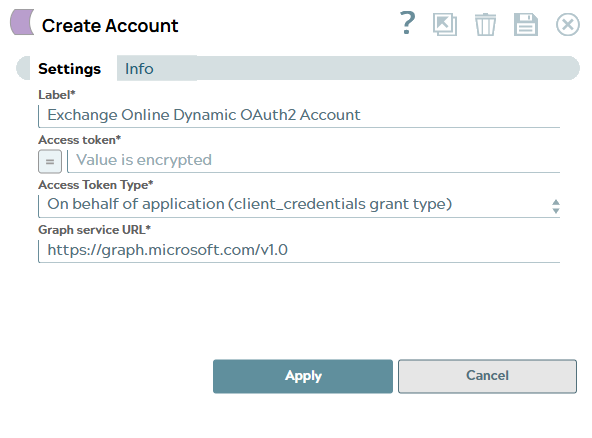
You can configure your accounts in SnapLogic using the Designer or Manager. You can use this account type to connect Exchange Online Snaps with data sources that use Exchange Online Dynamic OAuth2 accounts.
Prerequisites
- Valid OAuth2 client Application with all the required API permissions.
Account settings
| Field/Field set | Description |
|---|---|
Label*
String |
Specify a unique user-provided label for the account. Default value: None Example: Exchange_test |
Access Token*
String/Expression |
Specify the access token associated with the Azure application. Default value: N/A Example: 1564647wqdd= |
Access Token Type*
Dropdown list |
Select either of the following options for generating the access token for user sign-in:
Default value: Example: On behalf of application (client_credentials grant type) |
Graph service URL
String |
Specify the Graph service URL. To connect to a Microsoft cloud other than the global cloud (such as the Government or China), you must configure the corresponding Token Endpoint and Authorization Endpoint to match the environment. The following table lists the Graph API Root URL for each environment:
Default value: Example: https://dod-graph.microsoft.us |