


Include and retrieve a lead in Marketo
This example Pipeline demonstrates how we can include a lead to the Lead database and retrieve that lead from the Lead database. We use the Lead Write and Lead Read Snaps to accomplish this task.
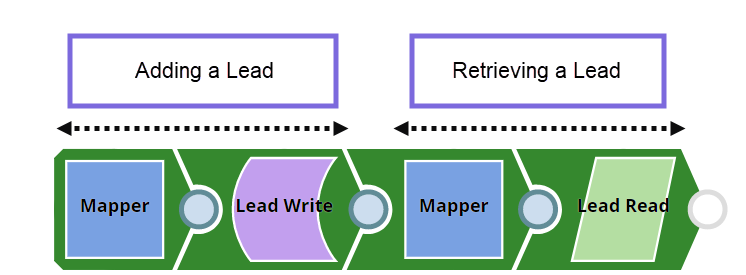
Initially, we pass the following required lead values and account name in the Pipeline as key-value parameters.
| Key | Value |
|---|---|
| MarketoAccountName | DG_Marketo_Account |
| FirstName | Mary |
| Gender | Female |
| LastName | Smith |
Create a lead and insert it into the Leads database
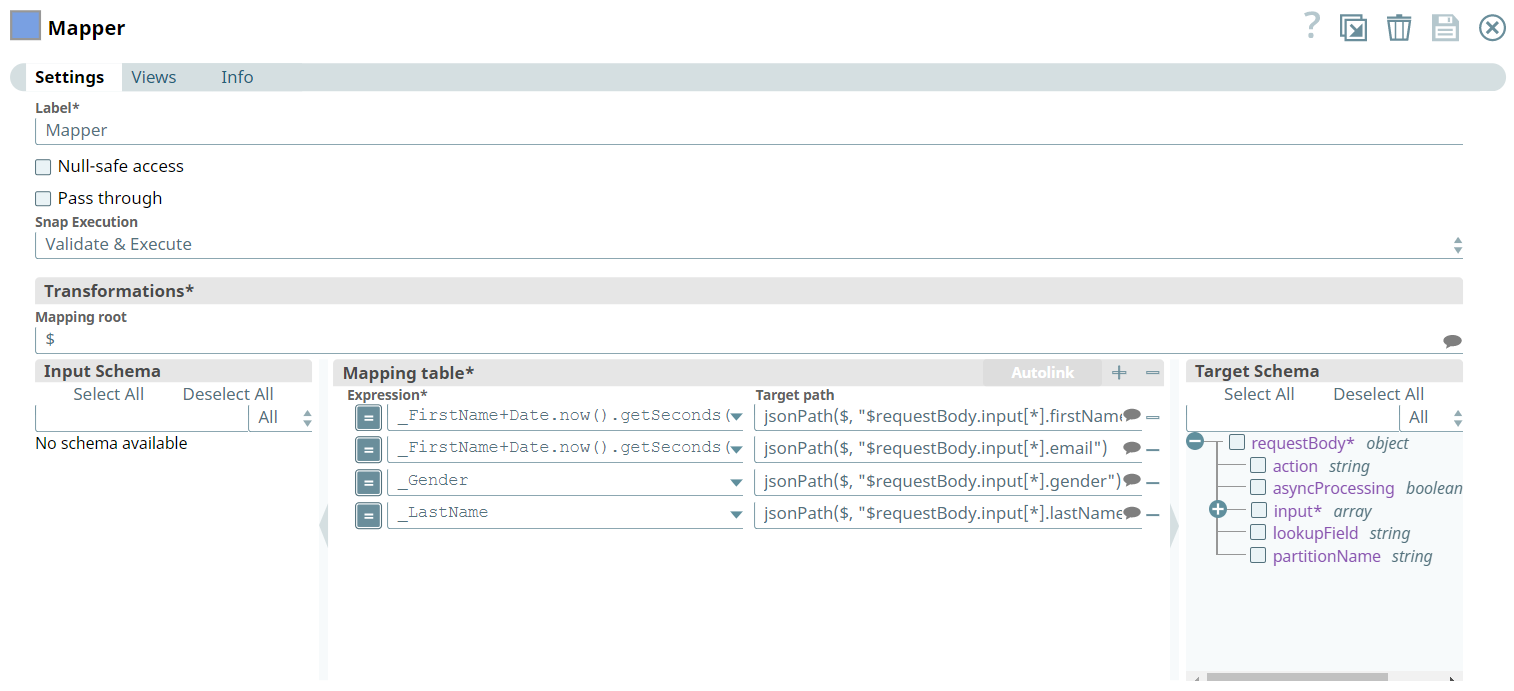
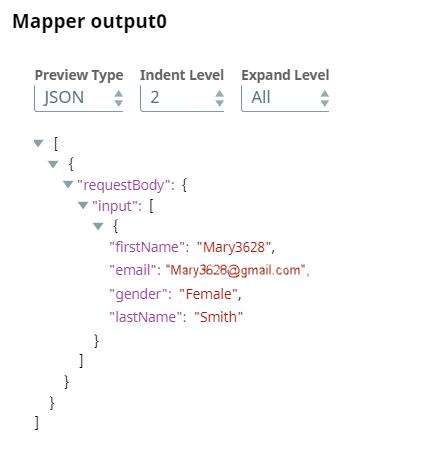
We begin with mapping the lead information (defined in the Pipeline parameters) using the Mapper Snap. Upon validation, we see the lead information in the output preview of the Snap.
Mapper Configuration
Mapper Output
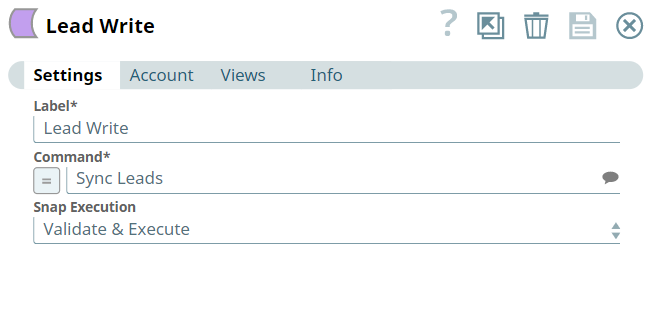
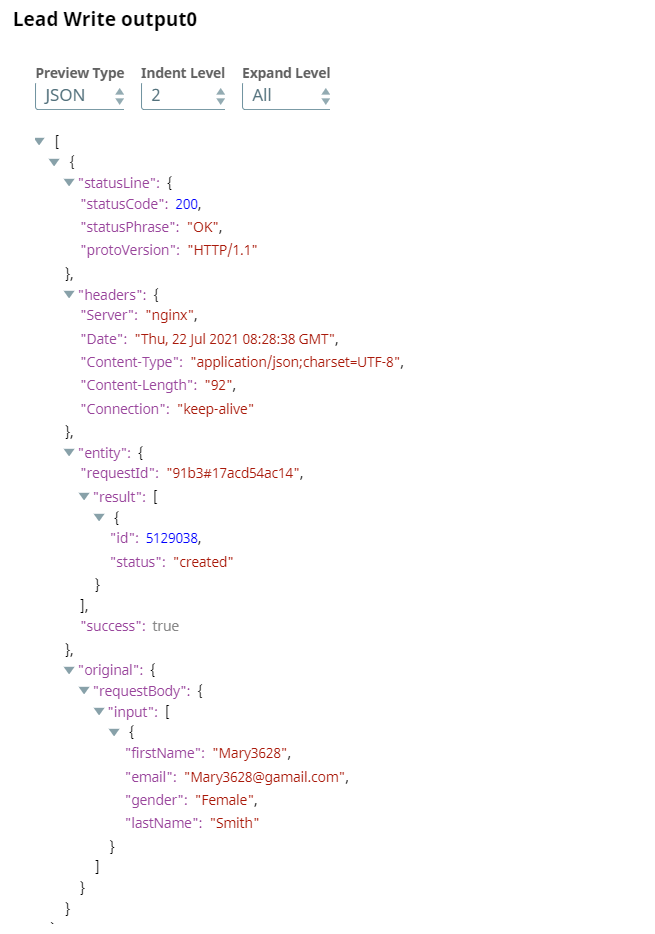
Configure the Lead Write Snap to insert the lead information into the Lead database. Upon validation, we see a confirmation of the lead created in the Lead database.
Lead Write Configuration
Lead Write Output
Query and retrieve a lead from the Lead database
Here, we map the information to a Lead Read Snap, which is used to query and retrieve the lead from the Lead database.
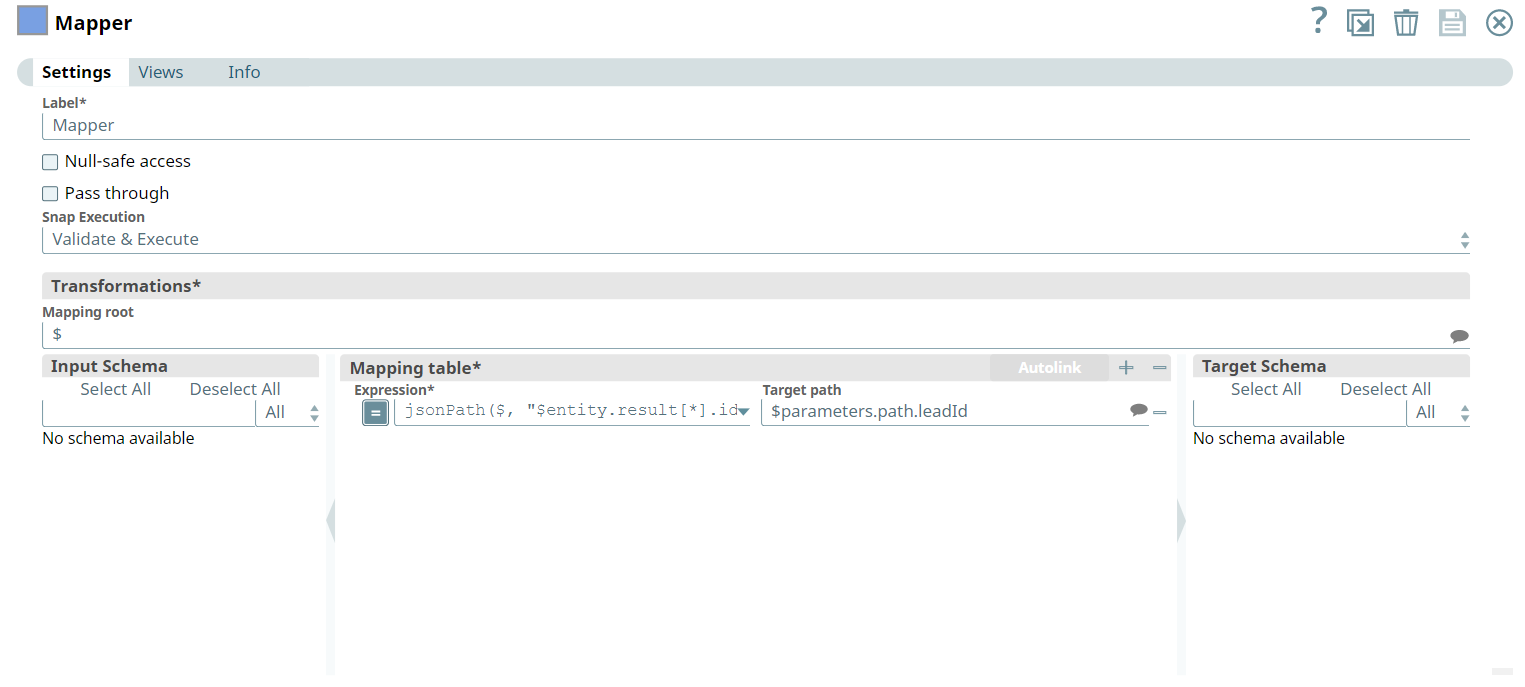
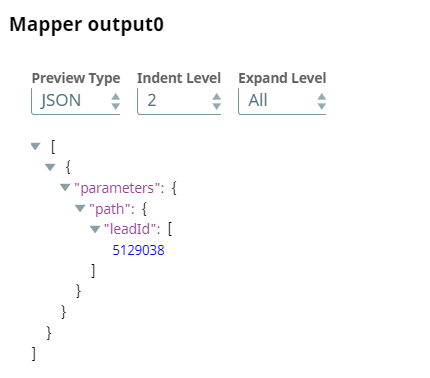
To this end, we configure the Mapper Snap to set the target path to have the Lead ID. Upon validation, we see the output with lead ID information.
Mapper Configuration
Mapper Output
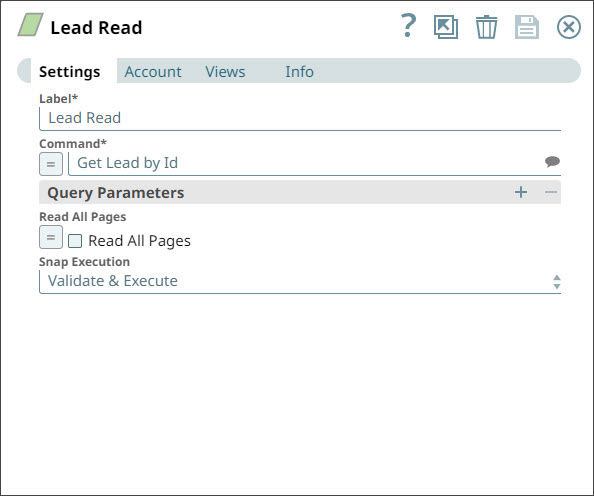
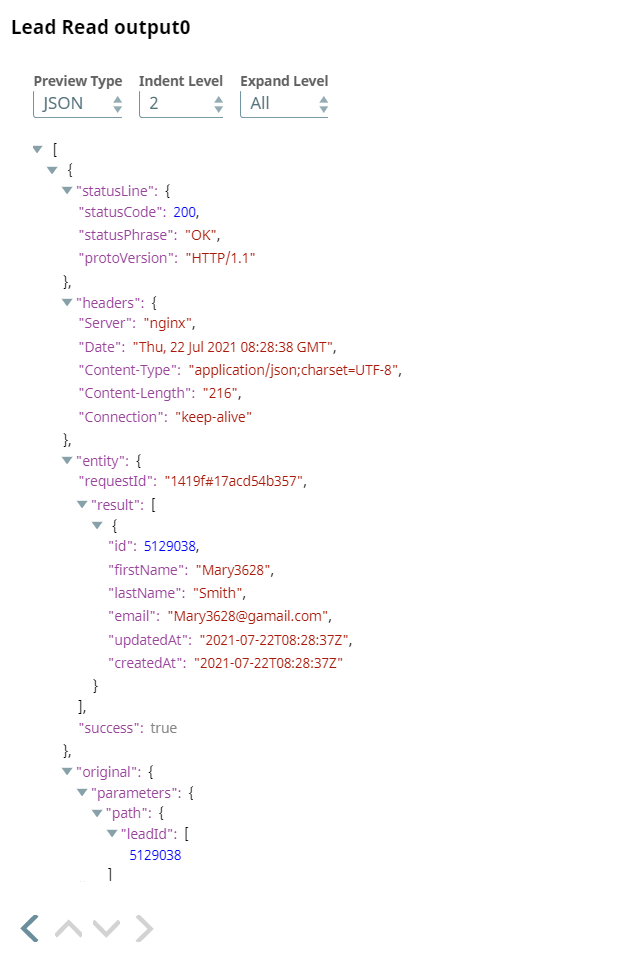
Configure the Lead Read Snap to retrieve the lead information by the Lead ID.
Lead Read Configuration
Lead Read Output
- Download and import the pipeline into SnapLogic.
- Configure Snap accounts as applicable.
- Provide pipeline parameters as applicable.