Insert data into a table
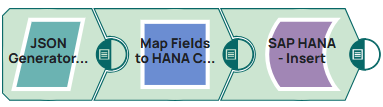
This example demonstrates how to insert data into a table. This pipeline generates user data in JSON format, maps the fields to the corresponding SAP HANA table columns, and inserts the data into a SAP HANA database table.
Steps
First we pass the data we want to insert with a JSON Generator Snap:
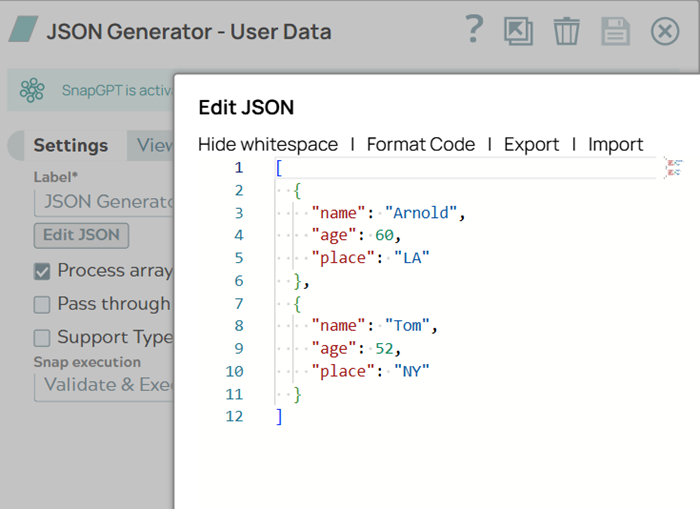
- Configure the JSON Generator Snap with user Data. On validation, this Snap generates
JSON content containing two user records with fields for name, age, and place. The records
include data for "Arnold" and "Tom" .
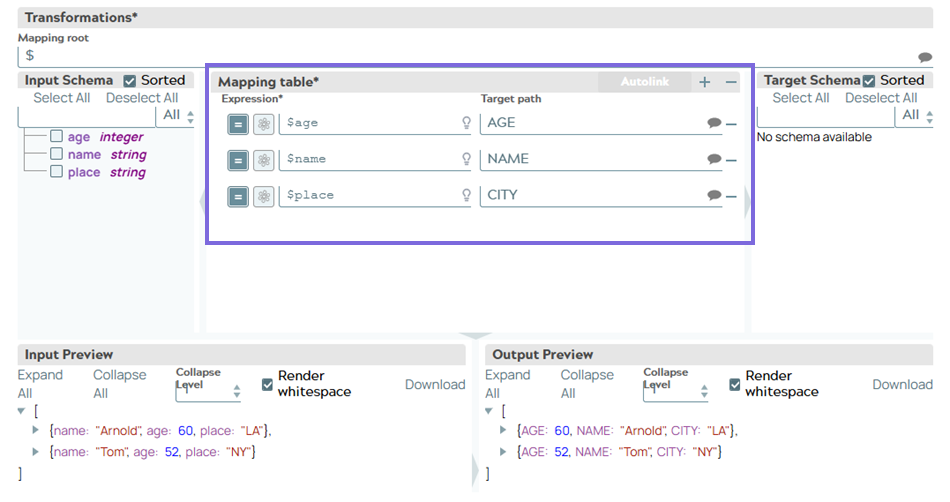
- Configure the Mapper Snap to map Fields to the Columns in SAP HANA. Maps the input
fields to the corresponding SAP HANA column names, transforming "$age" to "AGE", "$name"
to "NAME", and "$place" to "CITY".
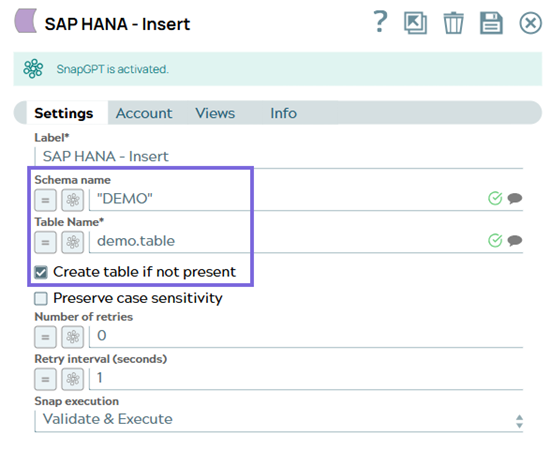
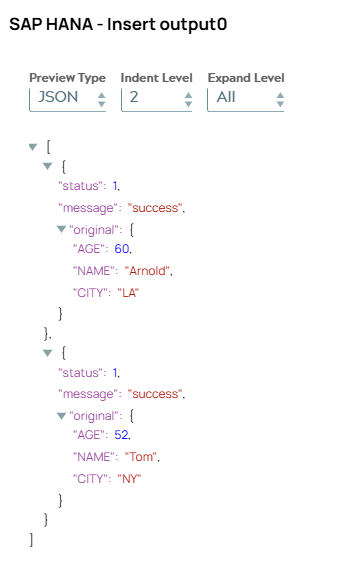
- Connect the SAP HANA - Insert Snap to insert the mapped records into the
demo.tablewithin the "DEMO" schema in the SAP HANA database.SAP HANA - Insert Snap Configuration SAP HANA - Insert Snap Output Preview